129
If the blank measurements do not return to normal after performing the ‘Clean’ and ‘Hard clean’ software
maintenance functions and running several blank measurements, please contact your Diatron certified service
engineer for additional assistance.
17.9 Replacing Reagents
The ‘Abacus 5’ analyzer is designed to be able continue running without the need to stop if a reagent container needs
to be replaced. To support this feature, internal buffers keep sufficient reagents for one measurement cycle and
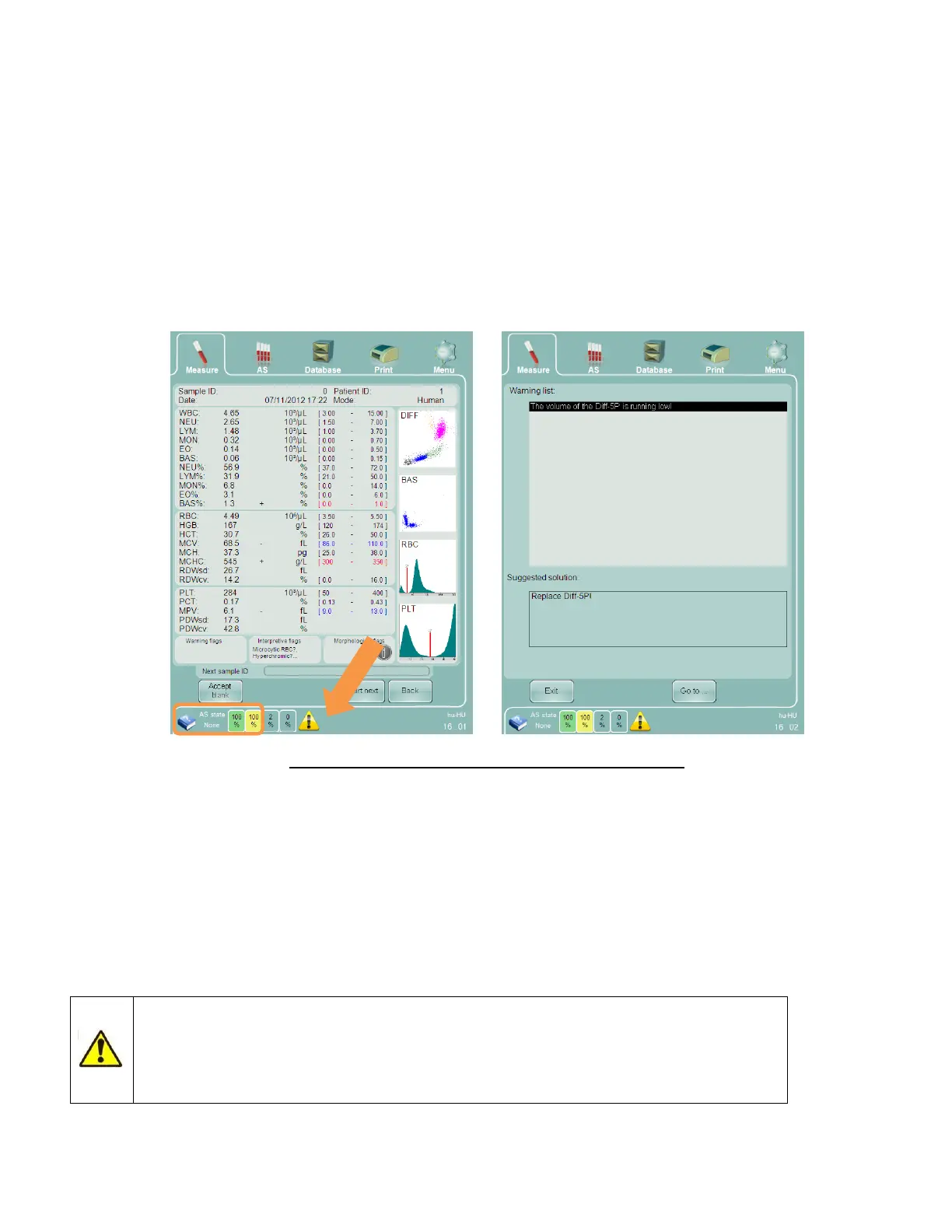
warns the operator when a reagent is about to run out. An exclamation mark within a yellow triangle will be
displayed by the reagent level indicator. Double clicking or tapping on the exclamation mark will open an explanation
panel. The panel; will suggest a specific solution, such as changing one of the reagent containers. Click or tap the ‘Go
to..’ button on the explanation panel to navigate to the reagent status panel.
Figure 102. Reagent Low Indicator and Explanation Panel
To replace reagent containers, perform the following steps:
1. Prepare the new container, and place it near the place of operation
2. Open the container cap (remove cardboard flaps if necessary on 5L and 20L containers)
3. Unscrew the reagent line from the used container and place it into the new container
4. Switch the old and new containers
5. Dispose of used containers according to local regulations
6. Push the Reset button corresponding to the new reagent container to reset the reagent level software counters
to 100%
Never allow the reagent line and dip tube to touch the ground or any other surface to
avoid microbial contamination of the reagents and the internal pneumatic components of
the ‘Abacus 5’ analyzer. Always transfer the reagent line from the old reagent container to
the new container without coming in contact with any other surface.



 To Next Page