64
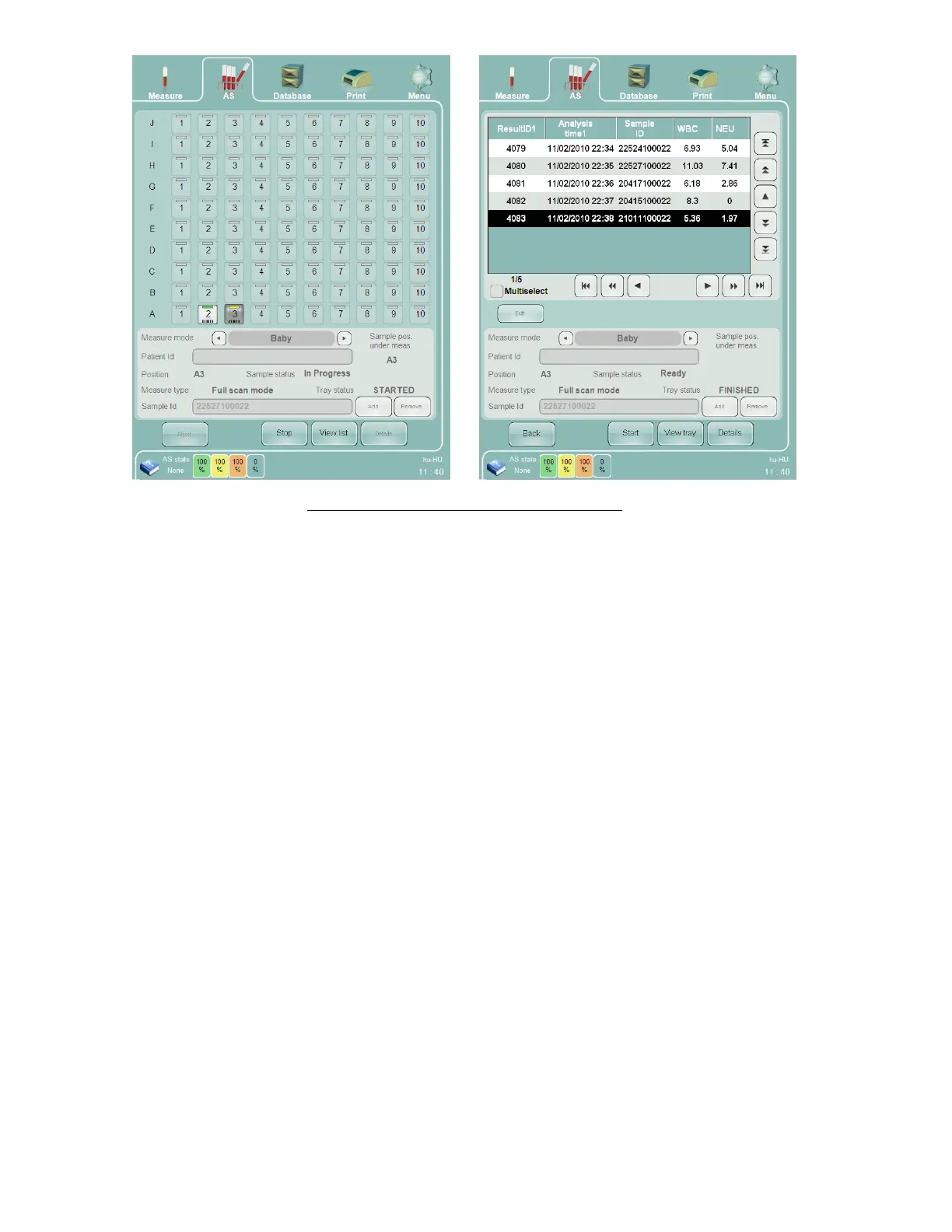
Figure 36. Full Scan Mode Tray and List Views
The Autosampler allows the addition of sample tubes to a Full Scan process already in progress. To add more sample
tubes, perform the following steps:
Click or tap the ‘Stop’ button. The ‘Abacus 5’ will prompt you to wait until the current sample is completed.
Acknowledge the message by clicking or tapping the ‘OK’ button.
Insert the new samples into a rack.
Open the cover of the Autosampler.
Place the new samples behind the last measured sample.
Close the Autosampler cover.
Start the automated measurement by clicking or tapping on the ‘Start’ button on the GUI or by pressing the
physical Start button.
The ‘Abacus 5’ analyzer keeps track of the last analyzed sample on the sample tray of the Autosampler. After
restarting the full scan process the ‘Abacus 5’ moves the Autosampler to the last processed position and continues
scanning from there.
8.4.2.3 Free List Mode
Free List mode is suitable for laboratories where:
The barcode labels are not used, or the bar codes are not the primary identifiers.
Samples are arriving from multiple sources in small batches.
In a given batch there are samples which should be measured using different modes for different normal
ranges.
To start sample measurement in Free List mode, first perform and accept a blank measurement if one is needed.
Click or tap the ‘AS’ quick link at the top of the screen and select ‘Free list mode’. The Free List mode only requires
that samples be placed in the same sequence as in the free list. It does not require that samples be matched to exact



 To Next Page