120
17 Maintenance
To ensure reliable operation, regular maintenance is required. This chapter describes necessary procedures and steps
required to keep your analyzer in a good operating condition.
Only Diatron certified service personnel that have received Abacus 5 service training can
resolve major problems that occur during operation. Electrical and moving parts should
always be serviced by trained service personnel.
There are, however some maintenance actions the operator should perform to keep the analyzer in good operating
condition
Any elements inside the analyzer like tubes, valves, chambers, containers should be
handled as a potentially biologically and chemical dangerous material. Observe local laws
and regulations regarding handling and during disposal.
17.1 Opening the Front Panel
Several components that require regular cleaning and maintenance are behind the front panel.
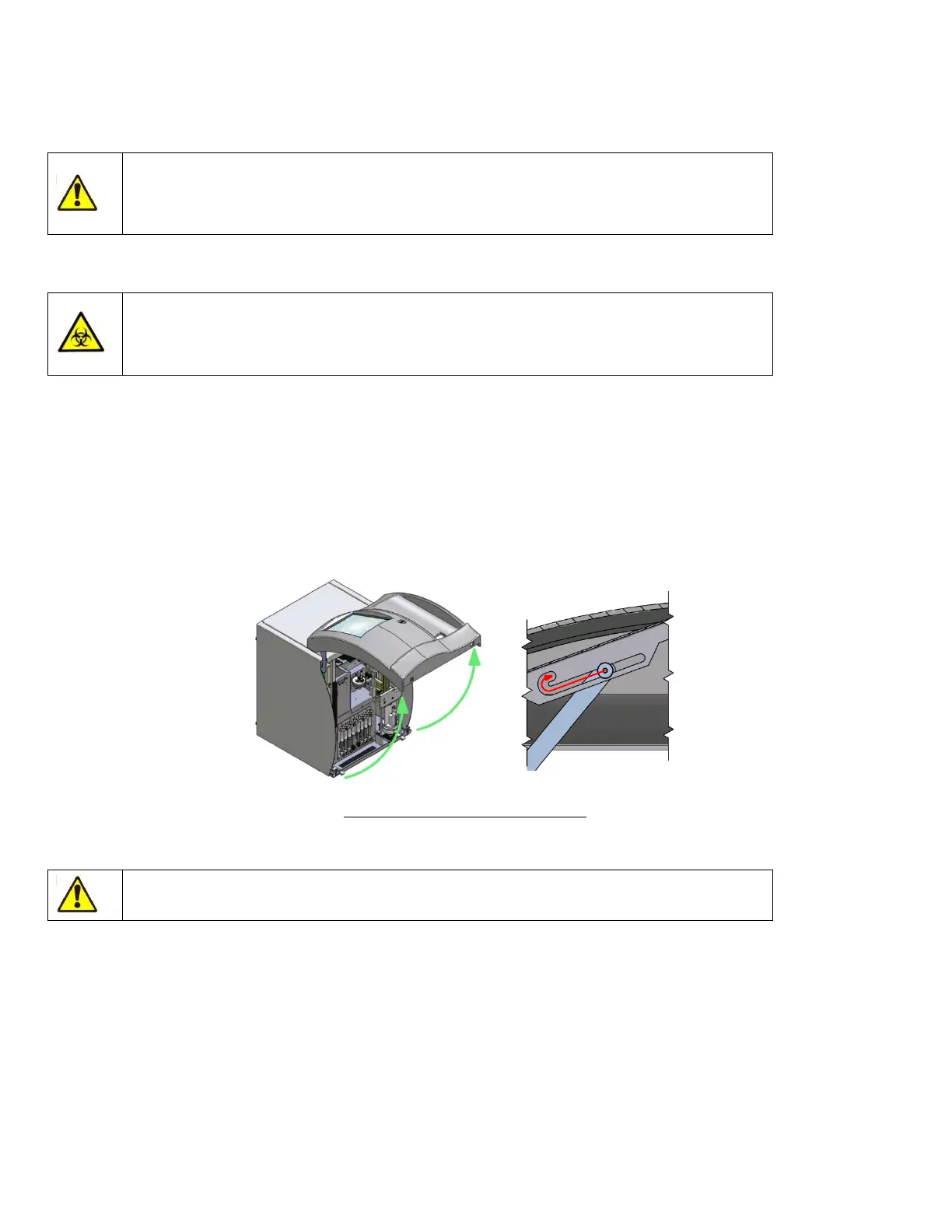
Make sure that nothing is placed on top or in front of the analyzer. Grasp the lower sides of the front panel, gently
pushing the sides. Pull the lower part towards you, lifting up the front panel.
Upon opening, a lever becomes visible. Make sure to tilt the front panel upwards so that you can push the lever into
the secure position.
Figure 91. Opening the Front Panel
17.2 Closing the Front Panel
Do not push on the front panel while the security lever is in the “lock” position.



 To Next Page