72
9 Result Interpretation
This chapter provides description about interpreting and understanding reports provided by the ‘Abacus 5’ analyzer.
9.1 The Result Screen
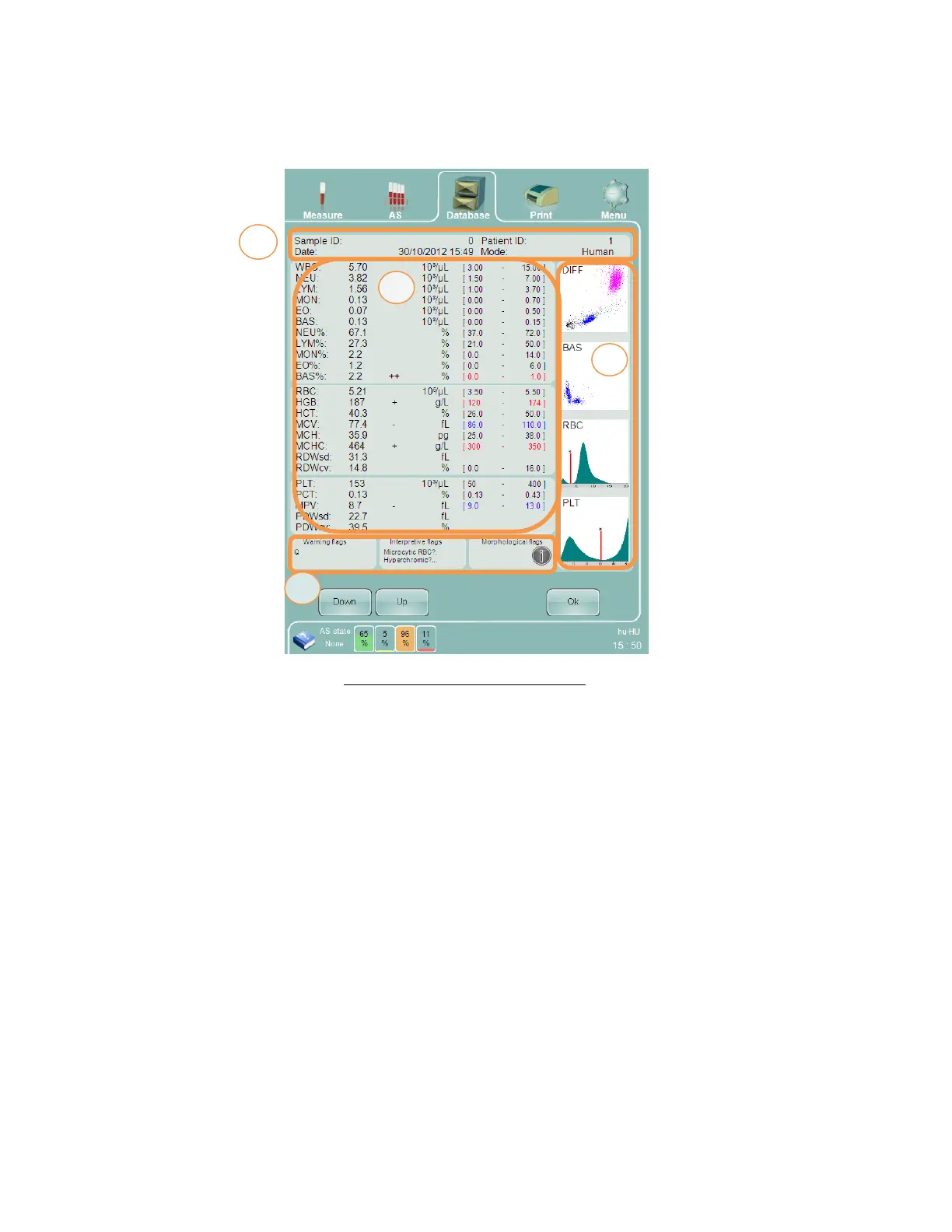
Figure 46. ‘Abacus 5’ Result Screen
The ‘Abacus 5’ analyzer result screen is divided into 4 major areas:
1. Sample identification information: contains identifying information used to uniquely identify this sample’s
information.
2. Parameter information: contains parameter names, values, units, and normal range. Normal range, linearity,
and high blank flags are also displayed in this area.
3. Histograms and scatter diagrams: Visual elements that provide information about the measured population
dispersion. These are active elements that can be individually magnified by clicking or tapping.
4. Flags area: this area displays warning, interpretive, and morphological flags associated with this sample. If
flag display overflows its assigned space, an ellipsis will be displayed and the user can click on the information
icon to see a detailed display of flags.
9.2 Sample Identification Information
This part of the results screen contains information that uniquely identifies a particular sample run.



 To Next Page