69
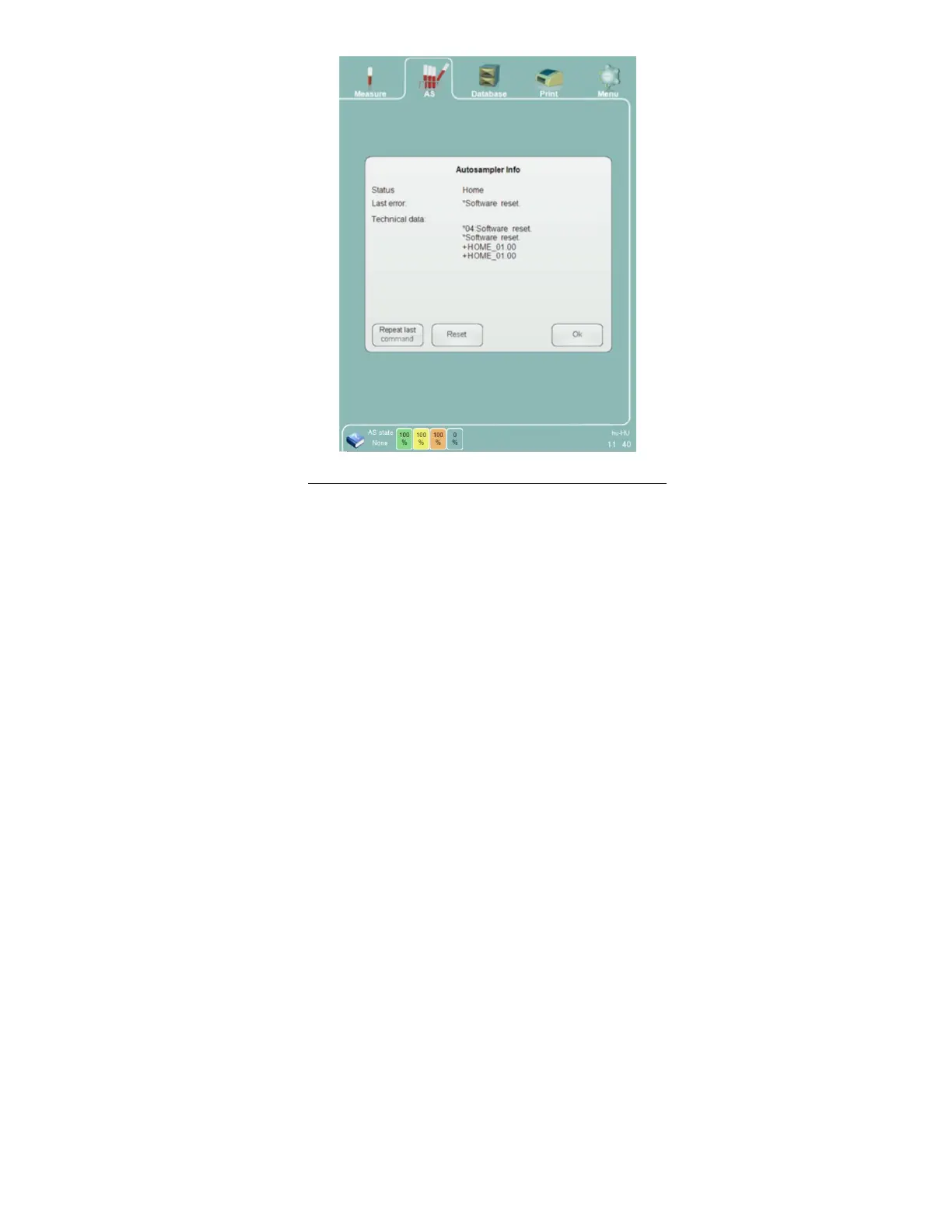
Figure 43. Control The Autosampler With Info Panel
The following is a list of messages from the Autosampler:
Home message:
o Response after a successful reset
o +HOME_XX.YY (The XX.YY is the software revision number)
VT zzzzzzz XY:
o Vacutainer® style tube detected
o Barcode content: “zzzzzzzzzzz”
o Tray position XY
MV zzzzzzz XY:
o Monovette® style tube detected
o Barcode content: “zzzzzzzzzzz”
o Tray position XY
+F : confirmation that the tube was moved from the mixing to the sampling position
The power-on message contains the serial number of the Autosampler unit.
During the reset cycle the Autosampler moves the Autosampler components to their ‘home position’. The mixing
stations moves to an upright position, the active rack moves back on to the sample tray, and the entire tray moves to
its home position.
8.5 Result Display
After the analysis is completed, the result screen displays all measured parameters, flags, histograms and scatter
plots. This information is automatically stored in the database, and stored result data can be retrieved at any time
from the database.
Histograms and scatter plots can be zoomed for closer inspection. Click or tap the histogram or scatter plot to
magnify it. Click or tap the ‘Close’ button on the upper right corner of the image to close it and return to the result
display.



 To Next Page