109
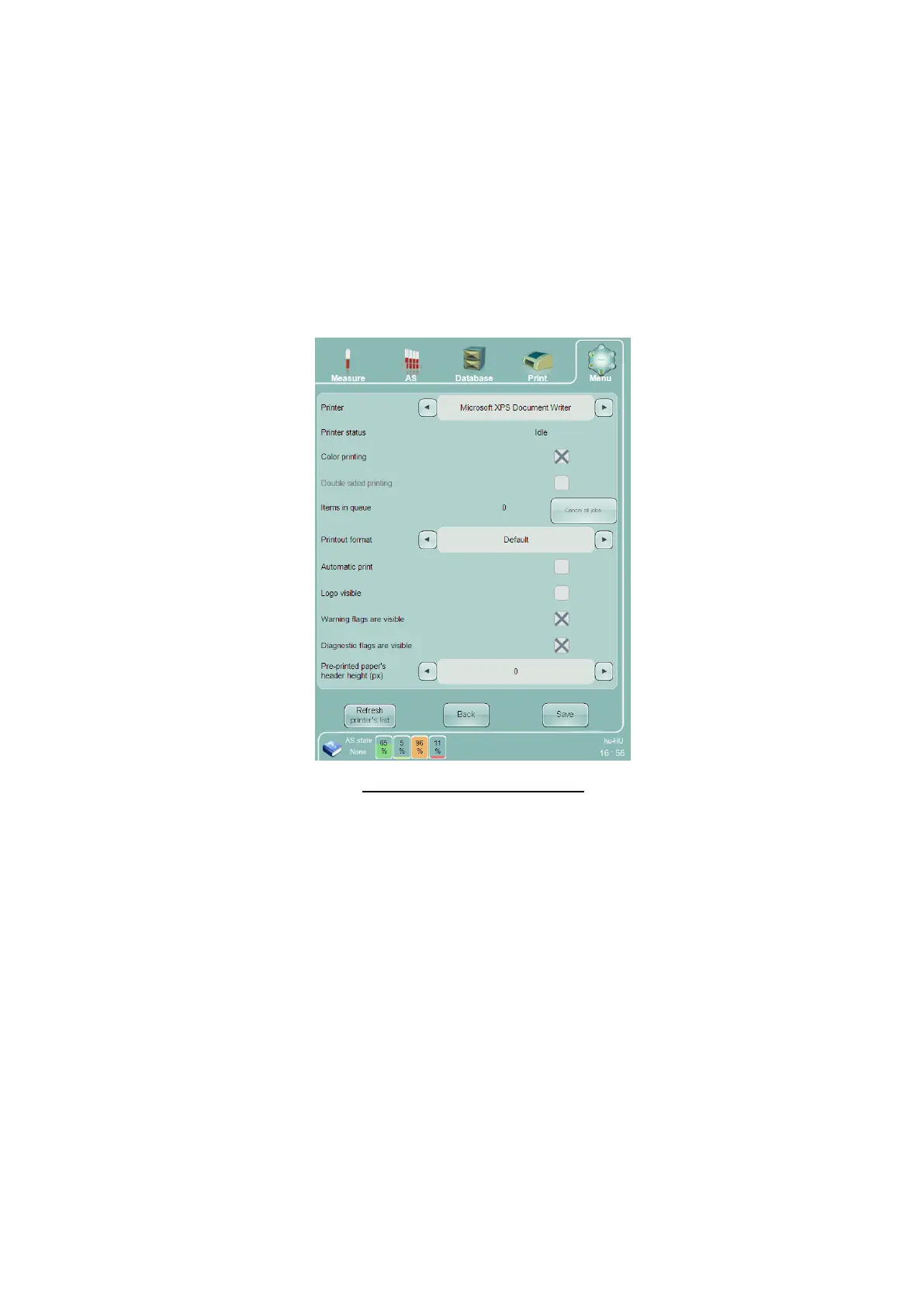
Printer status – indicates the status of the currently selected printer.
Color printing – check this check box to print in color, or uncheck to print in black and white.
Double sided printing – check this check box to print on both sides of the paper, or uncheck to print on
one side only. This option is only available if your installed printer supports double-sided printing.
Items in queue – indicates how many printouts are currently waiting in the printer queue.
Cancel all jobs – Click or tap this button to cancel printing and clear all items waiting in the printer queue.
Pre-printed paper header height – select from 0 to 80 pixels.
Automatic print – check this check box to print every sample or control as it is run.
Logo visible – check this box to print the Diatron logo on every printed report.
Warning flags are visible – check this box to print warning flags on every printed report
Diagnostic flags are visible – check this box to print diagnostic flags on every printed report
Figure 80. Printer Settings Panel
15.7 Profile Limits Settings
The Profile Limits settings are used to view and modify the normal ranges associated with the ‘Abacus 5’
analyzer’s five sample modes: Human, Male, Female, Alternate 1, and Alternate 2. NOTE: Alternate 1 and
Alternate 2 are sample modes that are different than Human, Male and Female, and have user-definable normal
ranges.
The control at the top of the panel selects one of the five sample modes. The panel is then populated with the
lower and upper limit values for each of the 24 parameters. Modify the values as needed, then click or tap ‘Save’
to save the new values and return to the Settings panel, or select Back to discard any changes and return to the
Settings panel.



 To Next Page