67
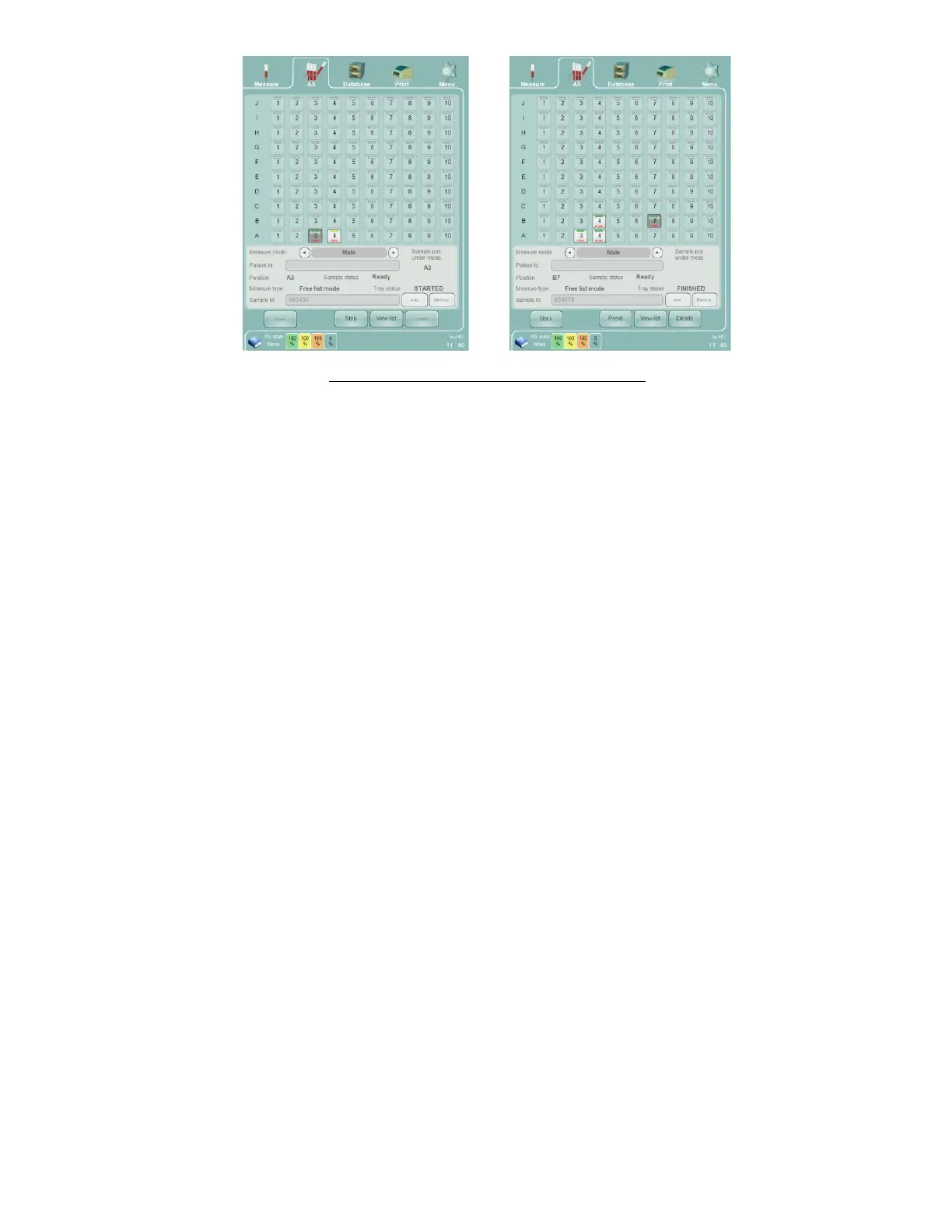
Figure 41. Free List Mode Progress: Tray View
Sample barcode labels are read and compared with the sample ID that was previously entered into the free list
before starting automatic processing. If the two do not match, the barcode part of the tray view sample icon changes
to red.
If the automated processing is interrupted for any reason, it can be restarted it by clicking or tapping on the ‘Start’
button on the screen or by pressing the physical Start button.
8.4.2.4 Selected Samples Mode
Selected Samples mode is suitable for laboratories where:
Barcode labels are used.
In a given batch there are samples which should be measured using different modes for different normal
ranges.
Data security is a concern.
Selected Samples mode can also be used to rerun only certain samples in a sample tray already processed in one of
the other two modes. Samples cannot be added to the sample tray once automatic processing is started in Selected
Samples mode. An accepted blank measurement is required as with all sample processing.
In Selected Samples mode, the ‘Abacus 5’ analyzer will only look for samples in the sample positions selected for
analysis. All other samples in sample positions that are not selected will be ignored. If a sample position is selected
for processing but contains no sample tube, the sample position will be marked for review.
On the Selected Sample mode panel you can:
Return to the AS panel to select a different type of automated measurement by using the ‘Back’ function.
Define the samples to be measured:
o Click or tap the sample tray position icon where the selected sample is located.
o Select the appropriate measure mode.
o Define the sample ID.
o Define the patient ID.
o Save the changes by clicking or tapping the ‘Add’ button.
Remove selected samples by clicking or tapping the “Remove” button.
Swap between the tray and list views by using the ‘View list’ and View tray’ functions.



 To Next Page