83
The ‘Abacus 5’ database displays two numerical counters separated by a slash under the left side of the database
table. The left number is the number of selected rows, and the right number is the total number of rows in the
database.
10.2 Scrolling the Database View
The limited size of the interactive database display acts like a viewport into the large amount of information
inside your database. You can scroll the database view to bring desired information into view. The ‘Abacus 5’
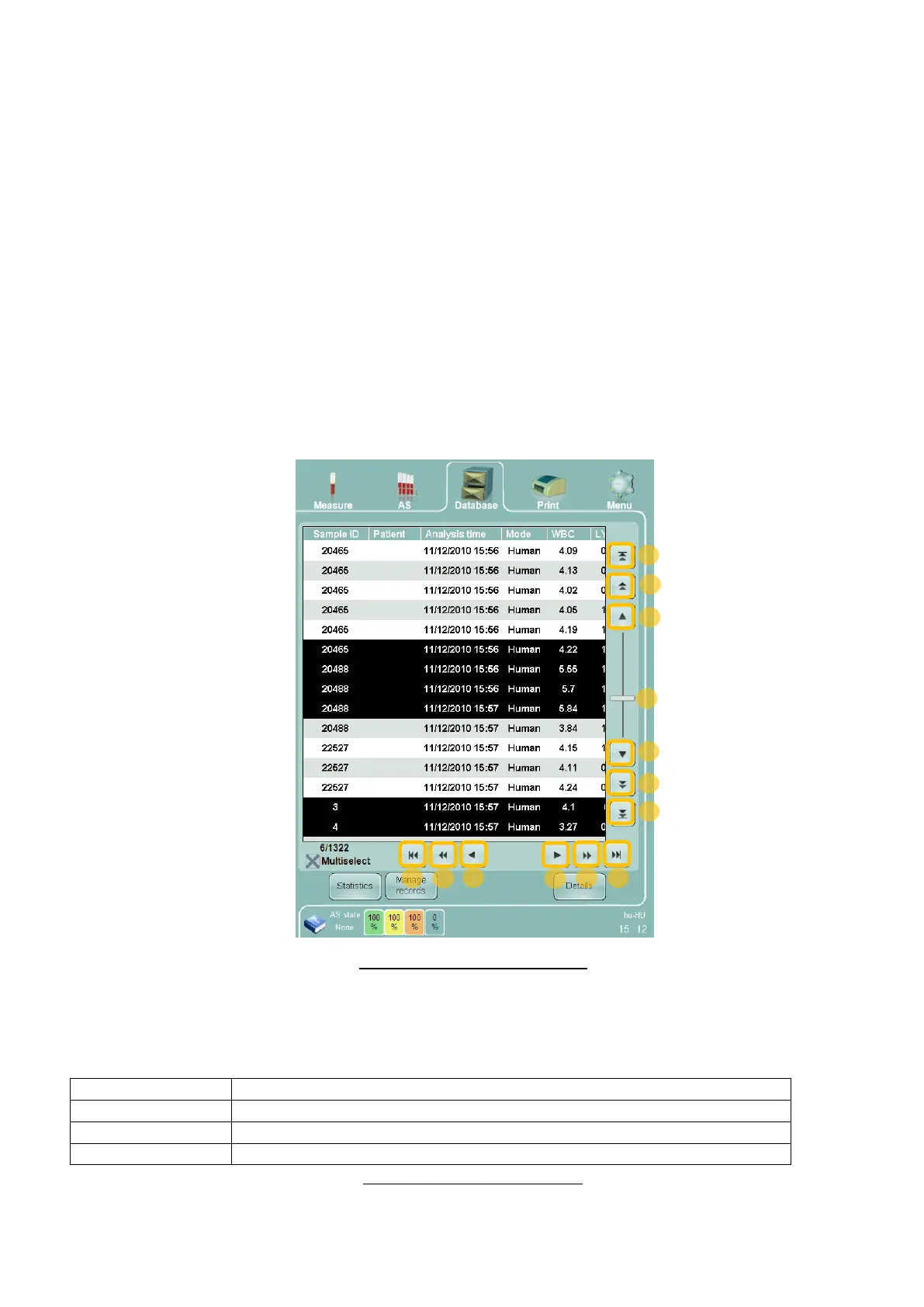
analyzer provides several powerful and easy-to-use scrolling methods. The numbered items below match the
items in Figure 53 below.
1. The scrollbar: tapping, holding and moving the scrollbar labeled ‘1’ with the tip of your finger on the
touch screen display will quickly scroll information in the vertical direction. Clicking and dragging with an
optional external mouse will achieve the same effect.
2. Tapping or clicking the buttons labeled ‘2’ will advance the display by one line or one column.
3. Tapping or clicking the buttons labeled ‘3’ will advance the display by one page of information at one
time.
4. Tapping or clicking the buttons labeled ‘4’ will advance the display to the first or last item in the list.
Figure 53. Scrolling and Selecting
10.3 Sorting Database Information
The database is sorted by Result ID by default. Clicking or tapping the following database column headings
changes the sort order of the database records:
Sample ID entered by the operator or read from a sample tube barcode label
Identifier that associates a result record with a patient records
Time and date this sample tube was analyzed
Unique sequential identifier assigned by the ‘Abacus 5’ to each records
Table 16. Database Sort Criteria



 To Next Page