6-16
Chapter 6
Join Levels
"Joining" two levels together means fading from one to the other smoothly over a period of time. The Join tool works like the Fade-Out tool
- you choose which levels to Join by "dragging" the tool from one screen position to another. The Join affects all the lines over which you
drag the tool.
Join is very powerful. You can use it across any level events - to crossfade EQs for example - and to quickly tidy up other changes which
you would otherwise have to null.
Zoom
Zoom allows you to control how many lines and what period of time you are viewing in the event editor window. To change the view click
and drag to draw a box around the events you want to see. The scaling will redraw as closely as possible to your selection. You can use
the Zoom controls in the bottom right hand corner to fine-tune the settings (see 6.2.2 Scaling the Automation Editor Display).
Clear Track
This tool allows you to delete the data for a single line or track. Select the tool, click on the track and after confirming the line cleared.
6.2.10 Write to Start and Write to End .........................................
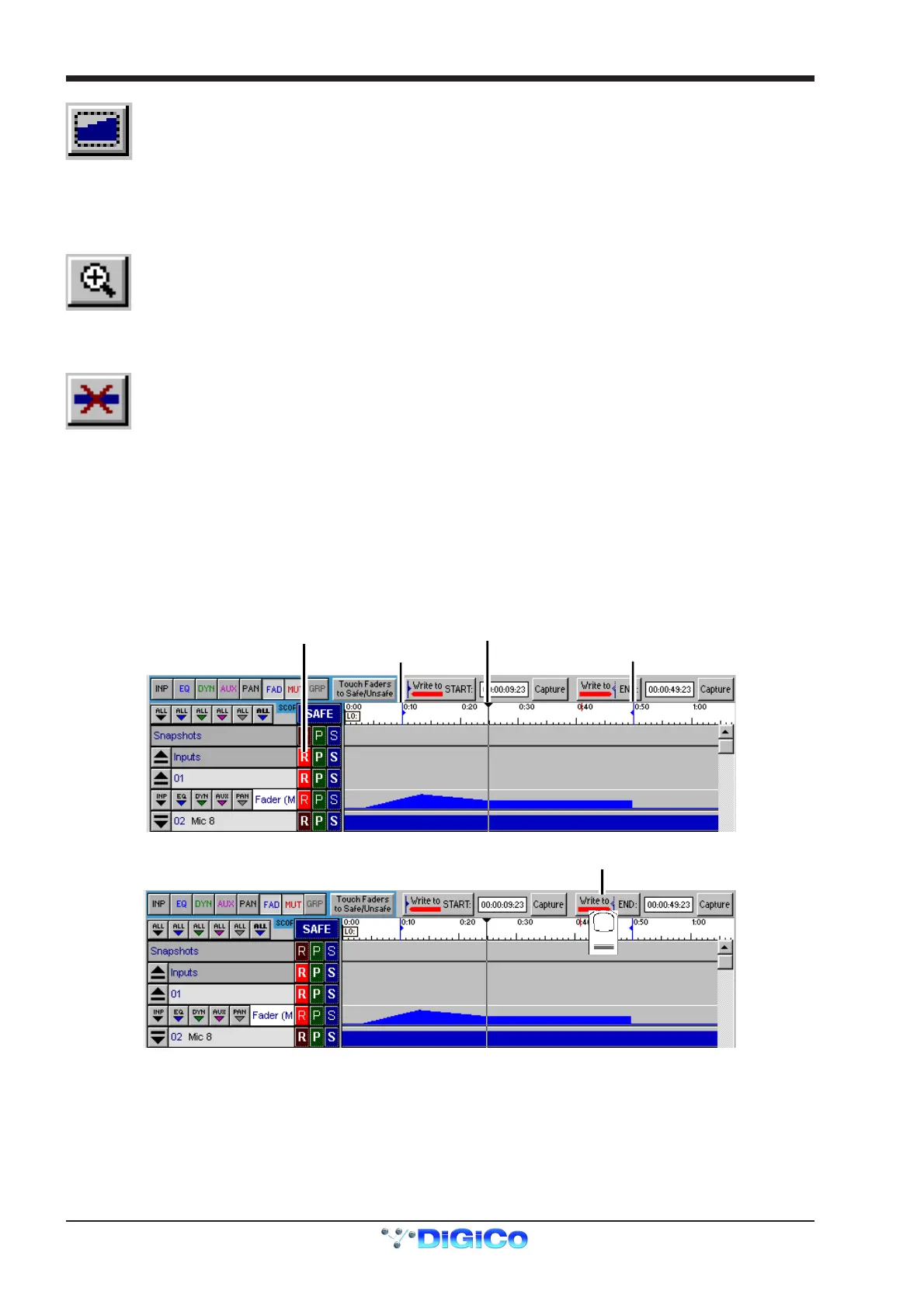
In the timeline there are two blue lines which represent Write to Start and Write to End markers. Automation can be written from the
current time to either of these markers. The markers may be set by pressing Capture when the current time is at the desired point.
The Write to Start and Write to End buttons are only enabled when the current time is between them and when at least one controller is in
Record mode.
If pressed at any time during recording, the current level for any controller which is in Record mode will be written from that point back to
the Start marker or forward to the End marker.
This will erase all other events previously recorded.
Blue Start Marker
Blue End Marker
Current Time Position
Channel 01 Fader in Record Mode
Press Write To End



 To Next Page