Chapter 1
1-5
1.2.2 The DiGiConfig Program .....................................................
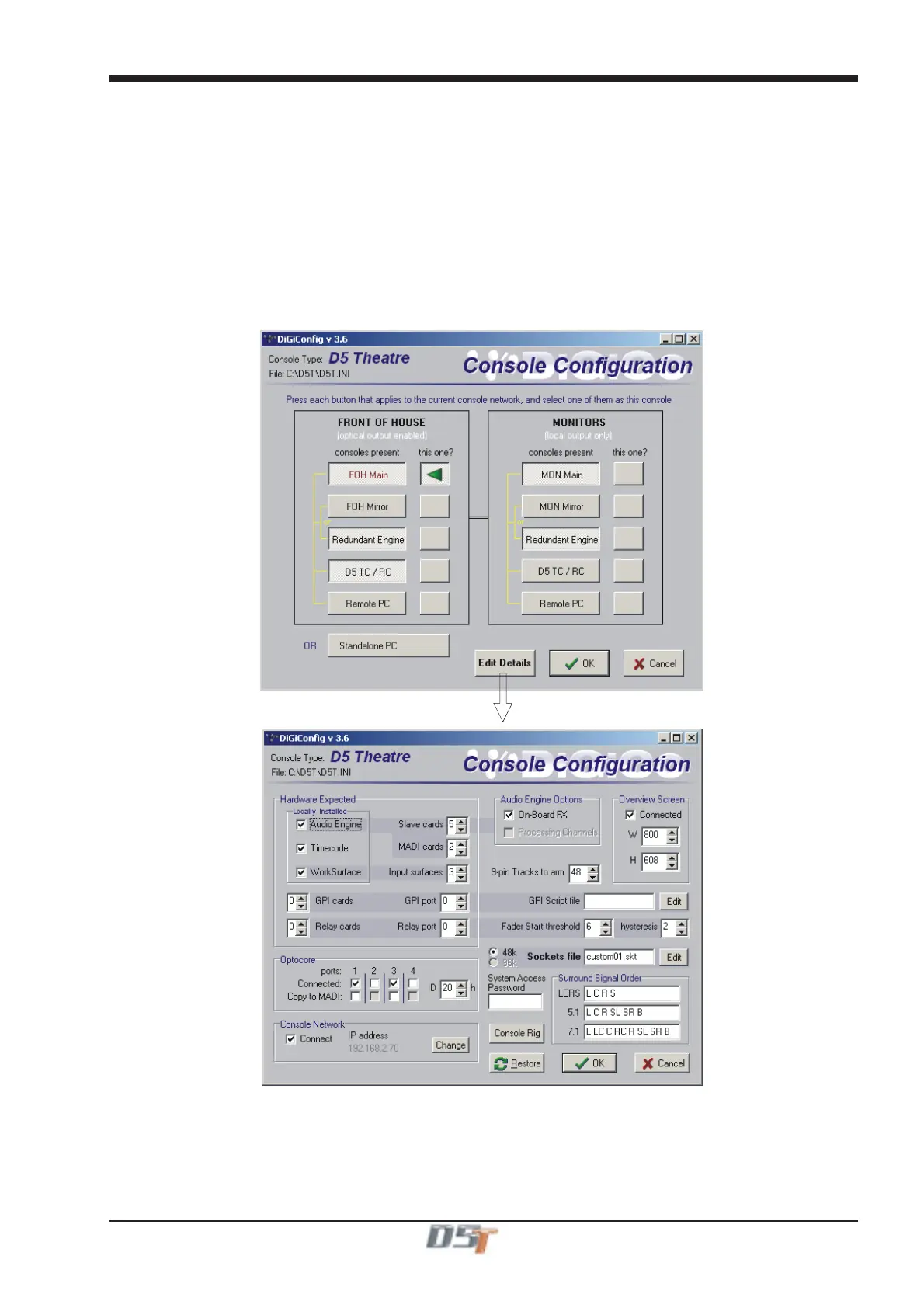
The following example shows how to run the DiGiConfig program from the D5T software in order to configure you hardware:
1) Open the System / Service menu.
2) Press the Configure Hardware button, the D5T software will close and DiGiConfig will open.
3) Press the relevant buttons for all the consoles that you wish to configure.
The example below shows the settings for a system with a Main Front of House console and its Redundant Engine, a Monitor console and
its Redundant Engine and a Remote Controlller or Theatre Controller for the Front of House console.
All the devices should have all of the components of the system selected but the “THIS ONE?” button should be selected according to
which device you are setting up.
4) This will apply the correct configuration but the details can be further edited by pressing the Edit Details button.
5) Press OK to return to D5T software.
a
n
onso
e



 To Next Page