Chapter 1
1-21
1.3.16 Monitoring ..........................................................................
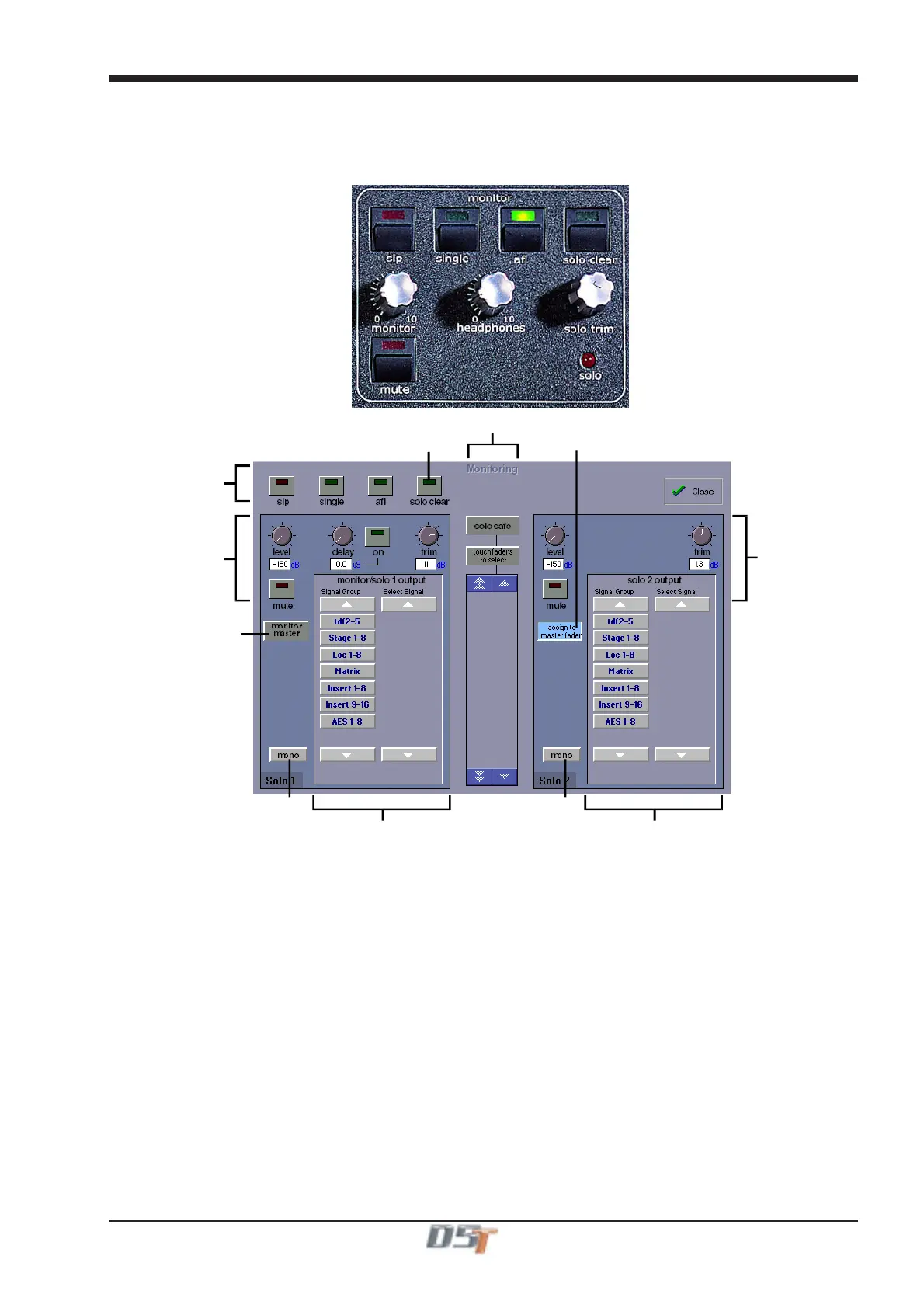
The Monitoring panel can be found under the Setup Menu on the Master Screen and some of the controls can be accessed on the right
hand side of the Master worksurface.
It may be accessed at any time to change the monitoring setup.
Solo Modes
Assign Solo 2 Level
to Master fader
Clear All Solos
Monitor Master Buss
When No Solo On
RouteSolo1ToOutput
Route Solo 2 To Output
Solo1Controls
Set Solo 1 Mono Set Solo 2 Mono
Solo 2 Controls
Solo Safe
There are two solo busses and each console solo button can be independently assigned to use Solo 1 or Solo 2. Output solos may use a
total of 16 inputs to each solo buss.
Therefore, if the console was being used for stage monitors, the first solo buss could feed an "in ear" monitor and the second solo buss
could feed a wedge.
To use Solo 2 there must be sufficient busses available (at least two) and if Solo 2 does not appear on the panel a new session should be
created to make these busses available.
The dedicated worksurface buttons control the relevant Monitor/Solo 1 functions and the Solo 2 level and trim may be controlled by
touching the on screen control and using the Matrix rotary control on the worksurface.
For more information on Monitoring and Solo options see Section 4.2.9.



 To Next Page