Chapter 3
3-7
3.2.8 Buss Signals as Input Sources ..........................................
The output results from output channels can be returned into input channels by scrolling to the bottom of the Signal Group listing at the
input stage of a channel.
You will see Signal Groups for each type of buss which is in the current console configuration (eg Mono, Stereo, LCRS etc) Touching the
Signal Group buttons will show the separate legs of each buss and these signals can then be selected as inputs in the normal way.
These signals are labelled with a "~" to indicate that they are buss results and are therefore subject to delays.
3.2.9 Headphones ..........................................................................
The headphones are always fed by the monitor/solo1 signals and there is a dedicated level control in the worksurface Monitor section on
the right hand side of the worksurface.
3.2.10 Output Insert ......................................................................
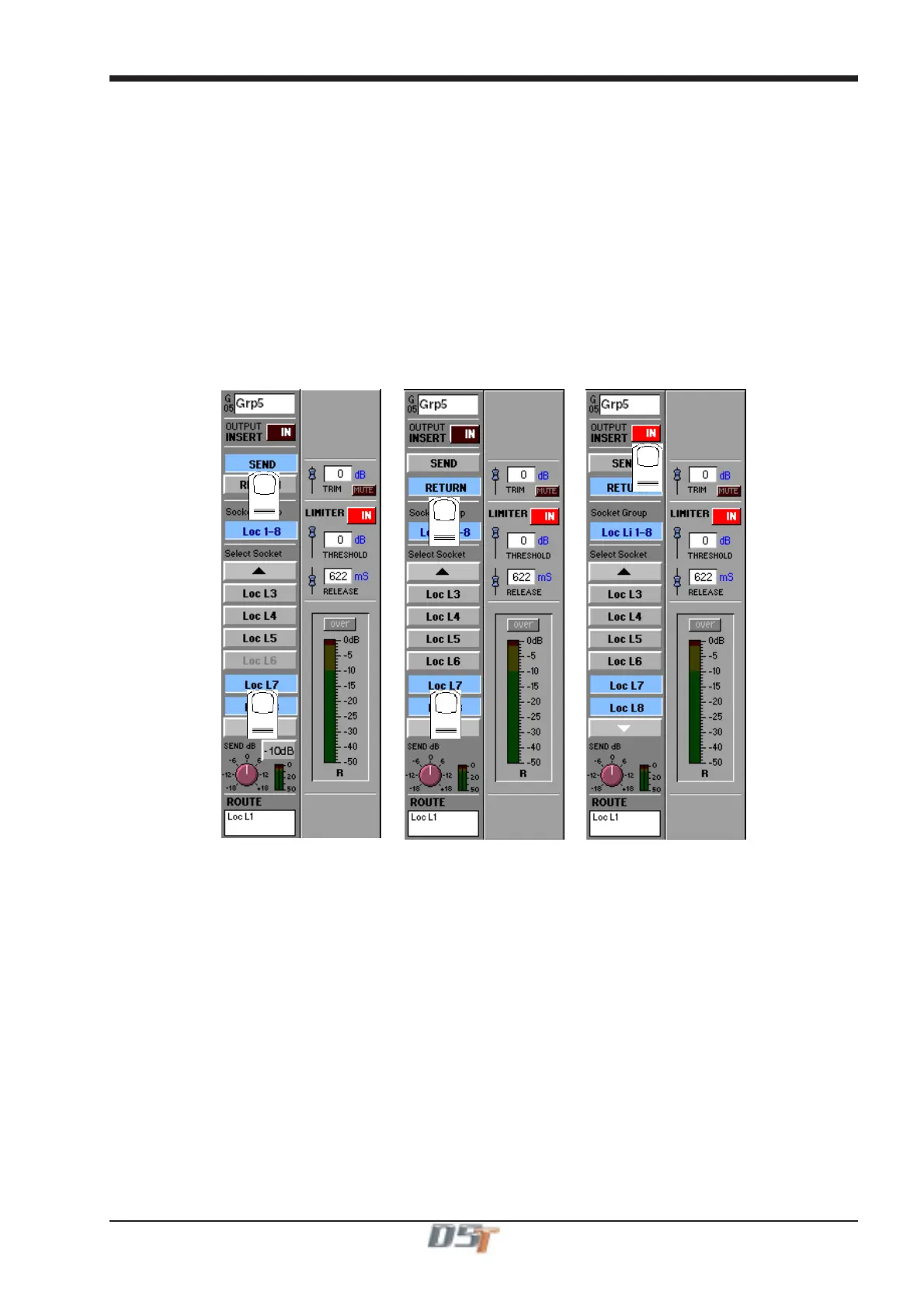
In the buss master routing panel there is an Output Insert facility that can be used to route signals to effects and processing. This is
particularly useful if you wish to use outboard processors on the output of a buss.
In this situation the output should be routed to its normal destination but it will be diverted through the Send and Return for processing.
Touch the Send button and select the input to the required processor, then touch the Return button and select the output from the same
unit. Then touch the Output Insert button to switch it on.
1
2
3
4
5
IMPORTANT NOTE: The Insert Send signal is post fader until the Insert Return is routed from a MADI signal.



 To Next Page