Chapter 1
1-9
If you have a system where more than one console is sharing the racks you may wish to use the Receive Only mode where the console
will receive the rack’s existing settings but will not be able to control the gain on the racks.
Options are:
Isolate where the console will not communicate with the racks and therefore any adjustment of input gain or +48V switch will have no
effect on the rack settings.
Receive Only where the console will receive the rack’s existing settings but will not be able to control the gain etc on the racks.
Full Connect where the console will send its settings to the racks and change them accordingly.
For more information on the use of this panel please see the chapter on Multiple Console Setups.
1.3.3 Selecting an Input Source ...................................................
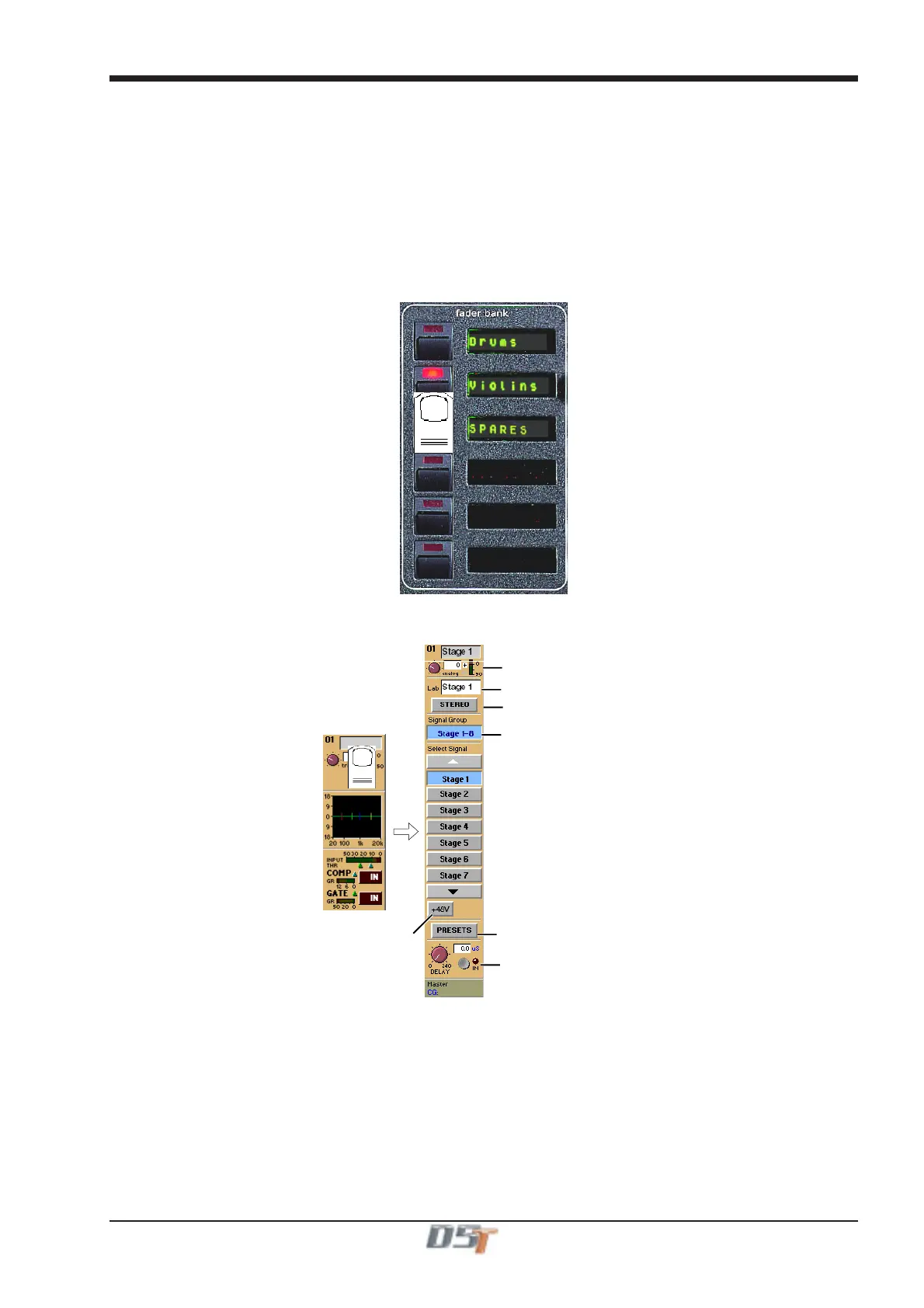
First select the Fader Bank that you require by pressing one of the bank of buttons next to the channel faders.
Holding a Fader Bank button for more than half a second will switch all input banks to view the same Fader Bank row.
You can display the Input Module for a fader by touching the top of the fader's on-screen channel strip, where the channel label is
displayed. You can then hide the module by touching the same area again.
Signal Group Selector
Signal Selector
Signal Label
Preset Selector
Phantom Power
(Mic i/p only)
Gain / Phase
Signal Delay
Stereo Channel Mode Selecto



 To Next Page