7-5
Chapter 7
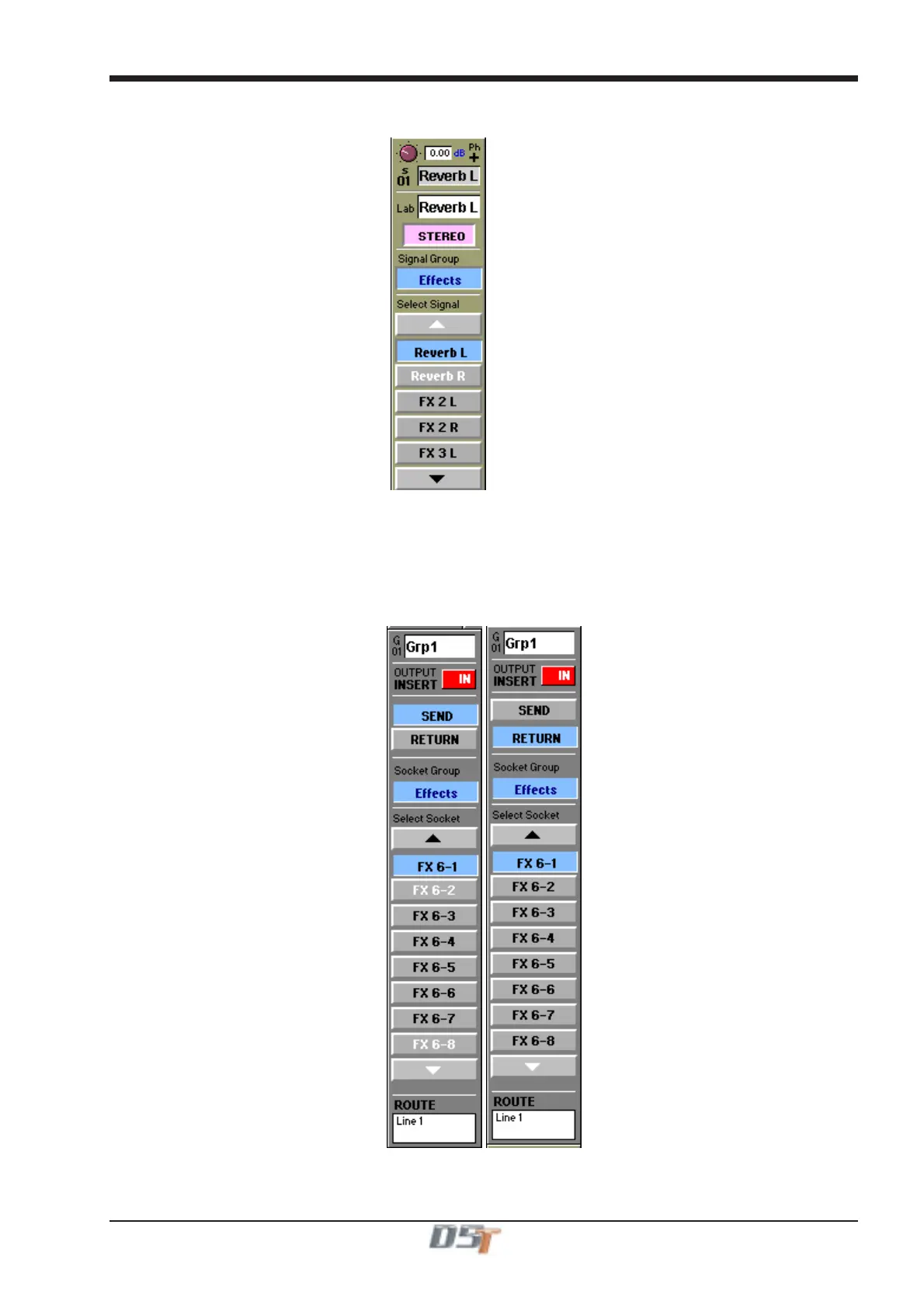
The output of the Reverb module must then be monitored in a channel by opening the input routing screen, selecting the Effects signal
group and then selecting Reverb L from the signal list. Touch the Stereo button to monitor Reverb L and Reverb R in the same channel.
From Effects
7.1.4 Output Insert ........................................................................
In the buss master routing panel there is an Output Insert facility that can also be used to route signals to effects and processing. This is
particularly useful if you wish to use FX5 or FX6 to process the output of a buss.
In this situation the output should be routed to its normal destination but it will be diverted through the Effects module for processing.
Touch the Send button and select the input to the required effects module, then touch the Return button and select the output from the
same module. Then touch the Output Insert button to switch it on.



 To Next Page