A-3
Appendix A
Appendix A - The Theatre Masters Controller
This appendix should be read in conjunction with the D5T User manual as many of its functions simply provide a remote control interface
to the D5T itself. The TC screen is almost exactly the same as the D5T Master Screen with the exception of the Macro functions.
Note: To ensure correct operation the D5-TC, the software version number must exactly match that of the D5-T with which it is
used.
A.1 Overview ..................................................................................
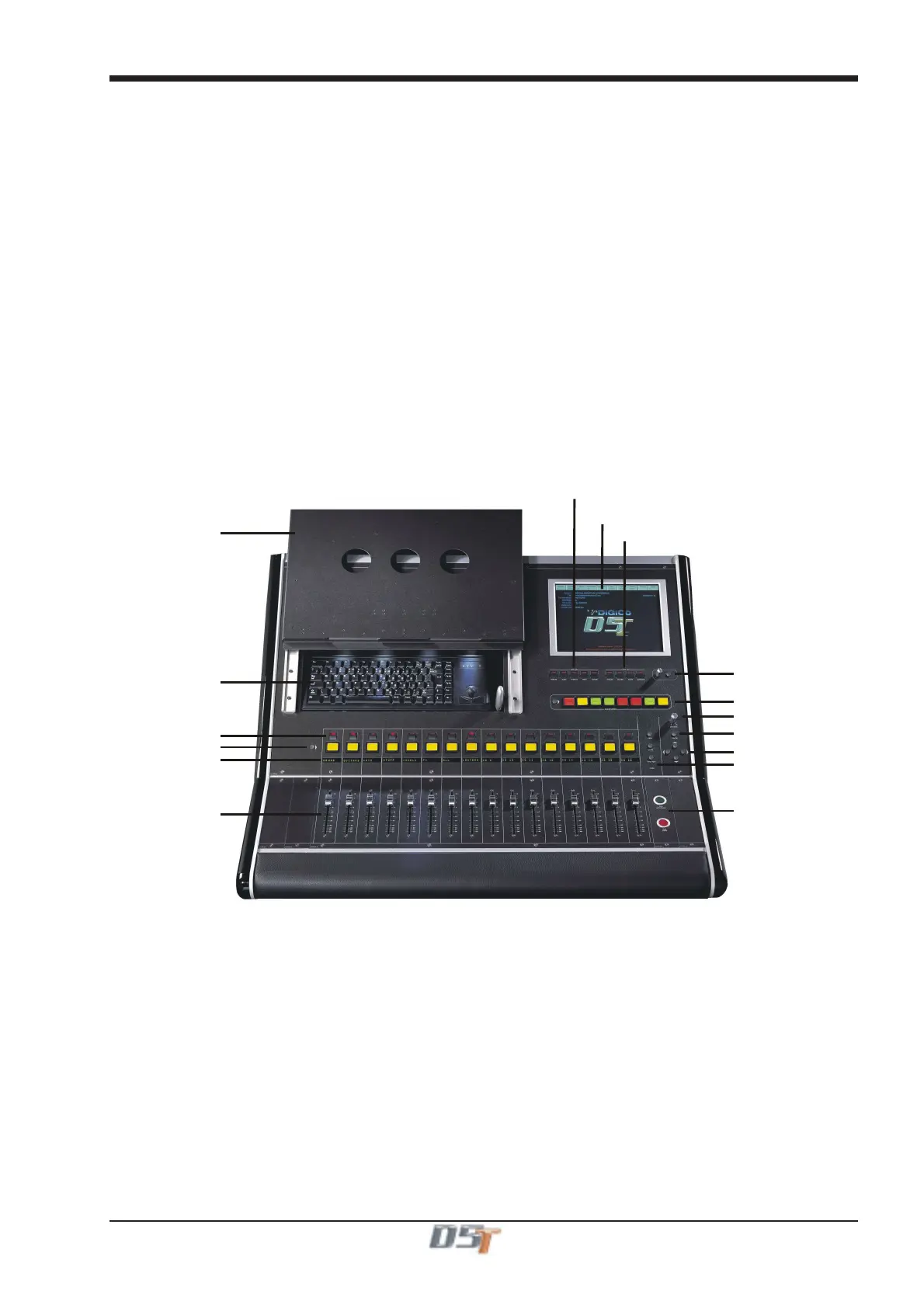
The D5-TC (Theatre Masters Controller) provides alternative control over the 24 control group masters, outputs and cues, as well as all
the normal display modes from the D5T master section on a TFT touchscreen.
A row of 16 widely-spaced master faders with scroll function buttons display either the first 16 or the last eight control groups and include
a bright, eight-character alphanumeric display above each fader showing master channel names independently of the LCD buttons.
Eight programmable, interactive LCD macro buttons (and access button) allow access to pre-defined user macros and there are four
Mute-all buttons (inputs, auxes, subs and groups) and five Safe-all buttons (inputs, subs, groups, MIDI and events).
Previous/Next Cue buttonsare situated beside the faders.
Footswitch sockets on the rear panel allow remote firing of “Next”.
Other features include a built-in script tray to ensure that the controls are not obscured, while the tray conceals a lit internal QWERTY
keyboard.
Master fader motors are disabled by default to suit theatre operation.
Customisability includes spare modules on the left and right hand sides with a tunnel to the back panel, allowing individually-specified
buttons and wiring loom to be installed. Tapped holes on the rear panel allow mounting of a bar to secure peripherals such as small LCD
monitors, cuelights and the like.
Facilities are completed by two Littlites in the keyboard compartment and a USB socket for your storage device and possible future
additions.
Script Tray
lobal
a
e Buttons
Master Screen
Global Mute Buttons
Assignable Macro Buttons
Phones Level
Home Button
Scroll Up/Down & Left/Right
Fire Previous/Next
New/Undo/Fire Cue
Touch and Turn
Keyboard & Trackball
Group Master Mutes
LCD Function Button
Group Master Names
Group Master Faders



 To Next Page