Chapter 2
2-12
2.2.4 Pan / Aux Module .................................................................
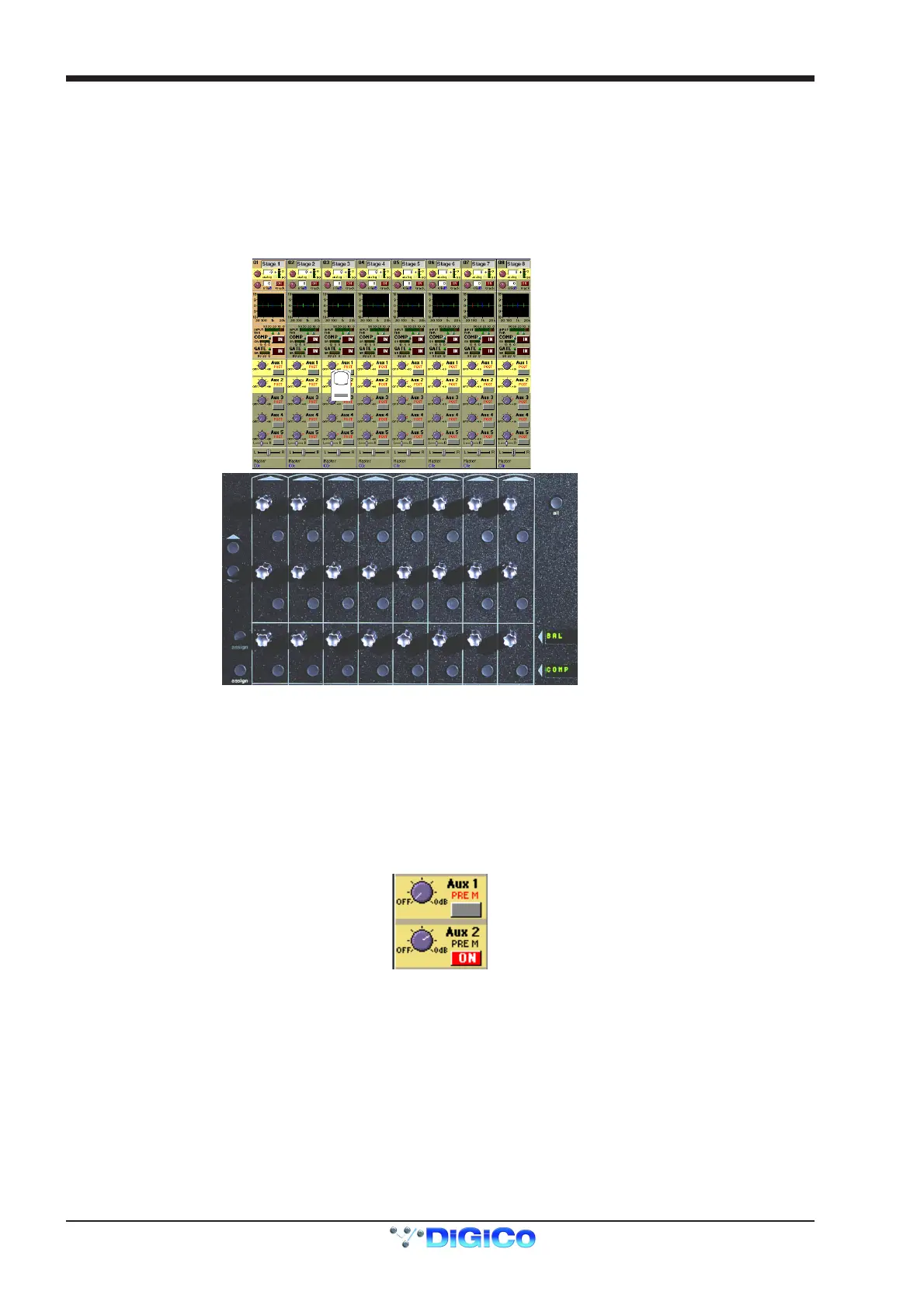
The Aux Send and Pan controls are always operated using the Lower Row of rotaries below each channel of the on-screen display. There
are only two rotaries and switches for each channel, but these can be assigned to any Aux or Pan control using the Screen Scroll buttons
at the left end or by touching the on-screen control that you wish to adjust. The current assignment of the controls is indicated by a
highlight on the screen.
To expand the display to show more auxiliaries on screen touch the highlighted control.
To return to the standard view touch the highlighted control again.
Note: Holding the All button on the worksurface and touching the highlighted control will expand the view for all the channels in the
relevant bank.
Screen Scroll
Aux Sends
Aux On/Off and Pre/Post
ssign Rotary
Assign Switch
Assignable Rotary and Switch
Labels with Value Readouts
Aux Sends
Aux On/Off and Pre/Post
The Pan/Aux controls and scroll buttons operate in exactly the same way in both the Standard and the Expanded view.
Auxiliaries
The console can support up to 28 Auxiliaries, depending on the availability of bussing resources. Auxiliaries can be mono or stereo, and
stereo Auxiliaries have a Pan control as well as the normal Send Level control.
The Aux send rotaries below the screen operate differently depending on the Aux format. For mono Aux sends, each row of rotaries
controls a different send level, but for a stereo Aux send, the two controls are used for send level and pan position for that Aux. As
always, the assignment of the rotary controls below the screen is clearly indicated by the highlight on the relevant screen controls, and you
can always use the Screen Scroll buttons to access the control you require.
Aux Pre / Post and On / Off Switching
Each Aux Send rotary control in the Lower Row has an associated switch, which operates both the Mode and On/Off function for that Aux.
If the level control is set to zero (as Aux 1 above), the switch controls the Mode setting for that Aux. As soon as the level control is moved
above zero (Aux 2 above), the switch becomes an On/Off switch for that Aux send. So to change the Mode setting for an Aux, you must
first reduce the level on that Aux Send to zero.
There are 3 possible Modes:
PRE M = Pre Mute and Pre Fader
PRE = Post Mute and Pre Fader
POST = Post Mute and Post Fader
See Aux Buss Control in Chapter 3 for global mode changes.



 To Next Page