Chapter 2
2-11
The Key Solo places the Key Source signal on the Solo buss in PFL (Mono) mode. This is achieved by holding down the corresponding
button in the gate controls below the screen.
Configuration and Filters
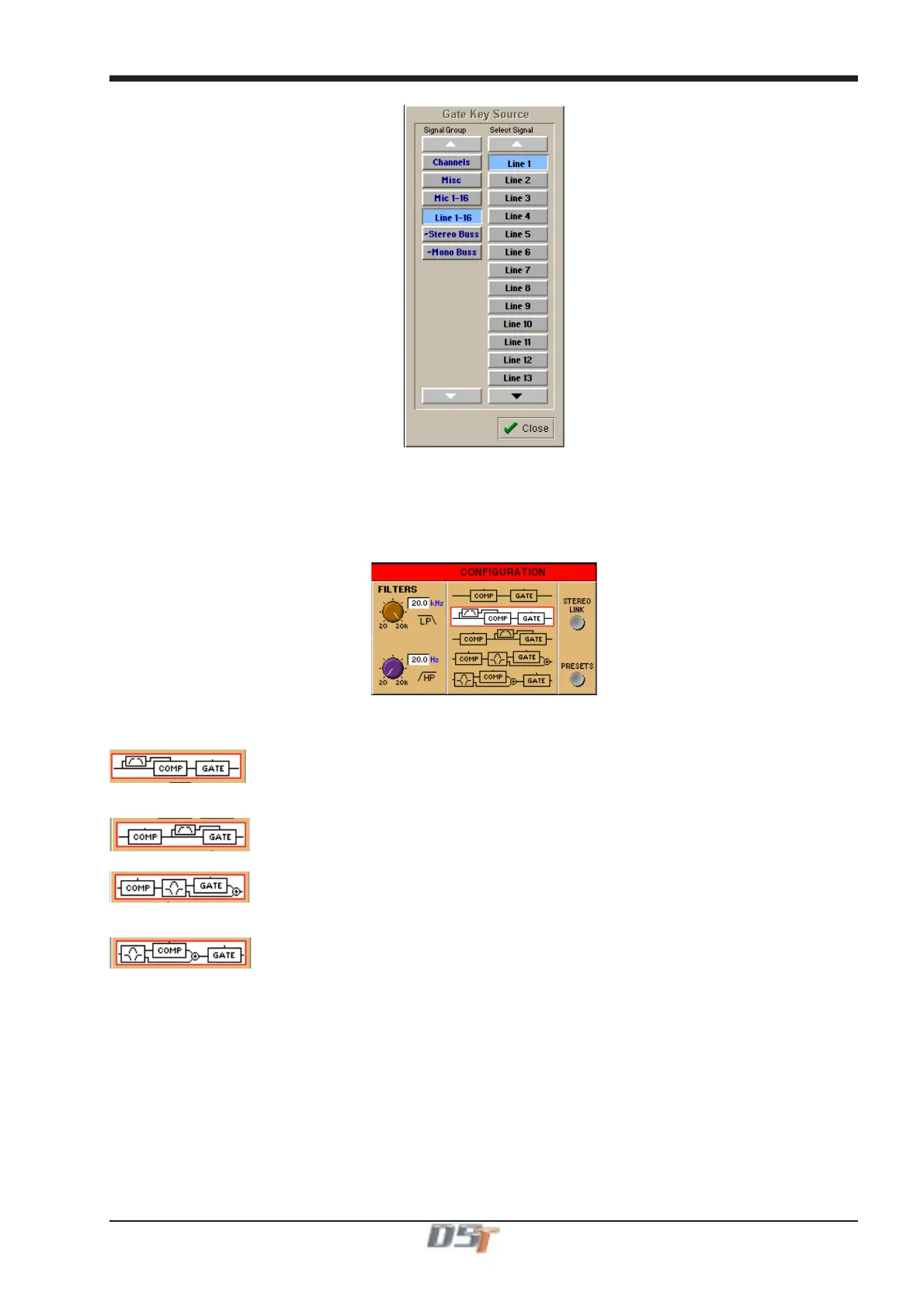
The default structure for the Dynamics Module is a simple Compressor-Gate layout, but you can also select from four other structures, or
orders of effect processing, and use filters to achieve frequency-sensitive keying of the dynamics. The filters are a pair of second-order
(12dB/Octave) High-Pass and Low-Pass filters, which can be swept between 20Hz and 20KHz.
You can select any of the structures just by touching them on the screen, and all the structure options except the default top one use the
Hipass and Lopass filters. The filter roll-off frequencies are controlled by the rotaries directly below the on-screen controls.
Note that the filters cannot be used on an external trigger source.
In this configuration, the filters are used in the side chain of the compressor to provide frequency conscious compression effects such as
de-essing.
In this configuration, the filters are used in the side chain of the gate to provide frequency conscious gating.
In this configuration, the filtered signal feeds the input of the gate while other frequencies bypass the gate. This allows for a specific band
of frequency to be gated and then mixed back into the remaining band.
In this configuration, the filtered signal feeds the input of the compressor while other frequencies bypass the compressor. This allows for a
specific band of frequency to be compressed and then mixed back into the remaining band.
Dynamics Presets
Touching the Dynamics module's Presets button displays a Selector panel for the Dynamics presets. The panel works in exactly the
same way as the Channel Preset Selector described earlier in this section (see Section 2.2.1), although a Dynamics preset only contains
settings for the Dynamics controls, not for the whole channel.
Dynamics Linking
The Gate and Compressor modules may be linked in adjacent channels to produce a stereo mixed control voltage, ensuring both channels
respond identically.
Press the Stereo Link switch on the right hand side of the Dynamics panel. Both sides of the pair are switched simultaneously.
Note: The switches are not included in snapshots or presets.
In a stereo channel, the stereo link switch is pressed by default.



 To Next Page