Chapter 2
2-14
2.2.5 Routing Module ....................................................................
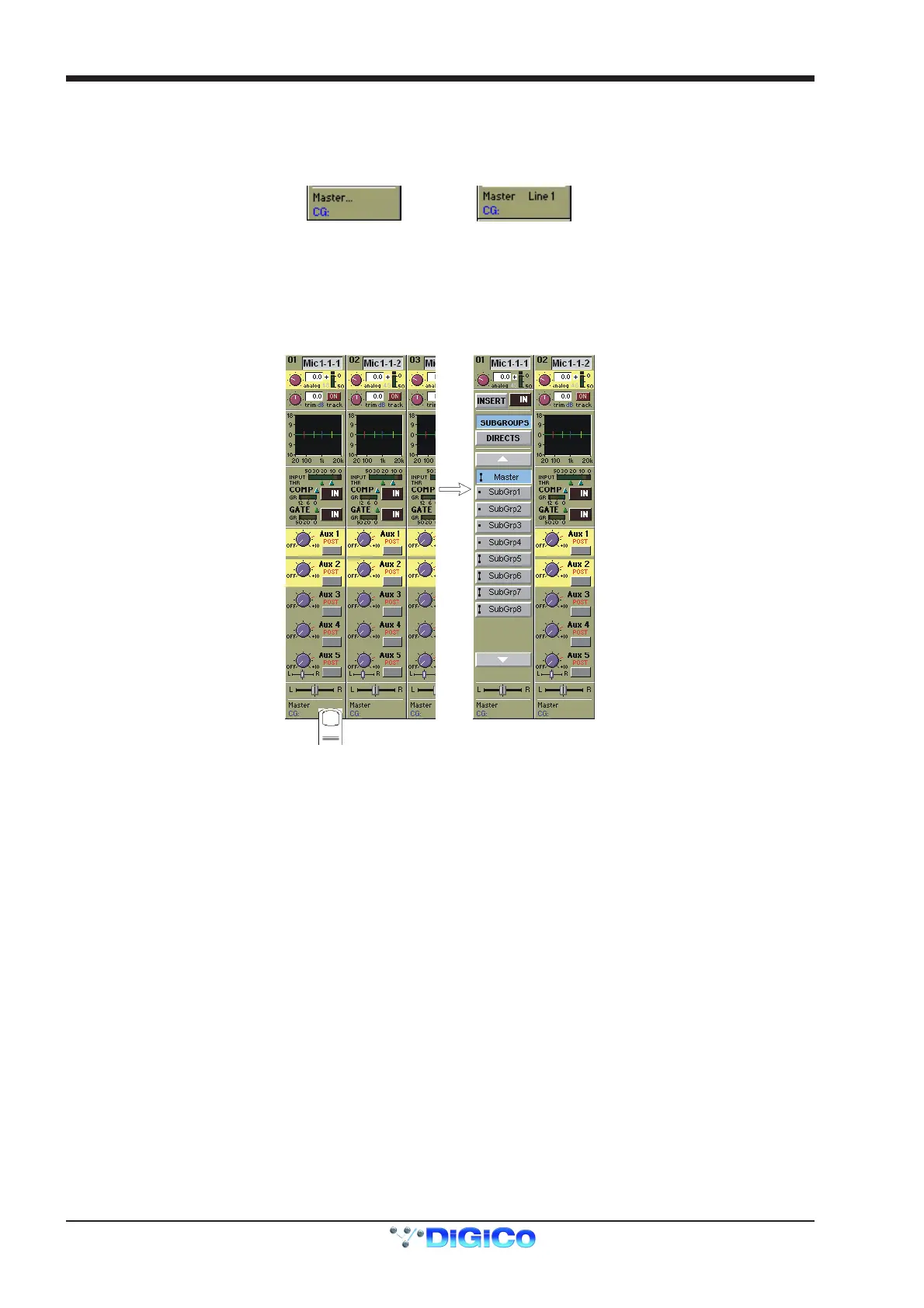
At the bottom of the input channel display is the Routing Module. This gives an abbreviated display of the current channel routing - on the
left, the Master and Group routing, and on the right (if the channel is routed to a Direct Output) the name of the Direct Output socket. As
the screen only has enough space to display one buss name, the routing of the channel to additional Groups is indicated by dots...
If the channel is a member of a Control Group, the name of that group also appears here.
Routed to Master and other
group(s) - no direct routing
Routed to Master only an
Direct routed to a socket
"
"
Displaying the Routing Module
Touching the bottom of the channel displays the full Routing module, which controls the buss routing for the signal. To hide the Routing
Module, touch the same area again.
The Routing Module allows you to select the console SubGroup and/or Direct output socket routing for the channel.



 To Next Page