4-3
Chapter 4
4.1 Master Section
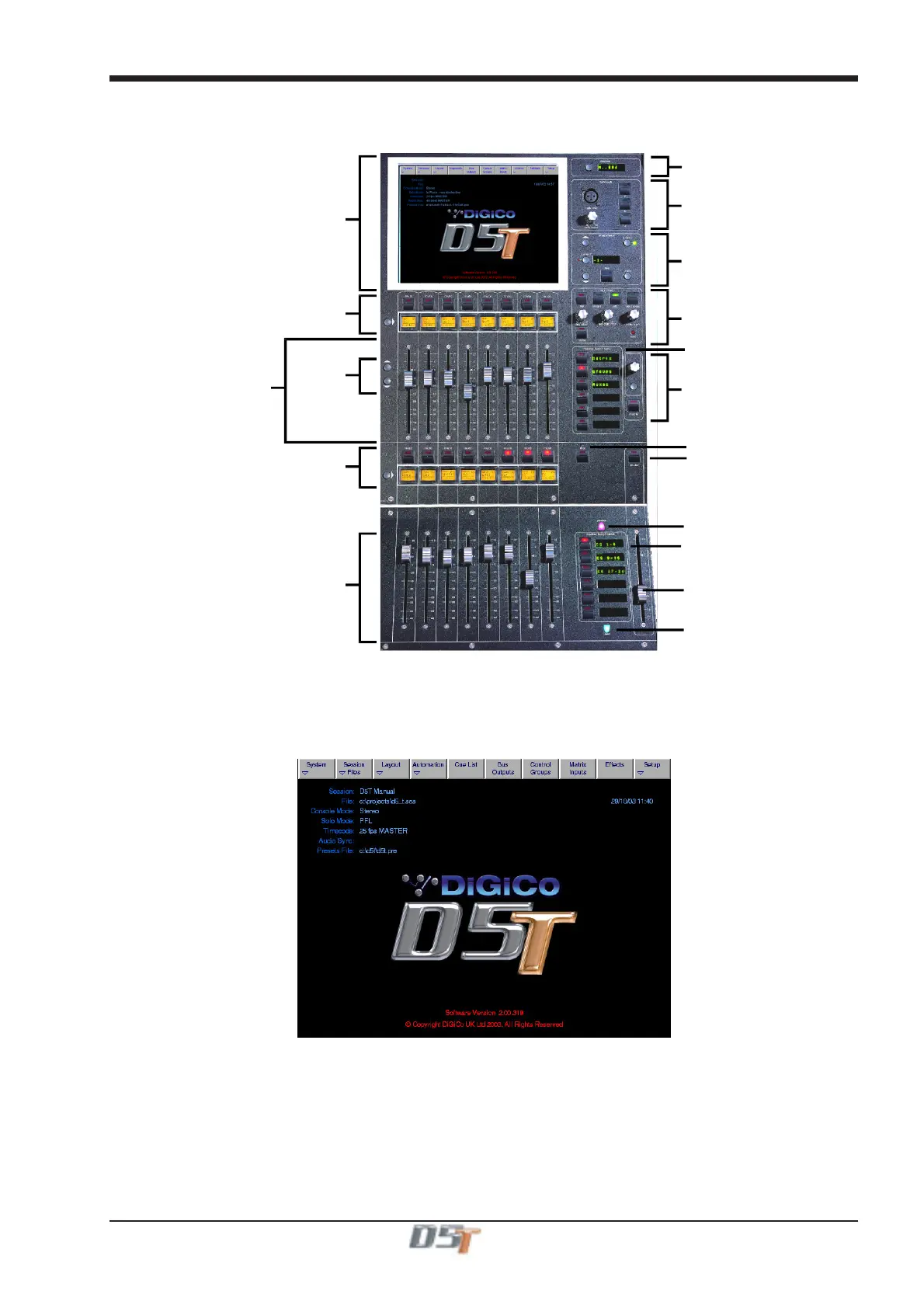
The Master section of the D5T console includes the output controls described in the previous chapter and the meter bridge above it:
Meter Status
Master Fader Banks
Master Screen
Screen
Scroll
Mute and Interactive LCD
Function Button
Output / Control Group
Faders
Talkback
Cues
Monitoring
Matrix Controls
Master Mute
Flip Master Fader Banks
Master Fader
Mute and Interactive LCD
Function Button
Master Fader Banks
Output / Control Group
Faders
Next Cue Button
Previous Cue Button
4.1.1 The Master Screen ...............................................................
Master Screen Status Display
The master screen displays information on the current session, mode, timecode and sync at the top left. The system date and time are
displayed on the right Further system information can be found in the Diagnostics Panel (System Menu).



 To Next Page