Chapter 2
2-3
2.1 The Input Channels
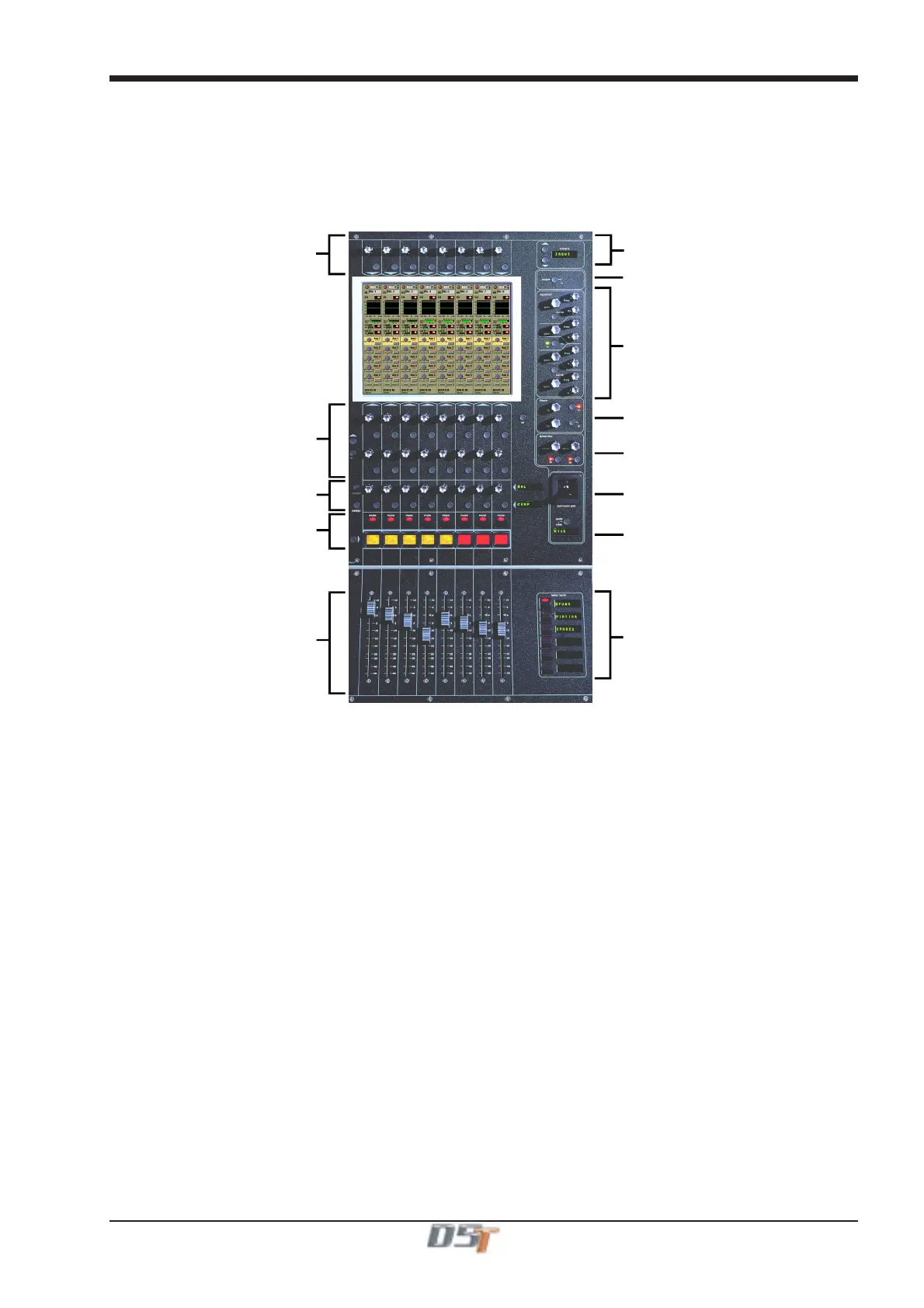
The console Worksurface consists of a Master section, and three "Banks" of faders for controlling input channel functions. Internally, the
console has 96 or 128 (according to use of onboard effects) input channels.
2.1.1 Channel Assignment ...........................................................
The assignment of audio input channels to faders on the D5T worksurface is "soft", so that there is no direct link between channels and
faders. The console can have up to 224 input sockets which are then assigned in blocks of eight to the console's physical fader banks.
Input Gain and Phase
ux / Pan / Dynamics Controls
Assignable Rotary and Switch
Mute and Interactive LCD
Function Button
Channels Faders
Channel Meter Status
Channel Insert On / Off
4 Band Parametric EQ
High and Low Pass Filters
Dynamics Thresholds and On / Of
Joystick
Undo / Redo Button
Channel Fader Banks
When you want to access an input channel which is not currently visible on a worksurface channel, press the relevant Fader Bank button
on the console worksurface.
Note: Holding a Channel Fader Bank button for more than half a second will switch all input surfaces to their equivalent bank for the same
bank button
2.1.2 Worksurface Channels ........................................................
Each fader bank has eight channels. Each channel has a Mute switch, an Interactive LCD button which performs a number of different
functions and assignable rotary controls and switches to control auxiliaries and dynamics functions.
As well as a number, each channel has a Label which you can define. Labels can be up to 31 characters but only the start of the label will
be displayed. The number of characters displayed depends on the character width.
Above the faders on each bank, the touch-screen provides access to the routing and processing for each channel.



 To Next Page