B-3
Appendix B
Appendix B - Multiple Console Setups
B.1.1 Front Of House and Monitors Setup .................................
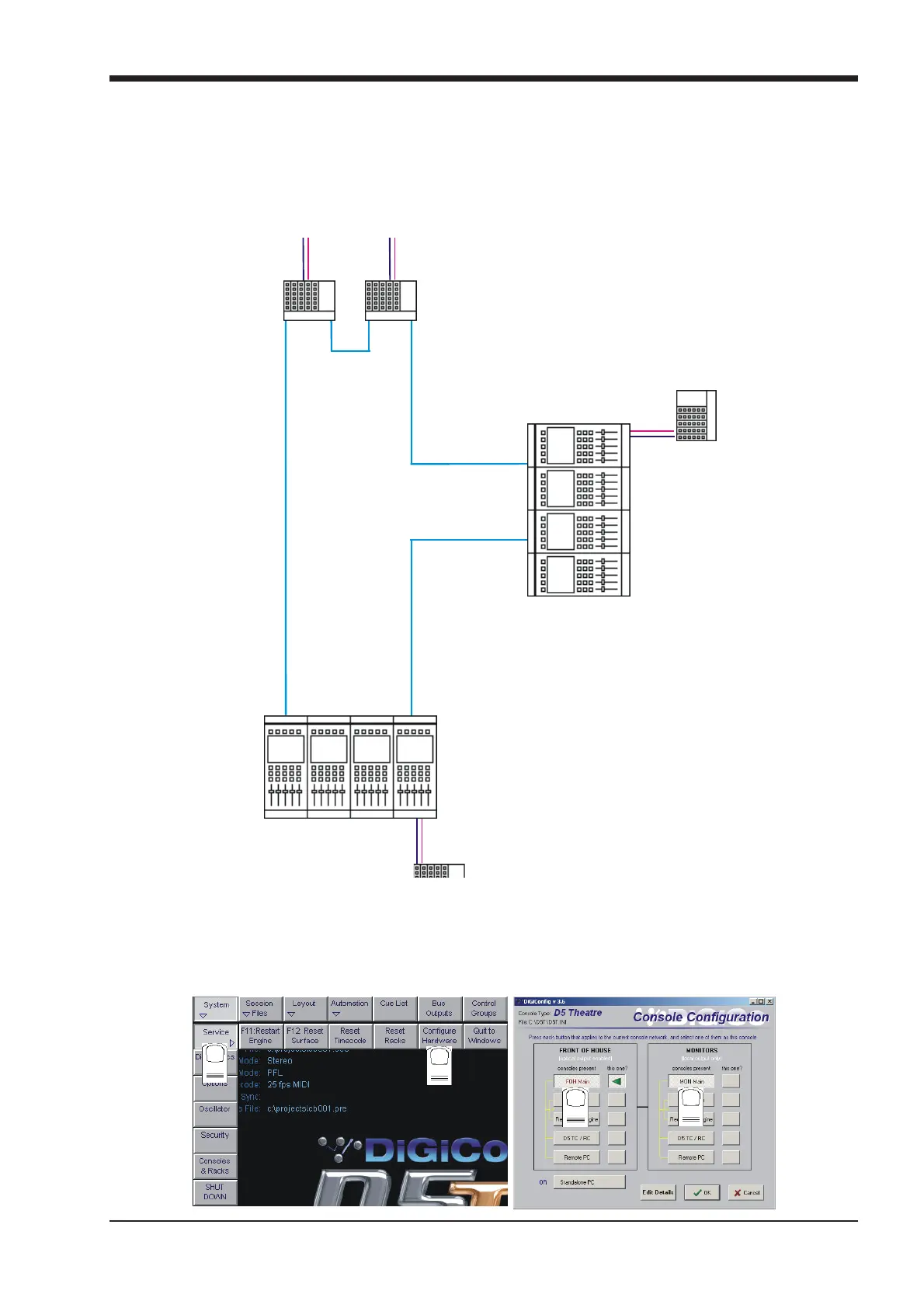
Front of House and Monitor consoles (with 1 local rack each) may independently share input signals from up to 3 stage racks and have
individual control of input gains with the use of Gain Tracking.
The local racks may be completely different but the sockets file on each console must contain identical entries for the shared racks.
The rest of the configuration must match the hardware of the actual console but the two consoles do not need to be identical.
FOH & MONITORS
USING OPTOCORE
MONITORS
Sync=OPT
FOH
Sync=OPTO
STAGE RACKS
Bi-Directional Gain Tracking
Both consoles can control
the Analogue Gains
R
e
d
u
n
d
a
n
t
O
p
t
i
c
a
l
L
o
o
p
(
O
p
t
i
o
n
a
l
)
LOCAL RACK
LOCAL RACK
OPTO A
OPTO B
OPTO B
OPTO A
OPTO A
PORT 2
PORT 2
OPTO B
ID=30 ID=32
ID=22
ID=20
OPTO BOPTO A
MAIN
MADI
MADI
MAIN
To set up the hardware configuration open the DiGiConfig program in the System / Service / Configure Hardware menu. D5T software
will automatically close to enable configuration changes.
Select all the consoles in the rig (FOH Main and MON Main) and then select the console that you are configuring by pressing the THIS
ONE? button. You can check the configuration by pressing the EDIT Details Button but clicking OK will confirm the setup and return to
D5T software. Repeat this process for the other console.
Note: Both consoles should have Optocore selected in their Setup / Audio Sync panels.
1
2
3
4



 To Next Page