B-4
Appendix B
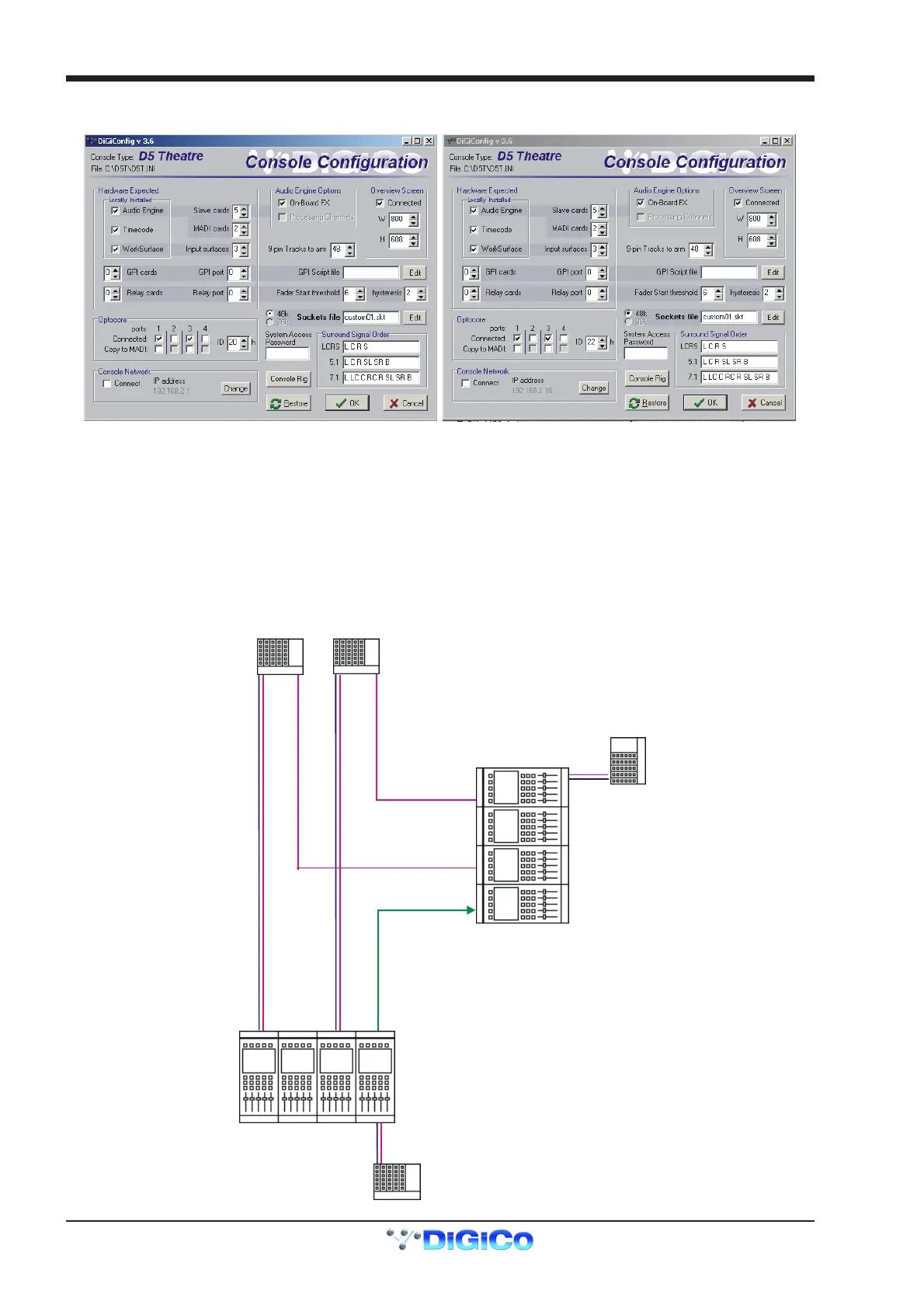
The following configuration details will have been created:
onso
e
eta
s
on
tor
onso
e
eta
s
Note that the Optocore IDs are 20 (FOH) and 22 (MON) and the IP addresses must be unique. In this example, other details are the same
but this is not necessarily always the case.
MADI Connections
If the consoles are to be connected via MADI, the setup would be as follows but Gain Tracking would only be unidirectional with the FOH
acting as Master and the Monitor console tracking the changes.
Note: This configuration requires a Word Clock connection from the FOH to the Monitor console. The FOH console should be set to
Setup / Audio Sync = Master and the Monitor console to Setup / Audio Sync = Word Clock.
The recommended connection between the Monitor console and Stage Racks is a single MADI OUT from each Stage Rack's AUX MADI
connected to the console's MADI 1 IN for Stage Rack 1 and MADI 3 IN for Stage Rack 2.
If both MADI INs and OUTs were connected to the Monitor console then the console could take control of the racks' analogue gains when
the Full Connect procedure took place. This is potentially confusing as, in this situation, the FOH console would no longer have control
of the racks' analogue gains as only one console can be the "master" for the gains when connecting via MADI.
FOH & MONITORS
USING MADI
MONITORS
Sync= Word Clock
STAGE RACKS
Uni-Directional Gain Tracking
FOH has control of the Analogue Gains
and Monitors can track this
LOCAL RAC
LOCAL RACK
AUX
OUT
ONLY
AUX
OUT
ONLY
PORT 3
PORT 3
PORT 1
WORD CLOCK
PORT 1
PORT 2
PORT 2
MAINMAIN
MAIN
MAIN
FOH
Sync=Master



 To Next Page