Chapter 1
1-18
1.3.13 Auxiliaries ...........................................................................
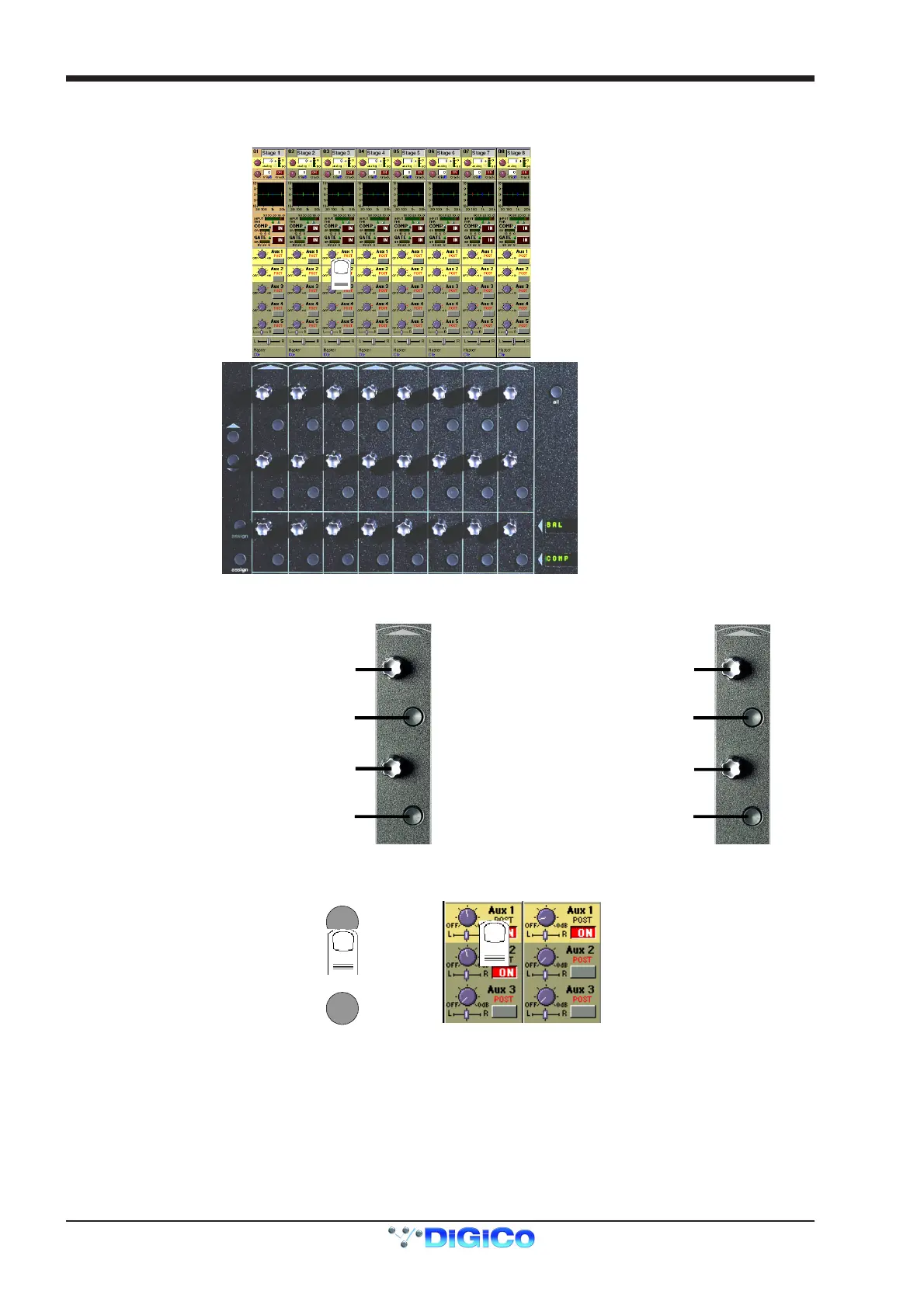
The auxiliaries are accessed by touching the auxiliary row on screen or using the Screen Scroll buttons on the left of the input section.
Screen Scroll
Aux Sends
Aux On/Off and Pre/Post
ssign Rotary
Assign Switch
Assignable Rotary and Switch
Labels with Value Readouts
Aux Sends
Aux On/Off and Pre/Post
Using either of these methods, the highlighted auxiliaries on the input screen will change. The rotary controls and switches beneath the
screen are used as auxiliary sends, pans, on/off and pre/post switches in the following way.
FIRST MONO AUX SEND
SECOND MONO AUX SEND
FIRST MONO AUX ON/OFF
(PRE/POSTWHENSENDISDOWN)
SECOND MONO AUX ON/OFF
(PRE/POSTWHENSENDISDOWN)
STEREO AUX SEND
STEREO AUX PAN
STEREO AUX ON/OFF
(PRE/POST WHEN SEND IS DOWN)
STEREO AUX PAN
TOGGLE TO CENTRE
MONO AUX STEREO AUX
The third rotary control and button in the section can be assigned to any of the auxiliary sends or on/off switches. Hold the Assign Rotary
or Assign Switch button on the left of the input section and touch the required auxiliary row on the screen. The selected auxiliary name is
shown by the Assignable Rotary Display.
assign
assign
AND



 To Next Page