Chapter 3
3-3
3.1 Busses and Outputs
3.1.1 Buss Outputs Display ..........................................................
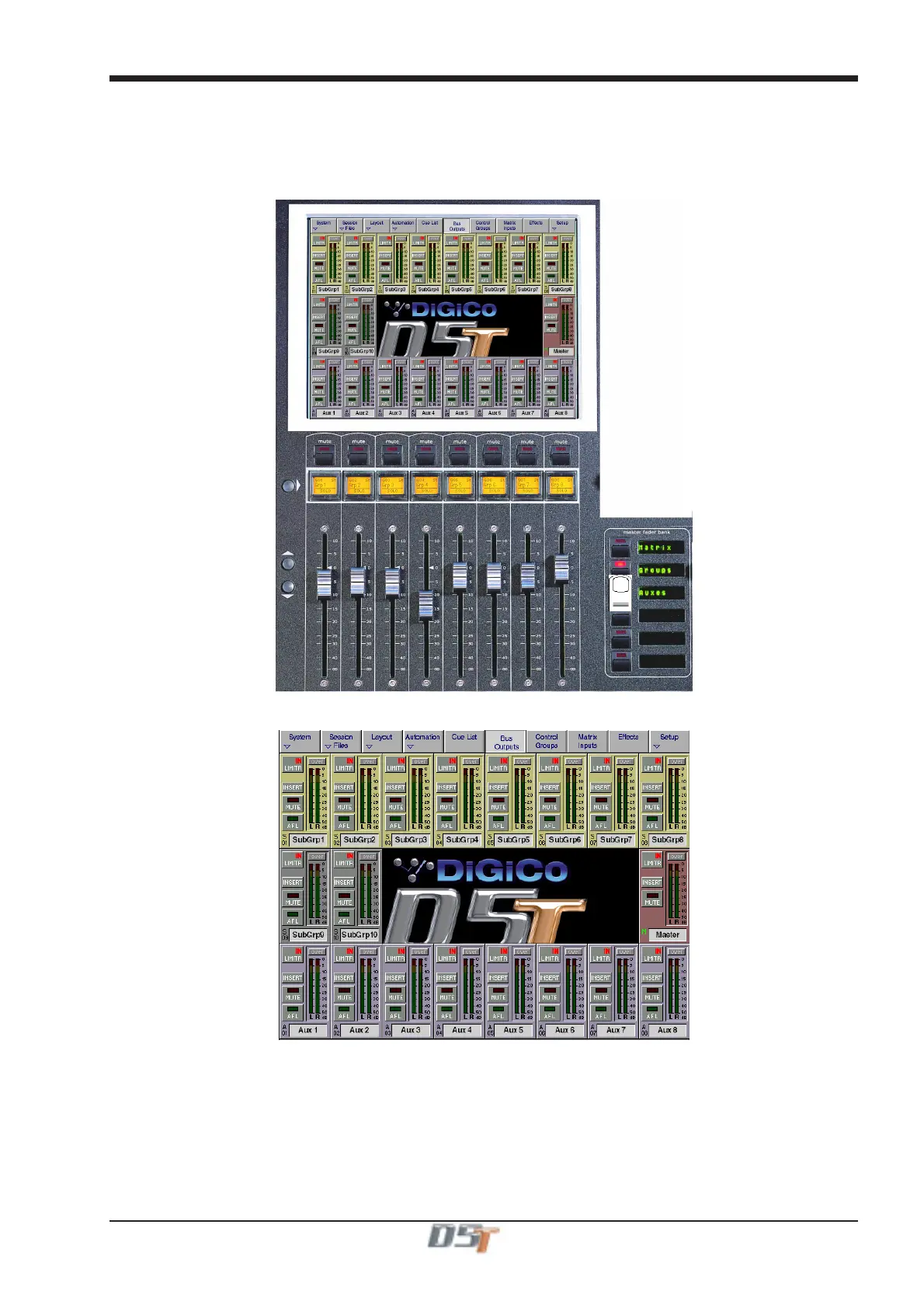
The Master, Sub Group and Aux busses are displayed on the Master Screen, and the buss levels are controlled by the fader banks below
the screen:
The exact appearance of the screen depends on the console's current buss configuration, but the layout will look something like this:
Scrolling the Master Screen
If the console configuration is using more than the 24 outputs which the screen can display, you can "scroll" the screen down the rows of
busses using the Master Screen Scroll on the left hand side of the section
On Screen Buss Output Controls
Each buss has Mute, Solo, Insert On/Off and Limiter In/Out buttons and the screen also displays an Over light for each buss - these
are described in the next section.



 To Next Page