B-5
Appendix B
B.1.2 Gain Tracking Settings .......................................................
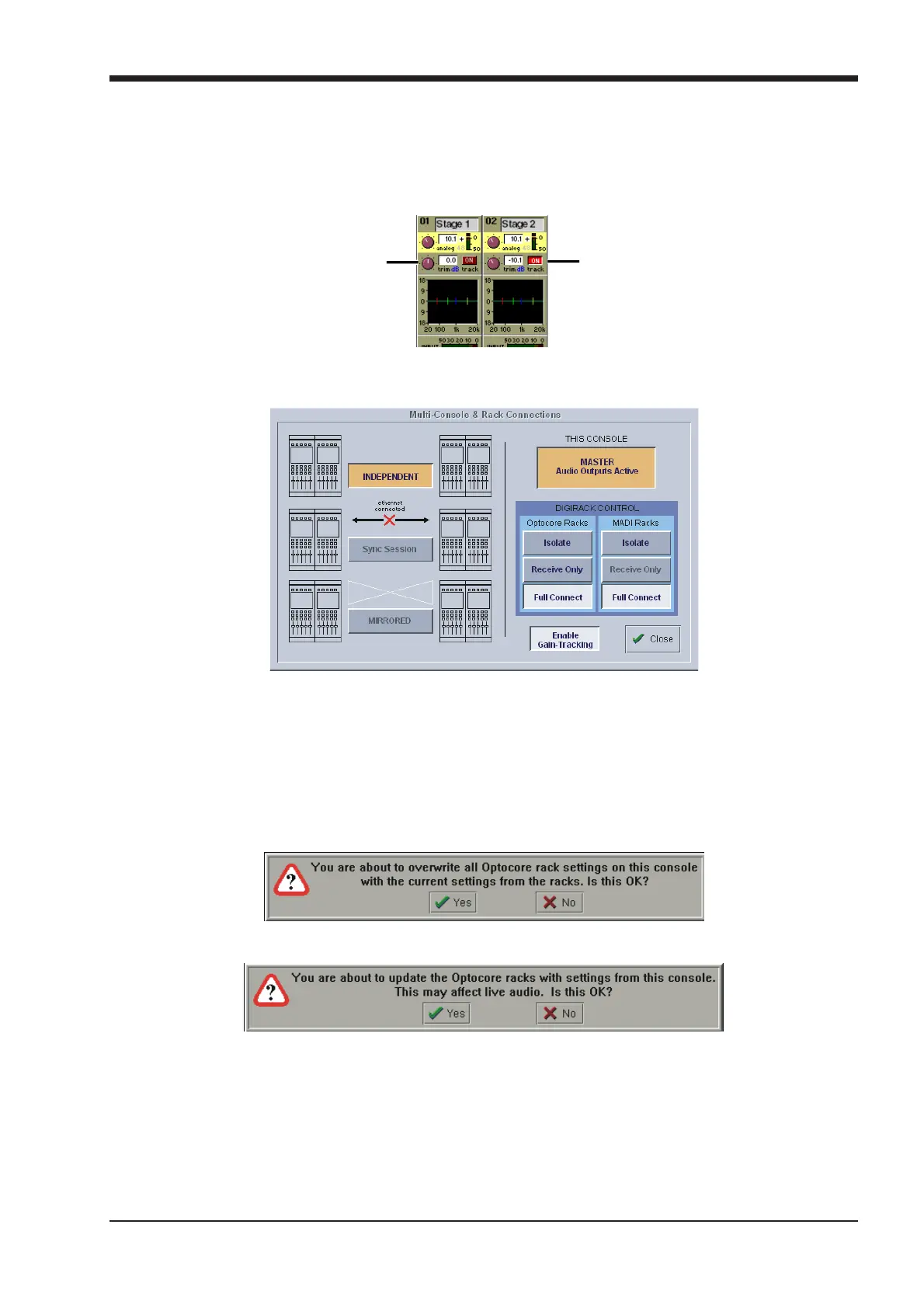
With the Optocore connection, Gain Tracking can be bidirectional. If either console adjusts the analogue gain, the other console can
compensate for that change by applying an opposite digital trim. Each Input Channel has a Track On/Off switch next to the Digital Trim
control. This is controlled by touching the screen in the area of the switch and using the worksurface phase button beneath the gain
control. If it is switched off, the Analogue Gain and Digital Trim are completely independent but if it is switched on for both consoles, any
change in the Analogue Gain by either user is compensated by an opposite Digital Trim. This means that the overall level remains
thesame on both consoles when the Analogue Gain is adjusted
.
Gain Track Off
Analogue Gain
and Digital Trim
independent
Gain Track On
Digital Trim
compensates fo
changes in
Analogue Gain
If the system has been defined as consisting of more than one console, the Consoles & Racks panel will automatically open on boot up
or load session. The panel can also be opened from the System menu.
Gain Tracking must be activated by pressing the Enable Gain Tracking button at the bottom of the Consoles and Racks panel.
The initial state will have no connection between the devices and the racks (Isolated) and the panel appears in order to prompt the
operator to make the necessary connections.
In this state, any gain adjustments made on the console will have no effect as the racks will not be receiving any data.
If you go to Receive Only then Full Connect you can join the rack sharing without making any gain changes. If you are responsible for
the analogue gains, it is likely that you will want to go straight to Full Connect after load session or boot up.
Options are:
Isolate where the console will not communicate with the racks and therefore any adjustment of input gain or +48V switch will have no
effect on the rack settings.
Receive Only where the console will receive the rack’s existing settings but will not be able to control the gain etc on the racks.
Receive Only
Full Connect where the console will send its settings to the racks and change them accordingly.
Full Connect



 To Next Page