4-9
Chapter 4
Select a drive and folder in the bottom left hand corner of the panel, type a new name in the New Filename box and press the Save
button.
NOTE: The current presets file is always saved automatically when the console is shut down
4.2.9 Monitoring ............................................................................
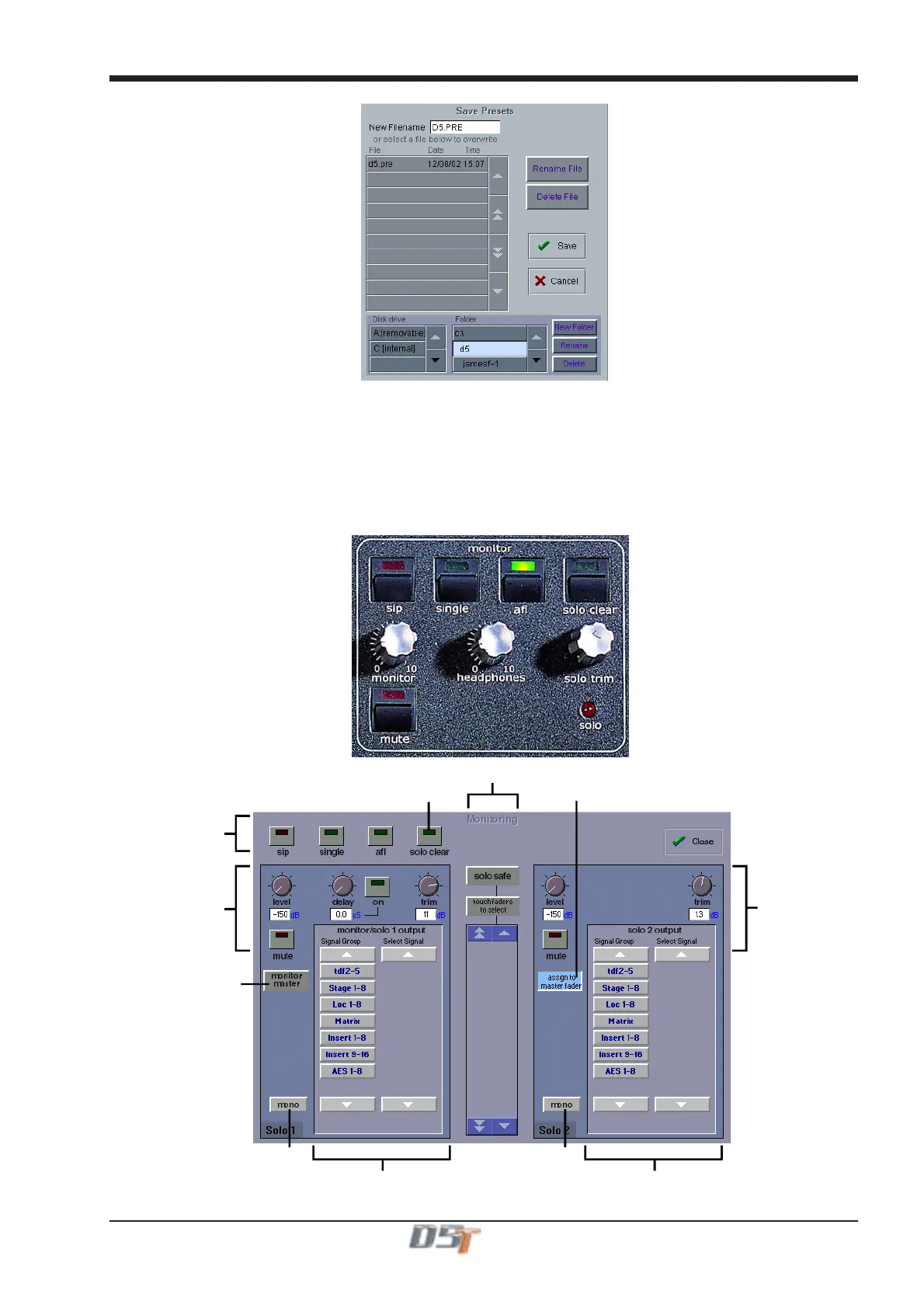
The Monitoring panel can be found under the Setup Menu in the Master Screen and some of the controls can be accessed on the right
hand side of the Master worksurface.
It may be accessed at any time to change the monitoring setup.
Solo Modes
Assign Solo 2 Level
to Master fader
Clear All Solos
Monitor Master Buss
When No Solo On
RouteSolo1ToOutput
Route Solo 2 To Output
Solo1Controls
Set Solo 1 Mono Set Solo 2 Mono
Solo 2 Controls
Solo Safe



 To Next Page