4-13
Chapter 4
4.3.1 Talkback Configuration Button ..........................................
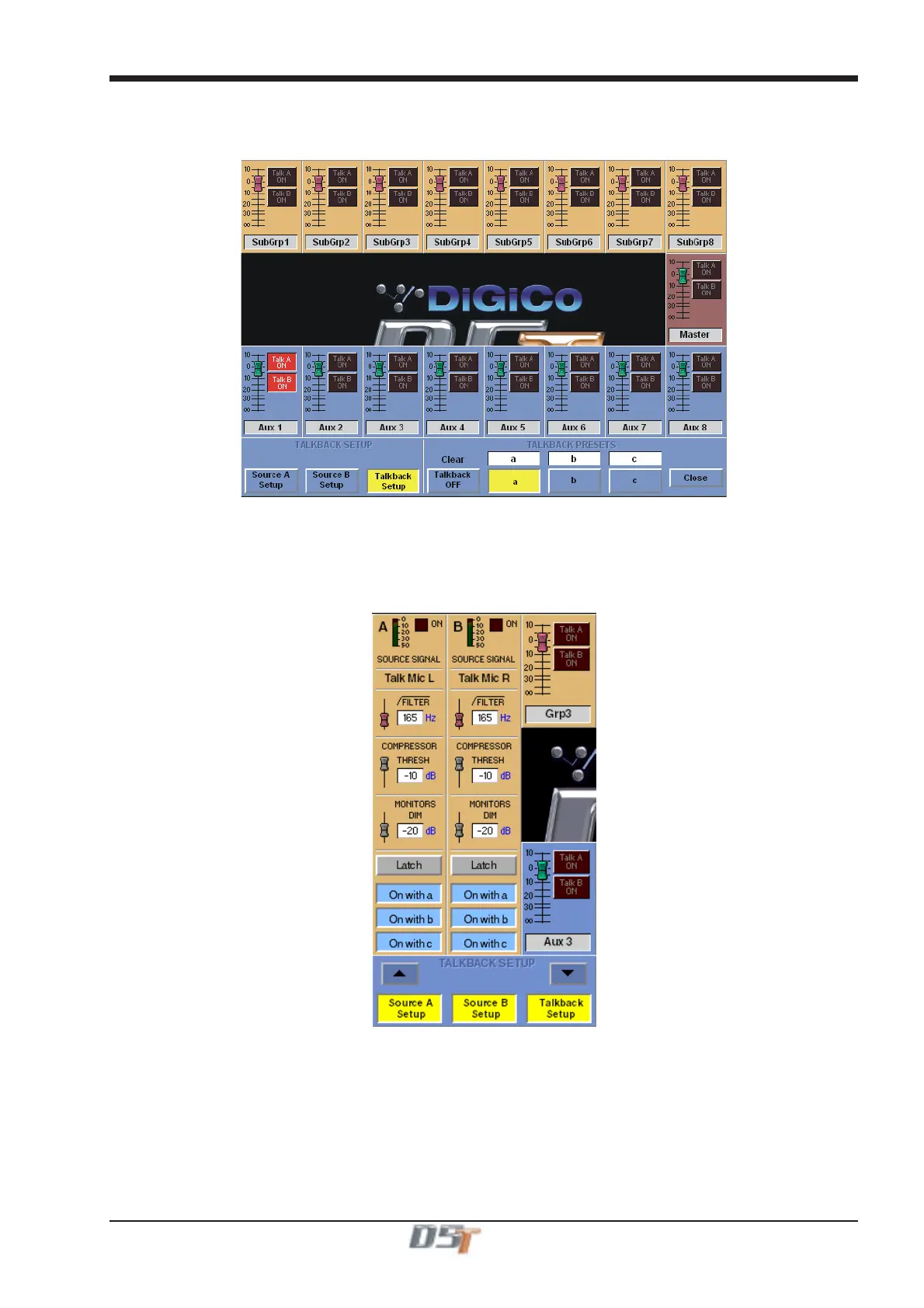
The two talkback channels can be mixed independently onto any buss using the Talkback Setup panel, which is displayed on the Master
screen when the on-screen Talkback button is touched.
When you first touch the on-screen Talkback button, only the bottom section of the panel is displayed - push the Talkback Setup button to
display the full mixer panel.
4.3.2 Talkback Mic Setup ..............................................................
Talkback channels A and B can be controlled separately, by touching the relevant button at the bottom left of the Talkback configuration
panel.
Talkback channels A and B can be sourced from any input signal, the Local (Top) mic, the Rear Mic, Tone or Noise using the buttons at
the top of the Channel.
Both channels could be sourced from the same mic but each one could route to different output destinations.
Each channel has a high-pass filter, a compressor with variable threshold, and a control for the Dim level which is applied to the monitor
signal when the Talk switch is pushed. These can all be adjusted by touching them on-screen, then using the fader below the display.
Below these controls are buttons which configure the talkback switch. The switches can be latching or momentary, and you can also
choose to disable either channel altogether.
The worksurface Talkback buttons A, B, and C may be used to activate either Talkback Channel by pressing the required combination of
the On With buttons.



 To Next Page