Chapter 26
| IP Interface Commands
Interface Address Configuration and Utilities
– 667 –
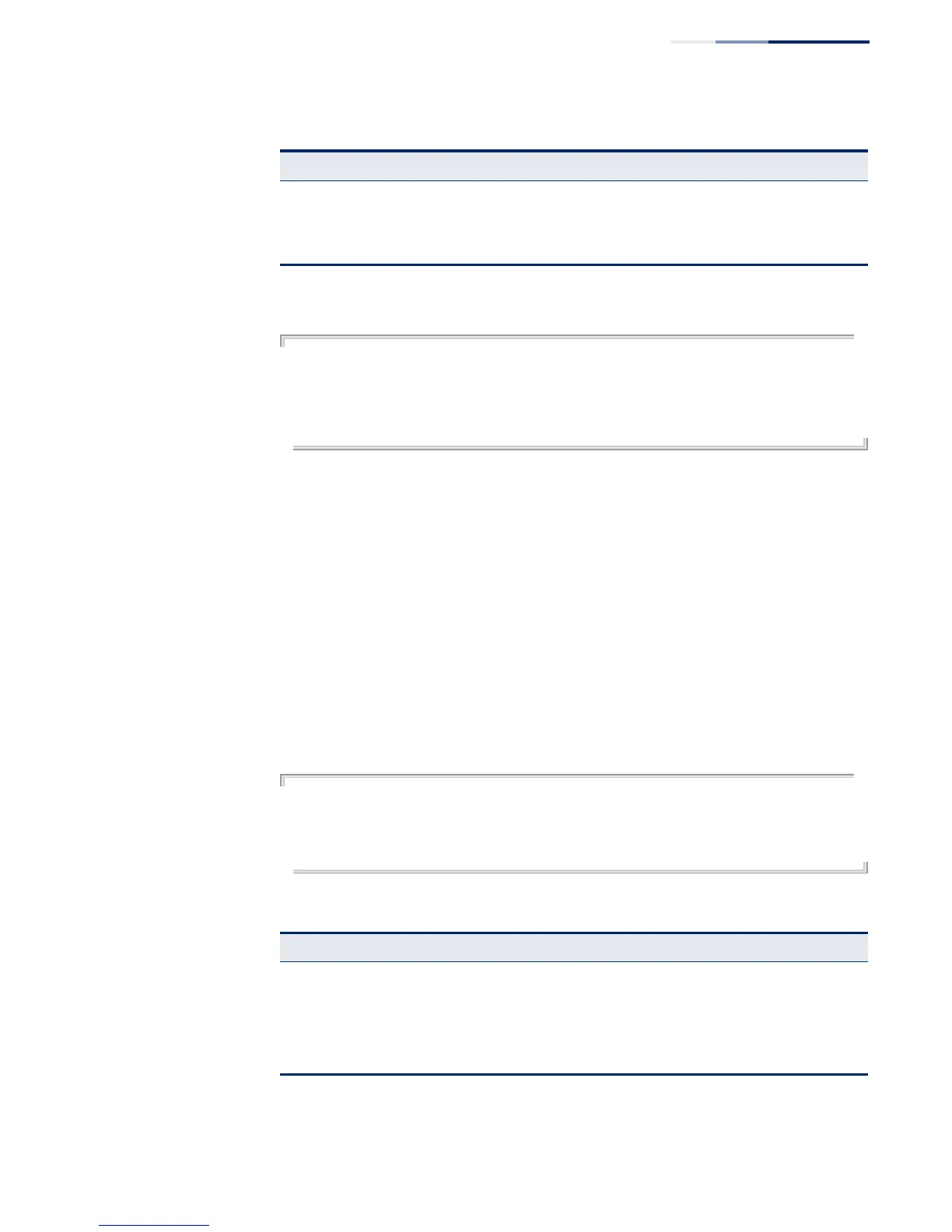
This example displays a brief summary of IPv6 addresses configured on the switch.
Console#show ipv6 interface brief
Interface VLAN IPv6 IPv6 Address
--------------- ---------- ---------- ------------------------------------
VLAN 1 Up Up 2001:DB8:2222:7273::72/96
VLAN 1 Up Up FE80::2E0:CFF:FE00:FD%1/64
Console#
Related Commands
show ip interface (649)
show ipv6 mtu This command displays the maximum transmission unit (MTU) cache for
destinations that have returned an ICMP packet-too-big message along with an
acceptable MTU to this switch.
Command Mode
Normal Exec, Privileged Exec
Example
The following example shows the MTU cache for this device:
Console#show ipv6 mtu
MTU Since Destination Address
1400 00:04:21 5000:1::3
1280 00:04:50 FE80::203:A0FF:FED6:141D
Console#
ND retransmit
interval
The interval between IPv6 neighbor solicitation retransmissions sent on an
interface during duplicate address detection.
ND reachable
time
The amount of time a remote IPv6 node is considered reachable after a
reachability confirmation event has occurred
Table 141: show ipv6 interface - display description (Continued)
Field Description
Table 142: show ipv6 mtu - display description
*
* No information is displayed if an IPv6 address has not been assigned to the switch.
Field Description
MTU Adjusted MTU contained in the ICMP packet-too-big message returned from this
destination, and now used for all traffic sent along this path.
Since Time since an ICMP packet-too-big message was received from this destination.
Destination
Address
Address which sent an ICMP packet-too-big message.



 To Next Page
 Loading...