EasyManua.ls Logo

Edge-Core ECS4610-24F - User Manual

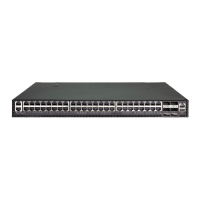
Edge-Core ECS4610-24F
1154 pages
Print Icon
To Next Page IconTo Next Page
Loading...
Management Guide
www.edge-core.com
ECS4610-24F
24-Port Layer 3
Gigabit Ethernet Switch

Table of Contents

Other manuals for Edge-Core ECS4610-24F

Questions and Answers

  • M
    Mrs. Diane FischerAug 7, 2025
    What to do if I cannot connect to Edge-Core Switch using Secure Shell?
    • S
      Shelby BeckAug 8, 2025
      If you're having trouble connecting to the Edge-Core Switch using Secure Shell, it could be due to several reasons. You might have exceeded the maximum number of concurrent Telnet/SSH sessions, so try connecting again later. Ensure that the control parameters for the SSH server are properly configured on the switch and that the SSH client software is correctly configured on your management station. Verify that you've generated both an RSA and DSA public key on the switch, exported this key to the SSH client, and enabled the SSH service. Also, make sure you've set up an account on the switch for each SSH user, including the username, authentication level, and password. If using public key authentication, confirm that you've imported the client's public key to the switch.
  • D
    Dustin MooreAug 14, 2025
    What to do if the Link LED is off on my Edge-Core ECS4610-24F?
    • V
      Vernon GreeneAug 14, 2025
      If the Link LED is off on your Edge-Core Network Router, there are several potential causes and solutions: * First, ensure that both the switch and the connected device are powered on. * Next, make sure the cable is securely plugged into both the switch and the corresponding device. * If the switch is in a rack, inspect the connections to the punch-down block and patch panel. * Verify you're using the correct cable type and that its length is within specified limits. * Inspect the adapter on the attached device and the cable connections for any defects, replacing them if needed. * Finally, if an SFP transceiver has failed, replace it.
  • C
    catherinecannonAug 19, 2025
    How to fix Pwr LED if it's off on Edge-Core ECS4610-24F Network Router?
    • C
      Carlos Davis MDAug 19, 2025
      If the Pwr LED is off on your Edge-Core Network Router, check the connections between the switch, the power cord, and the wall outlet.
  • B
    Bryan PetersonAug 26, 2025
    What to do if DIAG LED is on amber on Edge-Core Network Router?
    • T
      Tiffany HernandezAug 26, 2025
      If the DIAG LED is on amber on your Edge-Core Network Router, power cycle the switch to try and clear the condition.
  • R
    Rebecca YoungNov 1, 2025
    How to fix Edge-Core Switch cannot connect using Telnet, web browser, or SNMP software?
    • W
      William DavisNov 1, 2025
      If you're unable to connect to the Edge-Core Switch via Telnet, a web browser, or SNMP software, ensure the switch is powered on and that the network cabling between your management station and the switch is properly connected. Verify that you have a valid network connection to the switch and that the port you're using hasn't been disabled. Confirm that the VLAN interface, through which the management station connects, is configured with a valid IP address, subnet mask, and default gateway. Also, the management station should have an IP address in the same subnet as the switch's IP interface. If connecting via a tagged VLAN group's IP address, the management station and intermediate switches must be configured with the appropriate tag. Finally, if you've exceeded the maximum number of conc...

Edge-Core ECS4610-24F Specifications

General IconGeneral
ModelECS4610-24F
Switching Capacity128 Gbps
MAC Address Table Size16K
Jumbo Frames9K Bytes
Operating Humidity10% to 90% (non-condensing)
Storage Humidity5% to 95% (non-condensing)
LayerL2/L3
Forwarding Rate95.2 Mpps
VLANs4K
ManagementWeb, CLI, SNMP
Power SupplyInternal
Dimensions (W x D x H)440 x 44 x mm
Operating Temperature0°C
Storage Temperature-40°C to 70°C
Ports24 x 1G SFP ports, 4 x 10G SFP+ ports

Related product manuals