184
13.2 Use of the electric drive
Important: When handling the
electric drive and the individual
drive components, observe the rel-
evant manufacturer's instructions
for your electric drive.
13.3 Inserting and removing
the battery from the e-bike
Depending on the e-bike and battery model,
the batteries are inserted into or removed
from their holder on the down tube in differ-
ent directions.
The battery is inserted and removed either:
• from above
or
• from the side.
The operating steps for inserting and remov-
ing both variants and the range extender are
described below.
13.3.1 Inserting/removing the
battery from above
Important: Always switch off the
battery when inserting it into or
removing it from the holder.
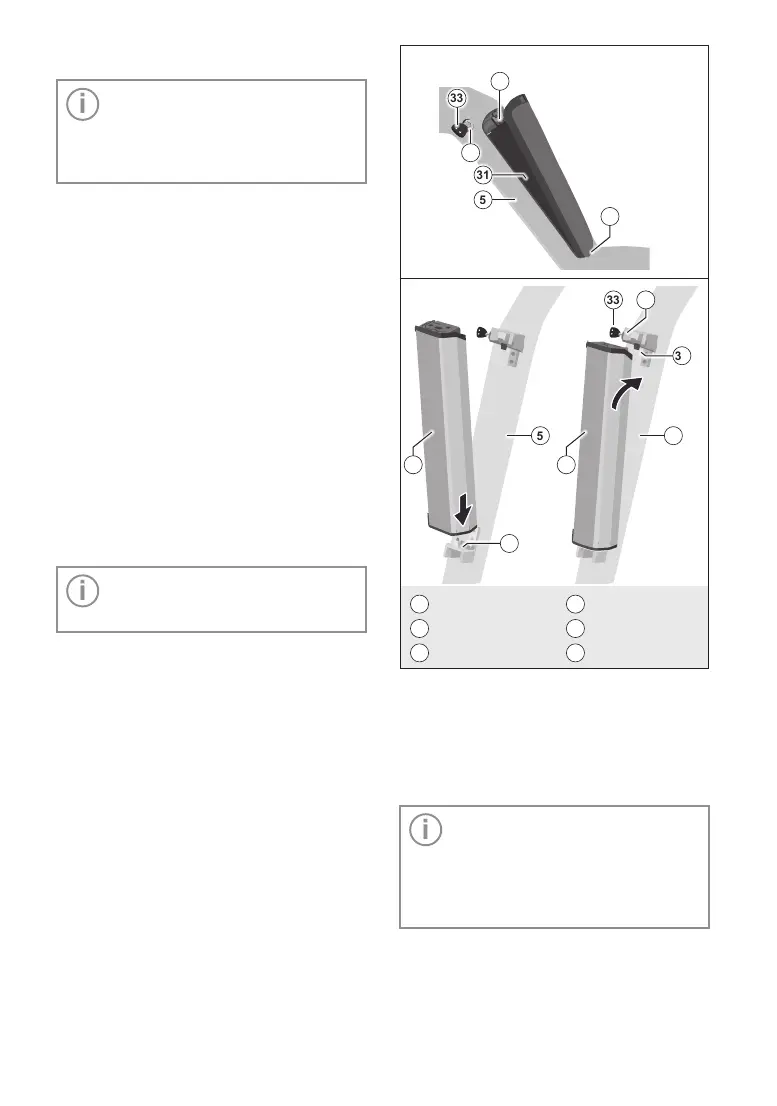
Inserting the battery
1. Place the battery with the contacts on the
lower holder on the e-bike.
2. Tilt the battery into the upper holder as
far as it will go until it audibly clicks into
place.
3. Make sure that the battery is firmly
seated.
4. Lock the battery to the e-bike by using the
key to lock the battery lock.
Then remove the key.
5 5
34
31 31
33
35
32
5
31
33
34
35
32
5
Down tube
33
Key
31
Battery
34
Upper holder
32
Battery lock
35
Lower holder
Fig.10: Inserting the battery from above
Removing the battery
1. Switch off the battery.
2. Unlock the battery on the e-bike by open-
ing the battery lock with the key.
Important: Depending on the
model, the battery must be released
from its lock in the holder before it
can be removed. To do so, press
the tab on the upper end of the bat-
tery.
3. If necessary, release the battery lock, tilt
the battery out of the upper holder and
remove it from the lower holder.



 To Next Page