98
20-2-3. Tally Output Settings (HVS-30TALR)
Up to two cards of HVS-30TALR (Tally Output Expansion Card) can be installed to the
HVS-300HS/RPS. Each card has 18 channels, therefore up to 36 channels (two cards)
available for tally output. See section
2-5-4 "TALLY OUT Connector (HVS-30TALR)" for the
default pin assignments of the connector.
(1)Set up the tally colors in the [SETUP- EXT I/F-TALLY COLOR] menu. (See section
20-2-1.
"Tally Color Setting".) Tally color settings are common with other tally modules such as
the GPI IN/TALLY OUT connector.
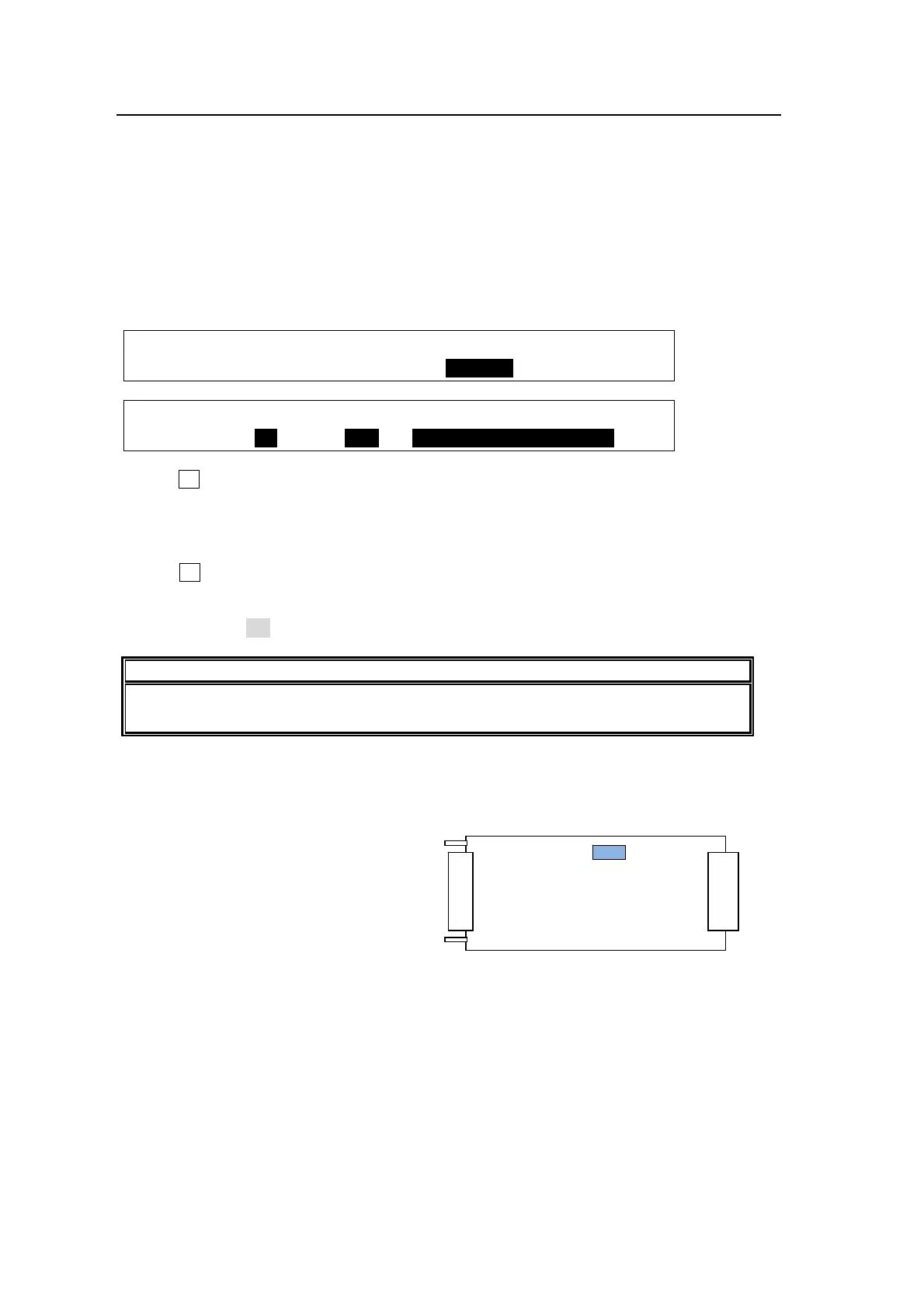
(2) Display the [SETUP- EXT I/F - 30TALR] menu.
SETUP :>RS-422 >EDITOR >TLY COL >GPI I/O
EXT I/F :>TALLY1 >TALLY2 >30TALR
EXT I/F :ENABLE :P NO : FUNCTION : 1/1
30TALR : =ON : =1-1: =Out:RED TALLY-IN01
(3) Turn F2 to select a channel at P NO.
Channels are specified as follows: [Card number]-[Channel number]. For example, "1-10"
represents the 10th channel of Card 1. See "Card Number of HVS-30TALR" below.
(4) Turn F3 to select a tally to be assigned at FUNCTION. See the table "TALLY function."
(p97)
(5) Set Enable to ON to enable all tally outputs of the TALLY OUT connector.
NOTE
The HVS-30TALR cards can send GPI outputs. To output GPI signals, select the
desired GPI function under FUNCTION. See section
20-1 "GPI Control" for details.
Card Number of HVS-30TALR
The card number, Card1 or Card2, is chosen by the internal dip switch (DS1) on the
HVS-30TALR card.
If set to Card1:
DS1-1: ON
DS1-2: OFF
If set to Card2:
DS1-1: OFF
DS1-2: ON
* DS1-3 to DS1-8 are all set to OFF, do not change the settings.
HVS-30TALR card
DS1



 To Next Page