36
8. PGM/PST Bus Operation
8-1. PGM/PST Bus buttons
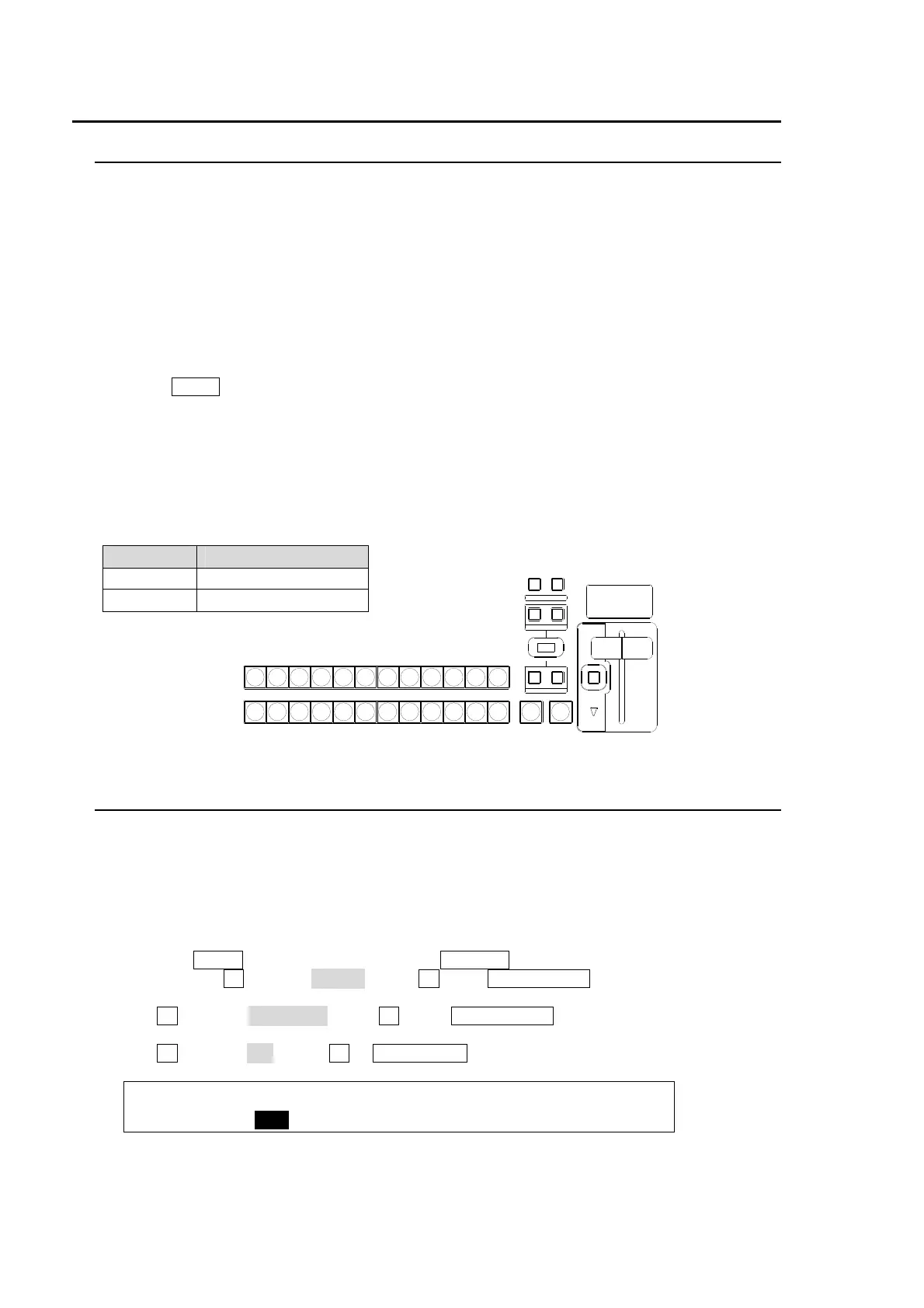
At factory default, video inputs, Stills and Matt are assigned to the PGM/PST bus buttons.
To Select Video in PGM
Press the desired bus button on the PGM bus. The video signal assigned to the selected bus
button is displayed on the program output screen.
To Select Video in PST
Press the desired bus button on the PST bus. The video signal assigned to the selected bus
button is displayed on the preview output screen.
To Perform Transition
Press the BKGD button in the Transition block. Then move the fader lever from end to end to
check how the button indication changes as the signals are switched. Once the transition is
complete, the selected signals on PGM and PST are switched (flip-flop).
The switcher’s basic operation is to select the next video on the PST bus and send it to air via
transition. And Repeat them again and again.
Color Indications on PGM/PST Bus buttons
The bus buttons light up as shown below to indicate the signal status.
Lit color Description
Red Indicates on air.
Orange Indicates next output.
8-2. PGM/PST Switching Mode
Users can change the switching mode for the PGM/PST bus from P/P to A/B. In P/P mode, the
source selections in the PGM and the PST are switched when transitions occur and users can
always select the next background signal from the PST bus (the bottom row). In A/B mode, the
source selections in the PGM and the PST do not switch when transitions occur and the next
signal selection must be done in the different bus after each transition. The default setting is P/P.
To Change Switching Mode to A/B:
(1) Press the MENU button and then press the 7/SETUP button to display the SETUP menu’s
top page.Turn F1 to select PANEL. Press F1 or the PAGE DOWN button to display [SETUP-
PANEL] menu.
(2) Turn F1 to select TRS CTRL.Press F1 or the PAGE DOWN button to display the [SETUP -
PANEL-TRS CTRL] menu.
(3) Turn F1 to select A/B. Press F1 or ENT/STORE in Keypad to confirm the setting.
PANEL :BUSTYPE: : FADER OFFSET : 1/1
TRS CTRL: =A/B : :U=1.00 L=1.00 :
AUTO CUT
NOR/REVREV
BKGD
WIPEMIX
PGM
PST
121110987654123
KEYER
FADER LIMIT
DIRECTION
NEXT TRANSITION
PATTERN/R ATE
TRANSITION TYPE



 To Next Page