32
Available signal selections are as described below.
Setting Description Refer to
BLACK, IN01-04,
IN05-12 (option)
STILL1-2, MATT,
CLBAR,
IN05-IN12 (option)
Signals assignable to the bus buttons in PGM/PST and
KEY/AUX.
6-2
PGM Program video 8-1
PREV
Preview video (next video with or without KEYER, DSK and
PinP)
7-2
CLEAN Clean video (program video with or without KEYER) (See 7-3.) 7-3
KEY
Key cut signal combined with DSK, KEYER and PinP. It is
useful to check chromakey appearance. (See section 11-5.
Chroma Key.)
7-4
MV Multiviewer video 13
7-2. Preview Set Up
The switcher does not have a dedicated PREVIEW output, however, the preview bus output can
be assigned to an auxiliary output. Users can also add the KEYER, DSK and PinP to PREVIEW.
This can be done as explained below:
7-2-1. Preview bus monitoring
Follow the procedure below to assign the preview video to an AUX output. AUX1 is used in
the example below.
(1) Open the [SETUP-OUTPUT-AUX XPT] menu referring section
7-1. "How to Select Aux
signals."
(2) Turn F1 to select AUX1.
(3) Turn F2 to select PREV.
OUTPUT :SELECT : XPT : CTRL : ANCI : 1/2
AUX XPT : =AUX1 : =PREV : =ON : =OFF :
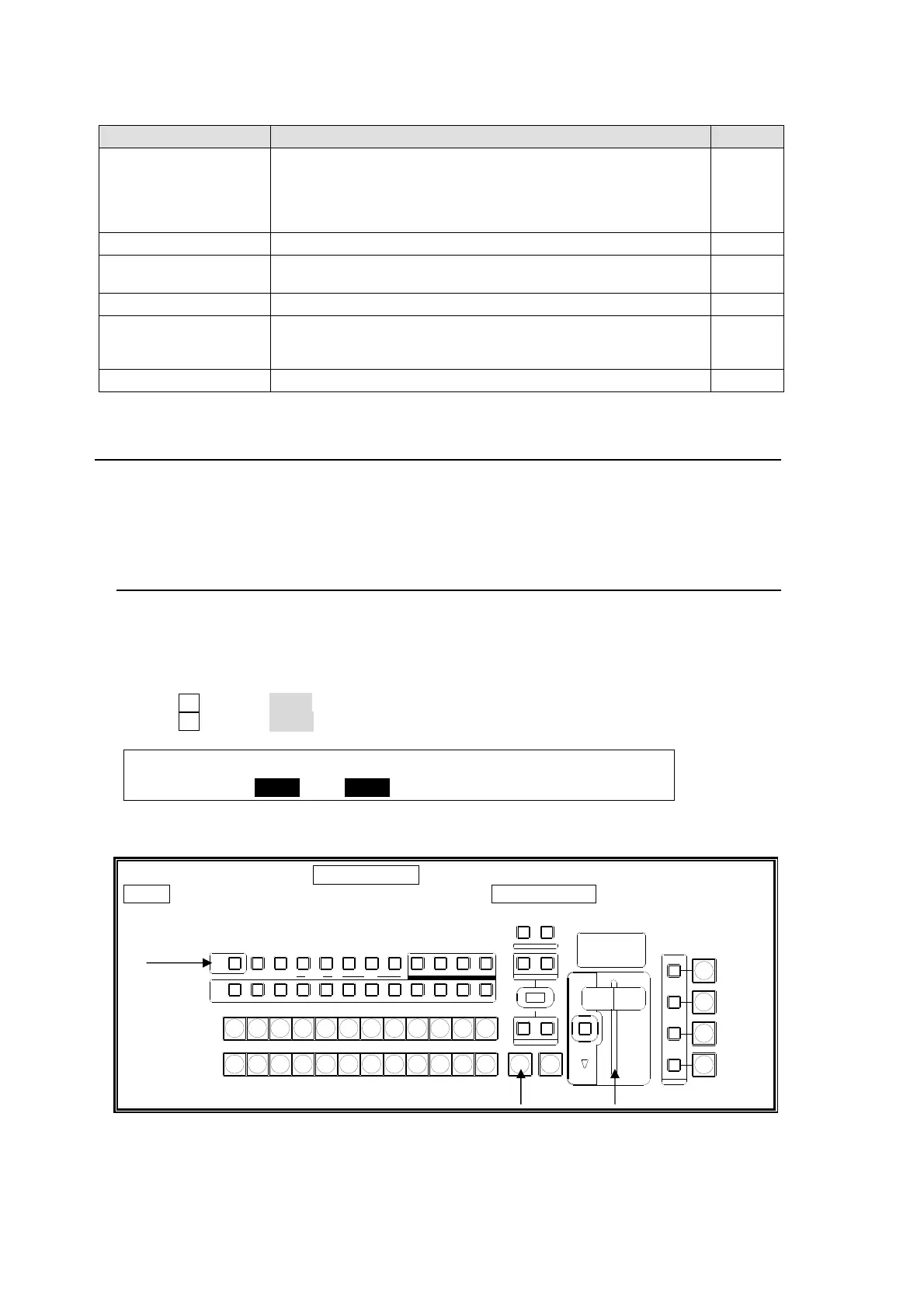
To Preview the Next Transition:
Press and hold down the TRANS PREV button on the left next to the fader lever. Press
AUTO or move the fader lever while holding down TRANS PREV. The next transition will
be displayed on the PREVIEW output. To exit the transition preview, complete the
transition.
AUTO CUT
DSK
KEYER
P IN P
1
2
P IN P
NOR/ REVREV
BKGD
WIPEMIX
AUXP IN P
KEYER DSK
12123
PGM CLEANPREV MV
234567891011121
PGM
PST
121110987654123
KEYER
KEY/AUX
FADER LIMIT
ON AIR
DIRECTION
NEXT T RANSIT ION
PA TTER N/RA TE
TRANSITION TYPE
HVS-300HS
DIGITAL VIDEO SWITCHER
TRAN S PREV



 To Next Page