18
Page Navigation
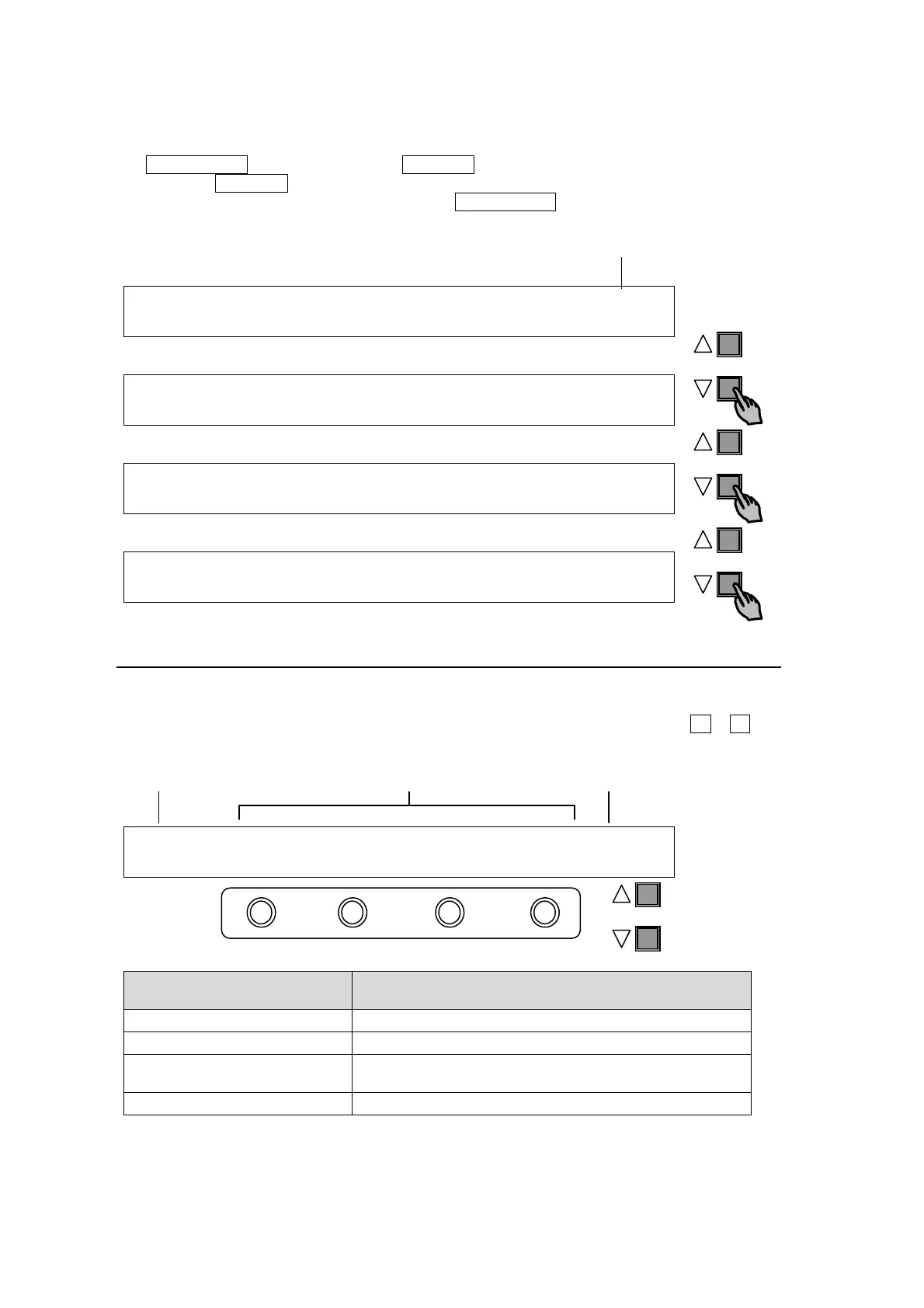
As shown in the example below, the [SETUP-INPUT-PROC AMP] submenu spreads across
three pages. When first accessed, page 1 of 3 will be displayed. To go to page 2, simply press
the PAGE DOWN button. Pressing the PAGE UP button returns you to page 1.
Pressing the PAGE UP button when located at the first page brings you up one level in the
menus. The same happens when pressing the PAGE DOWN button when located at the last
page of a menu.
INPUT :SELECT : Y-Lv : BLK-Lv:ENABLE : 1/3
PROC AMP: =IN04 : =1.00 : =0 : =ON :
INPUT :SELECT : Pb-Lv : Pr-Lv :ENABLE : 2/3
PROC AMP: =IN04 : =1.00 : =1.00 : =ON :
INPUT : Y-Lv :Blk-Lv : Pb-Lv : Pr-Lv : 3/3
CLIP : =1019 : =4 : =500 : =500 :
SETUP :>SIGNAL >PROC AMP>RENAME >ASSIGN
INPUT :
4-2-2. Changing Settings or Values by Using F1 to F4
Once parameters appear in the display window, data is displayed over 2 lines. A maximum of
four parameters can be displayed at a time. The “=” or “>” in front of value indicates that it is
possible to change a parameter setting by turning a menu control push-button (F1 – F4), or
trigger an action by pressing it.
INPUT :SELECT :FORMAT :RESIZE : FS : 1/1
SIGNAL : =IN01 : =SDSDI: =4:3 : =ON :
Menu Control Push-buttons
(F1 to F4)
Description
Turn clockwise Increases value.
Turn counter-clockwise Decreases value.
Press and hold down
at least 1 sec.
Reset the parameter to default value.
Turn while pressing Quickly increases/decreases value.
System Parameters Requiring Confirmation
Some system parameters require for users to confirm after changing the value by pressing a
menu control push-button. This prevents users from making mistakes when changing
important system settings.
Page no. / Total page
PAGE
PAGE
PAGE
PAGE
Parameters (First line)
Settings (Second line)
Title
Page/Total page



 To Next Page