16
4-1-2. Other Menu Access Buttons
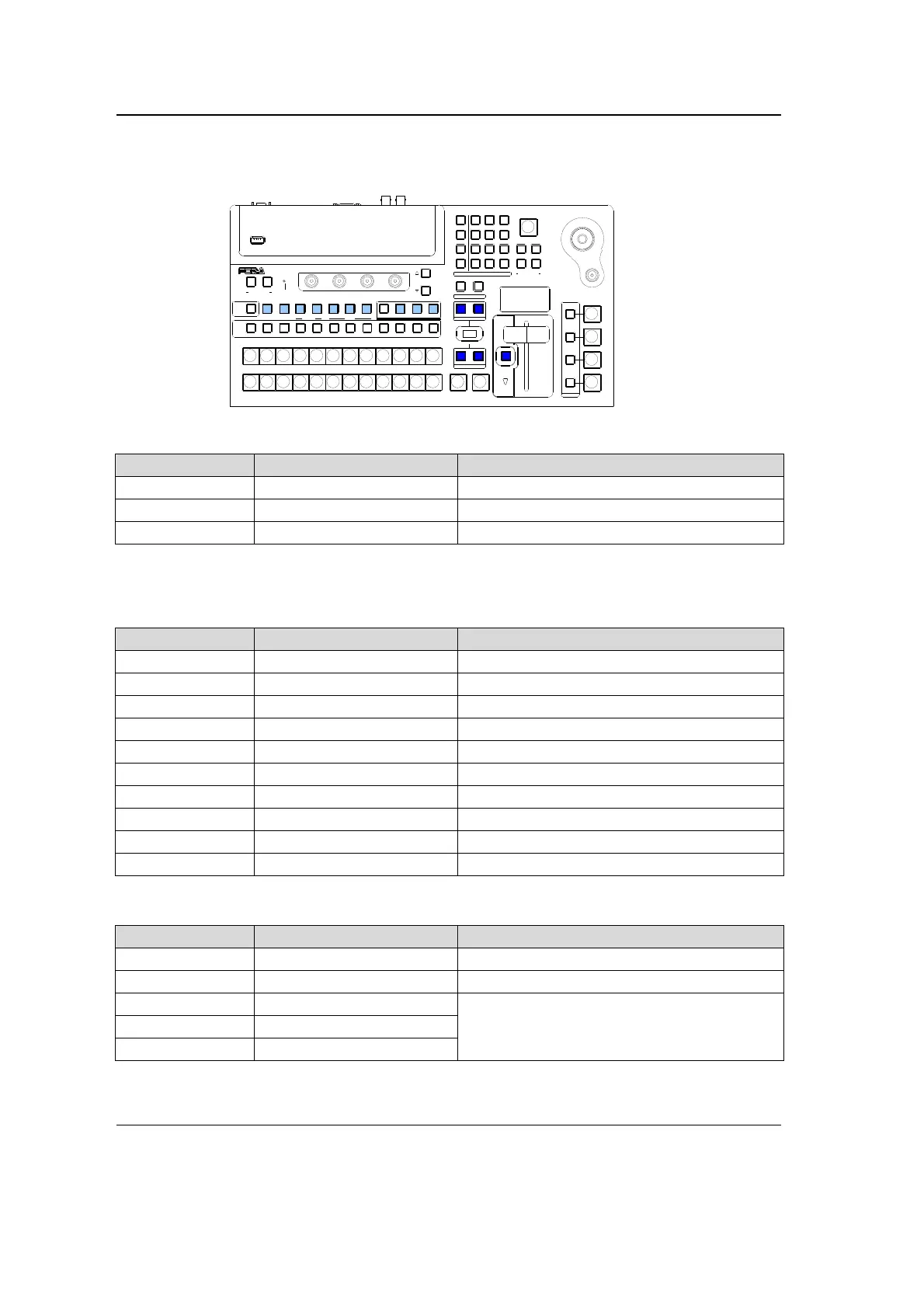
By pressing once or twice specific buttons in the bus select section or transition control
section, the related menus can be displayed. (See the figure and the table below.)
PGM/PST bus
Button Action Accessed Menu
MATT (*1) Pressing twice quickly [MATT] menu
STL1 to STL2 (*1) Pressing twice quickly [STILL] menu
SHIFT (*1) Pressing twice quickly [SETUP-INPUT-ASSIGN] (3/3) menu
(*1) Note that MATT and STL1 – STL2 buttons represent the bus buttons assigned to MATT and
STILL1 – STILL2 signals respectively at PGM/PST and KEY/AUX. (Refer to section 6-2. "How to
Assign Sources to Bus buttons."
BUS SELECT block
Button Action Accessed Menu
KEYER Pressing twice quickly [KEYER-SETUP] menu
DSK Pressing twice quickly [DSK-SETUP] menu
MV Pressing twice quickly [SET UP-OUTPUT-MV SCRN] menu
P IN P 1 Pressing twice quickly [PinP-CHAN1] (1/4) menu
P IN P 2 Pressing twice quickly [PinP-CHAN2] (1/4) menu
PREV Pressing twice quickly [SET UP-OUTPUT-CLN/PREV](2/2) menu
CLEAN Pressing twice quickly [SET UP-OUTPUT-CLN/PREV](1/2) menu
AUX1 Pressing twice quickly [SETUP-OUTPUT-AUX XPT] (1/2) menu
AUX2 Pressing twice quickly [SETUP-OUTPUT-AUX XPT] (1/2) menu
AUX3 Pressing twice quickly [SETUP-OUTPUT-AUX XPT] (1/2) menu
Transition Block
Button Action Accessed Menu
BKGD Pressing once [TRANS BKGD] menu
KEYER Pressing once [TRANS KEYER] menu
MIX Pressing once
[TRANS BKGD] menu
WIPE Pressing once
FADER LIMIT Pressing twice quickly
4-1-3. USER Button (Menu Shortcut)
User buttons can be assigned to specific menu pages and be used as menu shortcuts.
Refer to section
4-3. "USER Button" for details.
USB MEMORY
AUTO CUT
DSK
KEYER
P IN P
1
2
P IN P
(PUSH to DEF)
43
65
SIZE
NOR/REVREV
BKGD
WIPEMIX
F4
F3F2
F1
PAGE
USER BUTT ON
12
AUXP IN P
KEYER DSK
12123
PGM CLEANPREV MV
234567891011121
PGM
PST
121110987654
POSITION
123
KEYER
MENU/DIRECT PAT T/EVENT/KEY PAD
KEY/AUX
FADER LIMIT
ALARM
ON AIR
USER BUTT ON
TRANS PREV
DIRECTION
NEXT TR ANSITION
PATTERN/RATE
TRANSITION T YPE
HVS-300H S
DIGITAL VIDEO SWITCHER
7/SET UP
4/WIPE
1
8/STILL
5/P in P
2/KEYER
9/FILE
6/MATT
3/DSK
BLACK
TRANS
MENU
DIRECT PATT
±/EVENT
CLR/TRANS RATE 0 /RECALL
. (DOT)
ENT/ STO RE



 To Next Page