44
9-8. Advanced Settings for Transitions
9-8-1. Fader Limit
The fader limit setting determines how far your transition can proceed electrically. When
performing transitions (mix or other) there may be times when you want the transition to the
next signal to only complete to a certain degree instead of fully switching from one picture to
another. In this case, you will need to limit the fader range. The fader limit setting can be
made for each bus independently via the TRANSITION menu. The procedure to do this is as
follows.
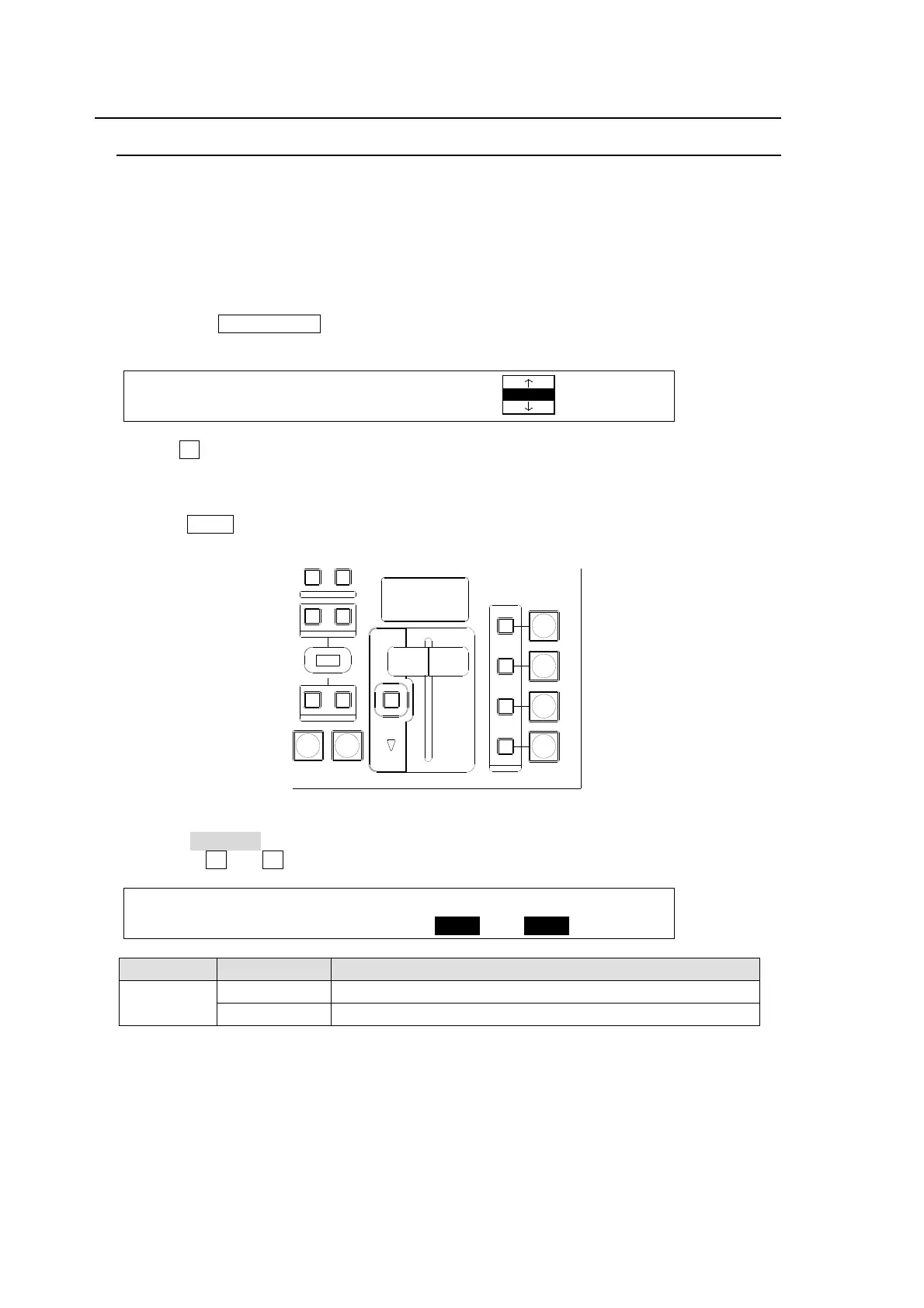
(1) Press the FADER LIMIT button in the TRANSITION block to display the [TRANS - NEXT
BKGD] menu.
TRANS : RATE : LIMIT :PATTERN : 1/6
BKGD : =30 : =100.0: =20 :
(2) Turn F2 to change the value of LIMIT. The default setting is 100.0. With this setting, the
transition is complete with pictures switching fully.
(3) Verify that the FADER LIMIT button is turned on (lit). Otherwise, press the button to turn it
on.
(4) Press AUTO or move the fader lever to perform the background or KEYER transition.
Adjusting the Fader Offset:
The fader OFFSET for the lever can also be adjusted in the [SETUP-PANEL-TRS CTRL]
menu. Turn F3 and F4 to adjust the fader offset.
PANEL :BUSTYPE: : FADER OFFSET : 1/1
TRS CTRL: =P/P : :U=1.00 L=1.00 :
Item Setting Description
FADER
OFFSET
U Sets the upper edge offset.
L Sets the bottom edge offset.
AUTO CUT
DSK
KEYER
P IN P
1
2
P IN P
NOR/ REVREV
BKGD
WIPEMIX
KEYER
FADER LIMIT
ON AIR
DIRECTION
NEXT TRANSITION
PATT ERN/RATE
TRANSITION TYPE



 To Next Page