19
Parameters with the sign ">"
The parameters with the sign ">" in front of them are executable by pushing the relevant
menu control push-button. For example, pressing a menu control push-button initializes
menus (See section
4-3. "How to Return Settings to Default."), stores still images (See
section
13-1. "How to Save Stills."), saves data or loads data (See section 17. "File
Operations"). In the parameters selecting a color from the standard colors pressing the
relevant menu control selects the color. (See section
6-5. "Bus Matte")
4-2-3. Changing Settings or Values by Using the Numeric Keypad
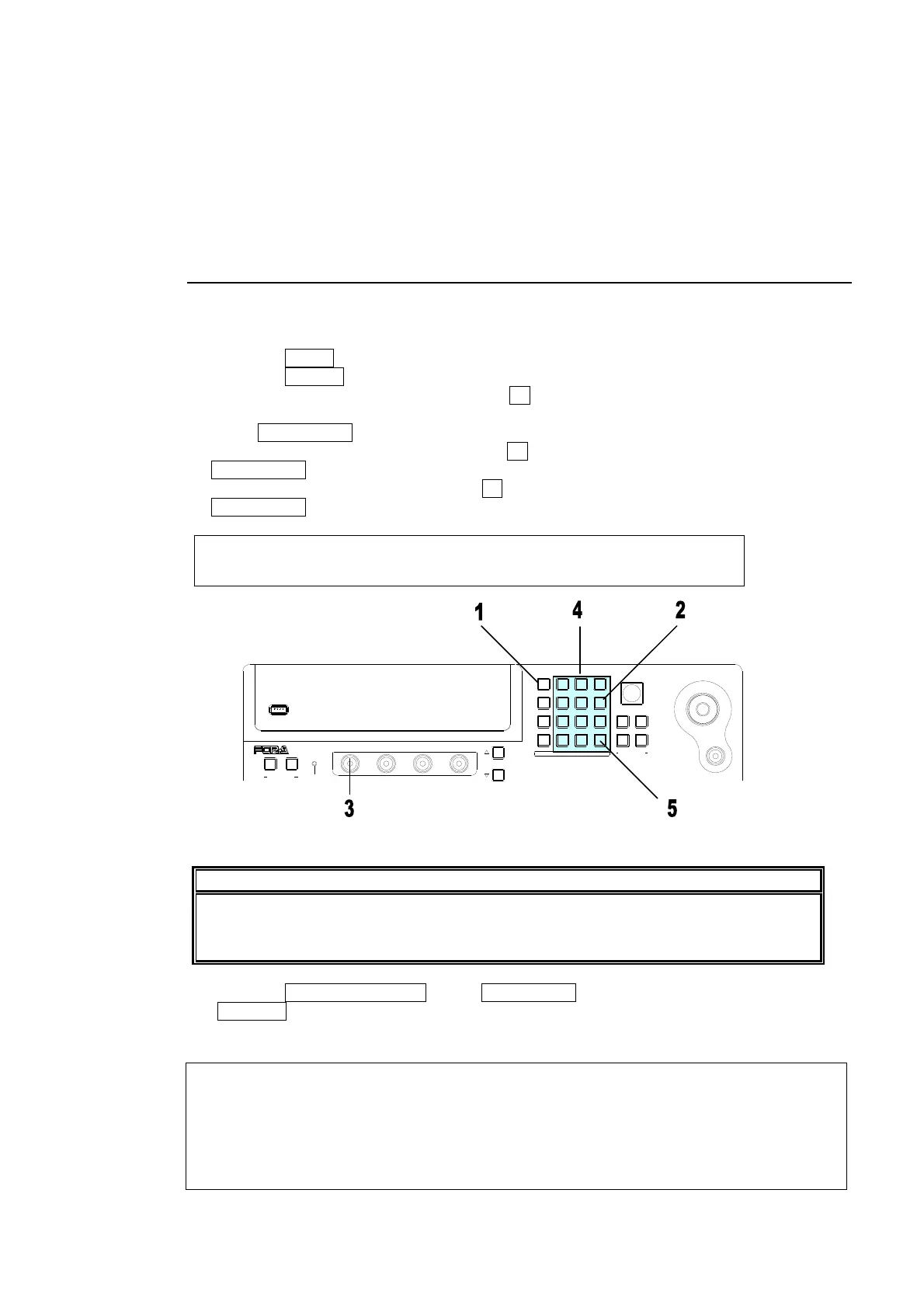
Users can also use the keypad to input numerical settings to a menu. The procedure
example for changing the matte color by using keypad is as follows.
(1) Press the MENU button.
(2) Press the 6/MATT button to display the BUS MATT COLOR menu.
(3) To change the S (Saturation) item, press F1.
(4) Input new setting from the keypad.
(5) Press ENT/STORE to confirm the setting.
(6) To change the L (Luminance) item, press F2, input new setting from the keypad and press
ENT/STORE.
(7) To change the H (Hue) item, press F3, input new setting from the keypad and press
ENT/STORE.
MATT : BUS MATT COLOR :RECALL : 1/1
COLOR :S=50.0 L=80.2 H=125.5: >GREEN:
IMPORTANT
When pressing a push-button, press it down lightly and release it within 1 sec. Note
that if you press and hold a control button for more than 1 sec., related setting will be
returned to their default value and a beep will be heard.
Pressing CLR/TRANS RATE before ENT/STORE cancels the changes just made.
±/EVENT changes the sign of a value (ex. From “+10” to “-10”).
KEYPAD Mode Display
The KEYPAD right next to the Menu Display has multiple modes: Menu Access, Direct
Pattern, Event Memory, Transition Rate Input and Numeric Input for menu. The mode
buttons on the left-hand side are to switch the KEYPAD modes. The current operation
mode is displayed at upper right-hand side of the menu display. To use the KEYPAD for
menu input, display a desired parameter, press the menu control push-button just below
the parameter (F1-F4), and enter the value using the numeric keypad and then press
ENTER in the KEYPAD.
USB MEMORY
(PUSH to DEF)
43
65
SIZE
F4
F3F2
F1
PAGE
USER BUTTON
12
POSITION
MENU/DIRECT PATT/EVENT/KEY PAD
ALARMUSER BUTTON
HVS-300HS
DIGITAL VIDEO SWITCHER
7/SET UP
4/WIPE
1
8/STILL
5/P in P
2/KEYER
9/FILE
6/MATT
3/DSK
BLA CK
TRANS
MENU
DIRECT PATT
±/EV ENT
CLR/TRANS RATE 0 /RECAL L
. (DOT)
ENT /S T OR E



 To Next Page