27
6-3. Resize Function
A resize function is provided for every input including optional inputs, except HVS-30HSDI-A.
This allows users to input SD signals at the same frame-rate as HD mode and use them as HD
images by upsizing. To use the Resize function, proceed as follows.
(1) Press the MENU button and then press the 7/SETUP button to display the SETUP menu’s
top page.
(2) Turn F1 to select INPUT. Press F1 or the PAGE DOWN button to display the [SETUP –
INPUT] menu.
SETUP :>SYSTEM >INPUT >OUTPUT >PANEL
MENU :>EXT I/F >STATUS
(3) Turn F1 to select SIGNAL. Press F1 or the PAGE DOWN button to display the [SETUP –
INPUT - SIGNAL] menu.
SETUP :>SIGNAL >PROC AMP>RENAME >ASSIGN
INPUT :
(4) Turn F1 to select an input signal for resizing.
(5) Turn F2 to set AUTO or SDSDI for FORMAT.
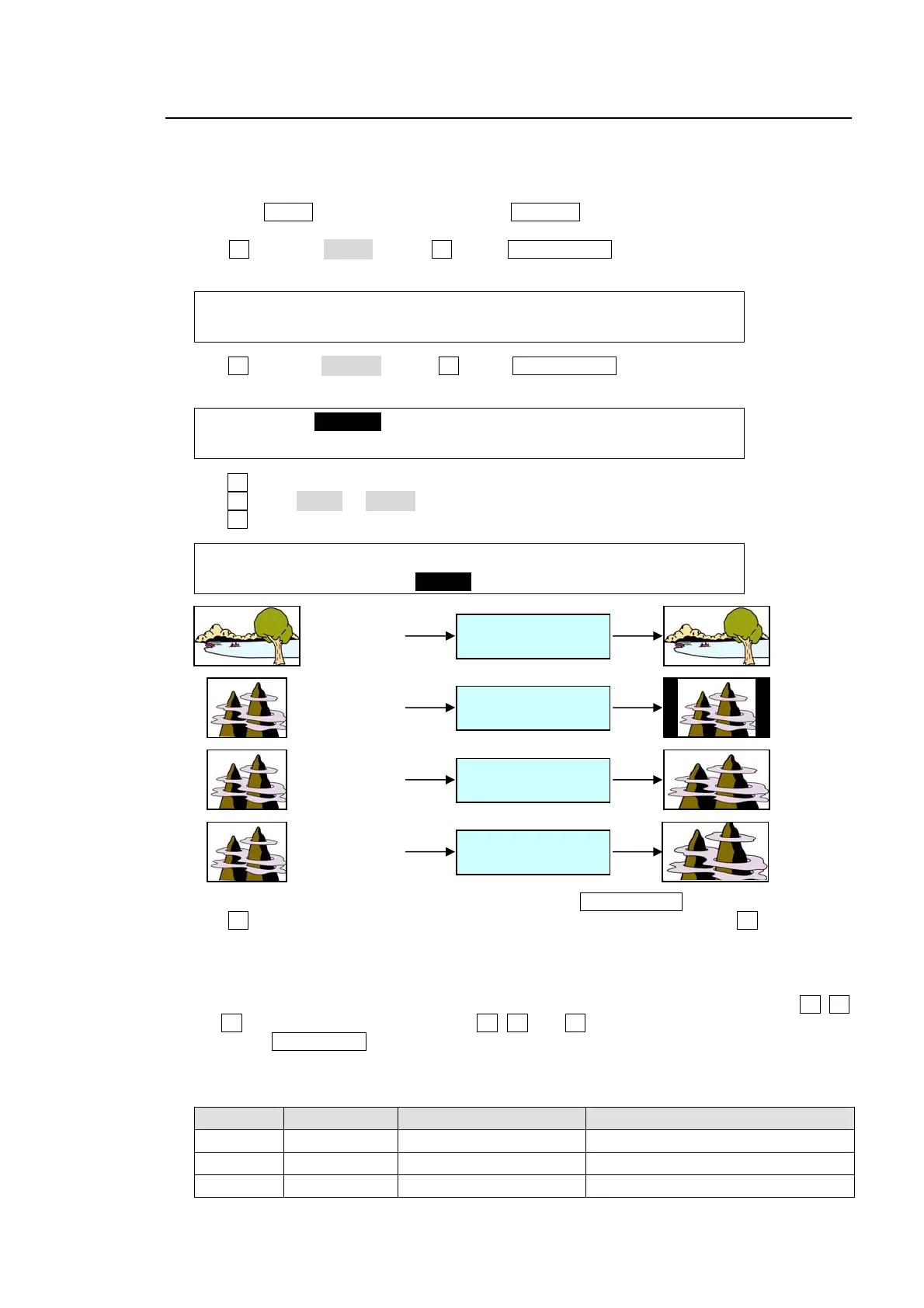
(6) Turn F3 to select an aspect ratio under the RESIZE item.
INPUT :SELECT :FORMAT :RESIZE : FS : 1/2
SIGNAL : =IN04 : =SDSDI: =4:3 : =ON :
(7) To change the side bar color for 4:3 images, press the PAGE DOWN button to go to Page 2.
(8) Turn F4 to select a color from the following 8 standard colors. Then press F4 to apply the
setting.
WHITE, YELLOW, CYAN, GREEN, MAGENTA, RED, BLUE and BLACK
If you want to adjust the selected color or set the color by entering its HSL values, turn F1, F2
and F3 to adjust these values or press F1, F2 and F3, enter a value from the Keypad and
then press ENT/STORE (from the keypad). Users can also set these three parameters via
the JOYSTICK block. (See section 4-2-4. "Changing Settings or Values by Using the
Joystick.")
Parameter Setting Range Description Joystick operation
S 0.0 to 100.0 Adjusts color saturation. Moves Joystick horizontally (X -axis)
L 0.0 to 100.0 Adjusts color luminance. Moves Joystick vertically (Y -axis)
H 0.0 to 359.5 Adjusts color hue. Turn the SIZE control
IN01 (HD)
(1080/59.94i)
FORMAT (AUTO)
RESIZE (OFF)
IN04 (SD)
(525/59.94i)
FORMAT (SDSDI)
RESIZE (4:3)
IN04 (SD)
(525/59.94i)
FORMAT (SDSDI)
RESIZE (SQUEEZE)
IN04 (SD)
(525/59.94i)
FORMAT (SDSDI)
RESIZE (LETTER)



 To Next Page