39
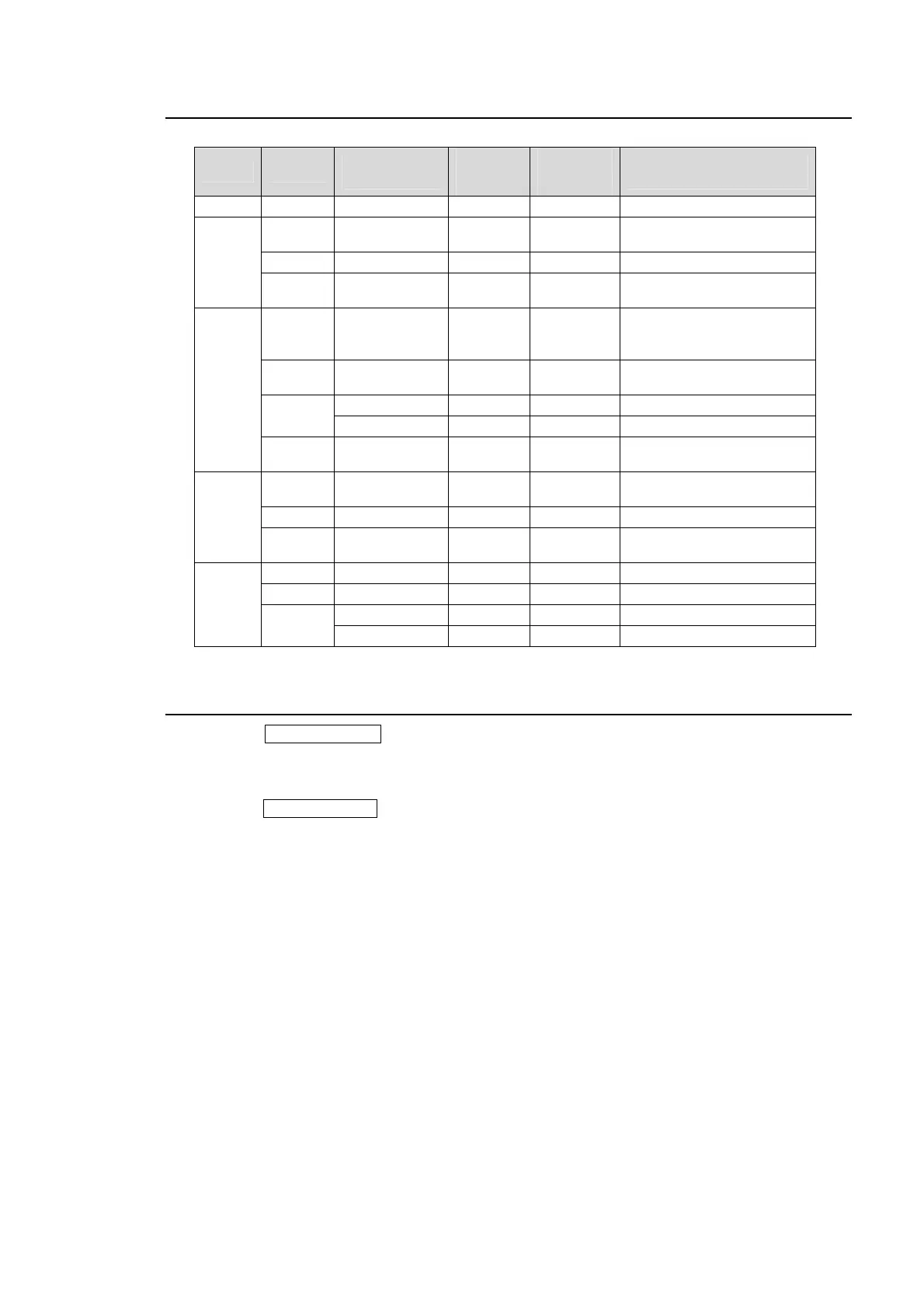
9-2. Available Transitions
Bus Type
Transition Rate
Setting
Fader
Limit
Setting
Wipe
Direction
setting
Transition Execute Button or
Tool
All BLACK Available - - BLACK TRANS button
DSK
CUT - - -
DSK AUTO button
(Advanced Transition mode)
MIX Available - - DSK AUTO button
USER
TRANS
Available - - ON AIR (DSK) button
KEYER
CUT - - -
KEY button > CUT button
KEY AUTO button
(Advanced Transition mode)
MIX Available - -
KEY AUTO button
KEY button > AUTO button
WIPE
Available Available NOR/REV KEY button > AUTO button
- Available NOR/REV Fader lever
USER
TRANS
Available - - ON AIR (KEYER) button
PinP
CUT - - -
PinP AUTO button
(Advanced Transition mode)
MIX Available - - PinP AUTO button
USER
TRANS
Available - - ON AIR (DSK) button
BKGD
CUT - - - BKGD button > CUT button
MIX Available - - BKGD button > AUTO button
WIPE
Available Available NOR/REV BKGD button > AUTO button
- Available NOR/REV Fader lever
9-3. Black Transitions
Pressing the BLACK TRANS button initiates a fade to (or fade from) black whichever source
(background and DSK) is currently on air (program output).
(1) If necessary, set the transition rate. See section
9-8-2. “Transition Rate" for details.
(2) Press the BLACK TRANS button to perform the transition.


 To Next Page