56
11. KEYER and DSK
Using keyers enables you to superimpose titles and images onto background signals. With the
HVS-300 series, KEYER and DSK are available. KEYER and DSK can use three types of key:
Luminance Key, Full Key and Bus Key. Edge, Invert, Mask and 2D DVE effects can be also added
to DSK and KEYER. Furthermore, KEYER can also use Chroma Key.
The method for setting KEYER and DSK are almost the same. This section describes how to set a
Luminance key for a DSK.
Luminance KEY
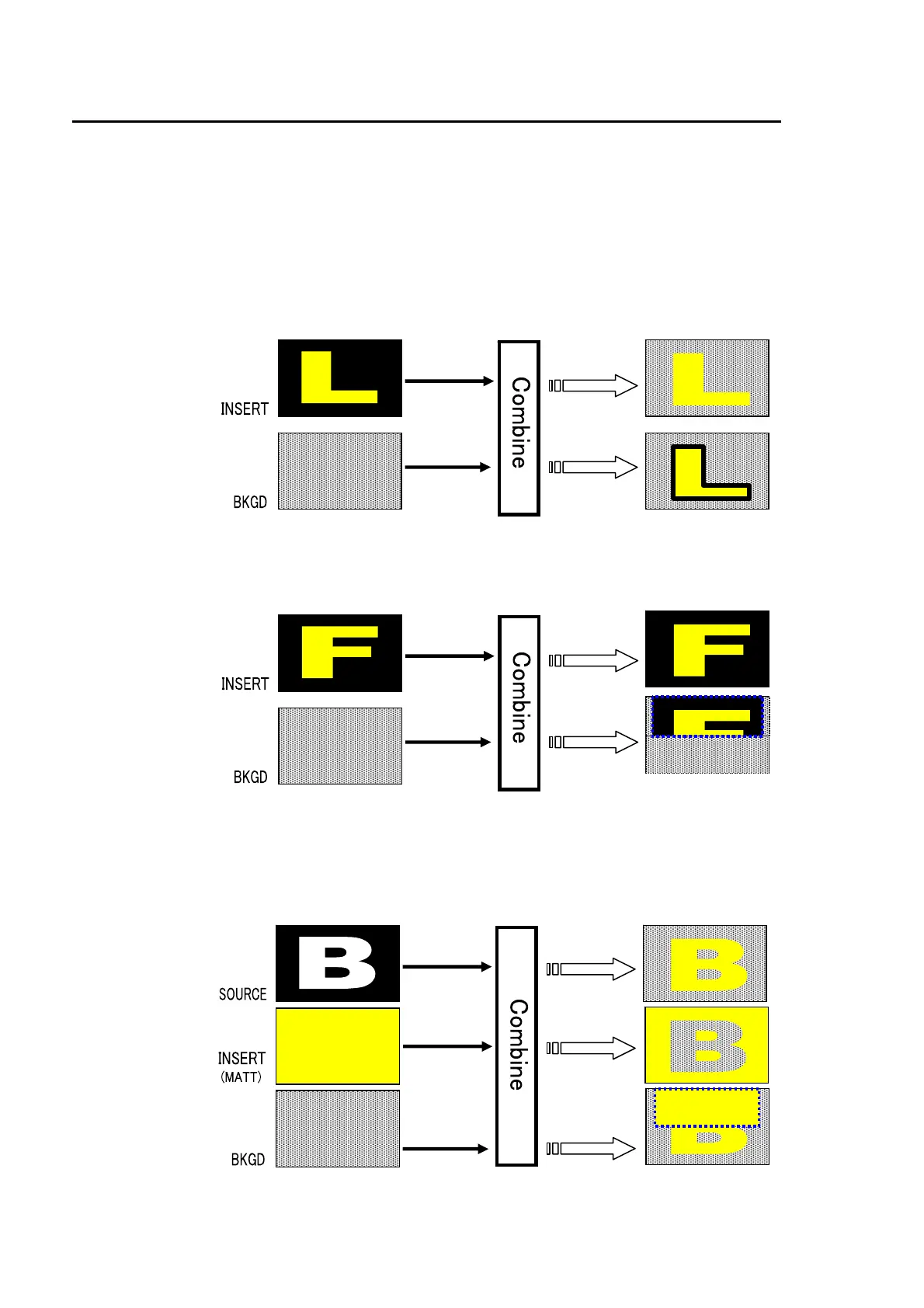
Luminance Key, also called Self Key, uses the same image for Key Source and Key Insert. This
image is selected from Key Insert.
Full key
Full Key displays the key insert signal on full screen.
Bus key
Bus Key, also called External Key, uses the different images for Key Source and Key Insert. The
background signal is cut out using Key Source and Key Insert fills the cut out part of the signal.
Luminance key
Edge
Full ke
BOX(AND)
mask
Bus ke
BOX(OR)
mask
INVERT



 To Next Page