37
8-3. Setting-up and Using the SHIFT function
In PGM/PST and KEY/AUX, users can select a video signal from 12 sources, because each bus
row has 12 bus buttons. On this control panel the SHIFT function can also be assigned to a bus
button in the same way video sources can. The SHIFT button allows users to select a video
signal from 22 sources. (The SHIFT button is also available in the AUX bus.) The SHIFT function
is not assigned to a button by default. To use the SHIFT function, assign it to a bus button as
shown in the procedure below.
To Assign the SHIFT function to a Bus button:
(1) Press the MENU button and then press the 7/SETUP button to display the SETUP menu’s
top page. Turn F1 to select INPUT. Press F1 or the PAGE DOWN button to display the
[SETUP - INPUT] menu.
(2) Turn F1 to select ASSIGN. Press F1 or the PAGE DOWN button to display the [SETUP –
INPUT - ASSIGN] menu.
SETUP :>SIGNAL >PROC AMP>RENAME >ASSIGN
INPUT :
(3) In the [SETUP – INPUT - ASSIGN] (1/3) menu, turn F1 to select a bus button for use.
(4) Turn F2 or F3 to select SHIFT under the SIGNAL item.
INPUT :BUTTON : SIGNAL NAME :INHIBIT: 1/3
OU ASSGN: =12 : =SHIFT =SHIFT: =ON :
Using the SHIFT function
Once the SHIFT function has been assigned to a bus button, the SHIFT button works in
normal mode by default. The SHIFT mode can be changed at the SHIFT item in the [SETUP-
INPUT-ASSIGN](3/3) menu. In the description below, assume that the SHIFT is assigned to
button 12.
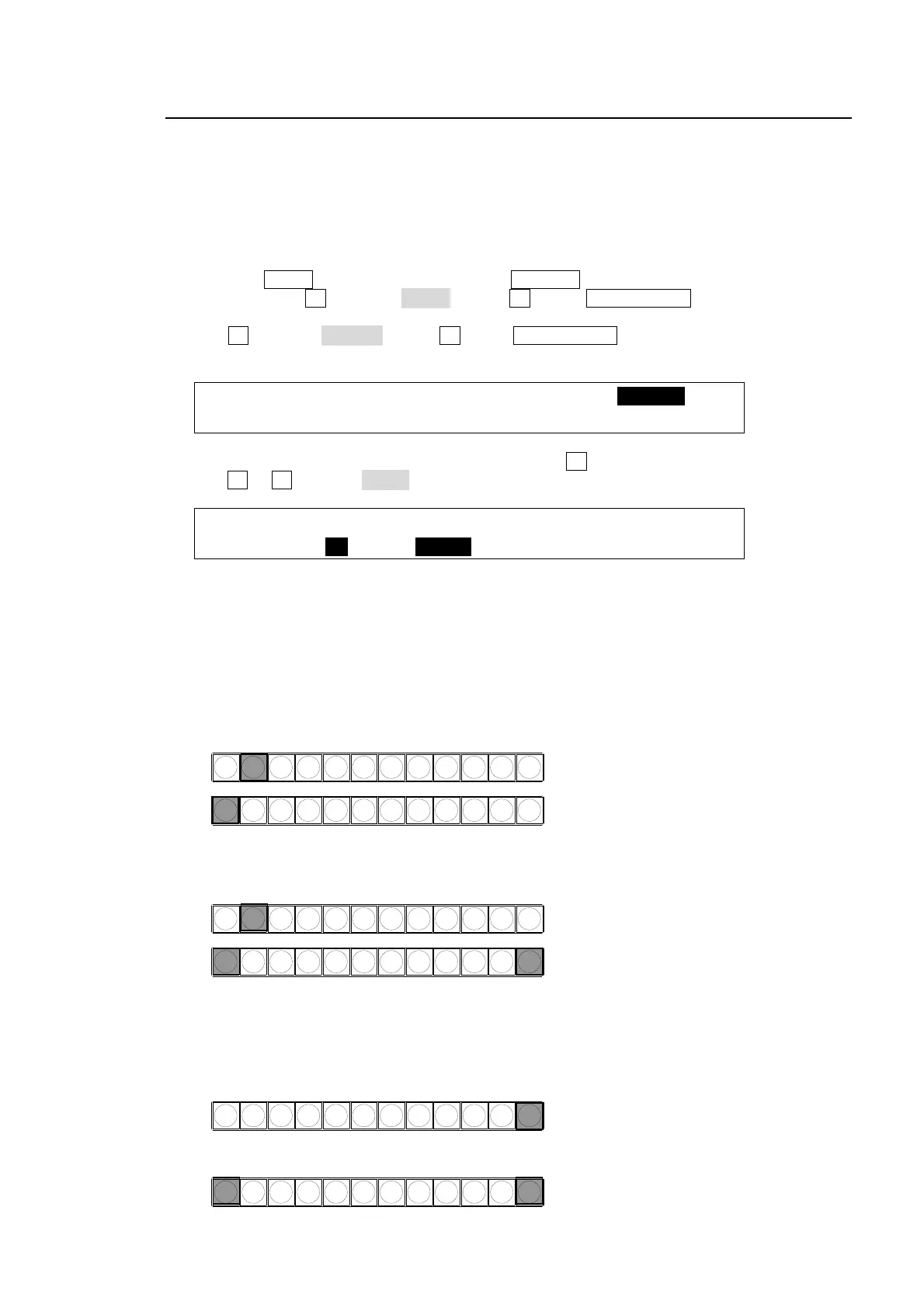
When SHIFT works in NORMAL mode:
To select 1 to 11, simply press the relevant buttons with SHIFT turned OFF.
To select shifted 1 to 11, press and hold down the SHIFT button and then press the relevant
button (with SHIFT lit).
When SHIFT works in TOGGLE mode:
To select 1 to 11, simply press the relevant button with SHIFT turned OFF. Please note that
this is the same as Normal mode.
To select shifted 1 to 11, press the SHIFT button to turn it on. Then press each button (with
SHIFT lit).
Pressing 2 selects Button 2.
PGM
PST
121110987654123
Pressing 1 selects Button 1.
Pressing 2 selects Button 2.
PGM
PST
121110987654123
Pressing both 1 and 12 (SHIFT) selects Shifted
Button 1 (sft1).
PST
121110987654123
Press SHIFT (Button 12).
Pressing Button 1 selects Shifted Button 1 (sft1.
PST
121110987654123



 To Next Page