73
14-1-3. Position and Size
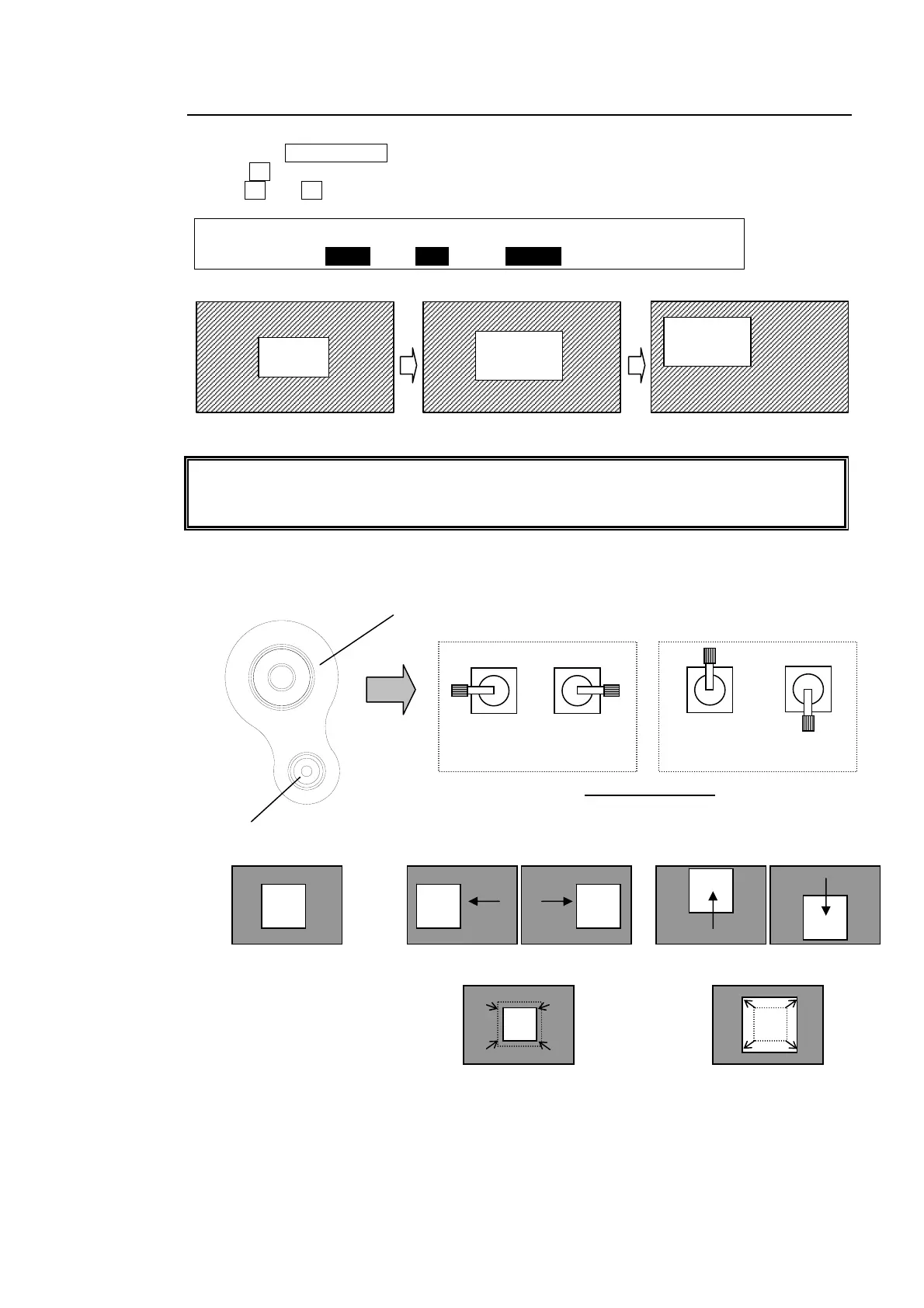
(1) Press twice quickly the PinP1 button in the BUS SELECT to display the PinP1 menu.
(2) Press the PAGE DOWN button to go to PAGE4.
(3) Turn F3 to make PinP1 a little bit larger.
(4) Use F1 and F2 to move PinP1 to the top left-hand side.
PinP1 : POSITION : SIZE : : 4/4
POS :X=-350 Y=150 : =30x30 : :
The center of the screen is set as origin (0,0) in the coordinates. The position of PinP is
specified by the center of the PinP image. You can also change the aspect ratio for the
PinP image to 4:3 in the menu when in HD mode.
POSITION /SIZE Setting Using Joystick
PinP1
PinP1
Size changed
Position changed
PinP1
(PUSH to DEF)
SIZE
POSITION
Down
(-Y)
Up
(+Y)
Left
(-X)
Right
(+X)
Joystick operation
Joystick
SIZE control (turn)
Background with PinP
If the joystick moves horizontally: If the joystick moves vertically:
If SIZE turns counte
-clockwise: If SIZE turns clockwise:



 To Next Page