87
18. System Setup Settings
18-1. Selecting System Signal Format
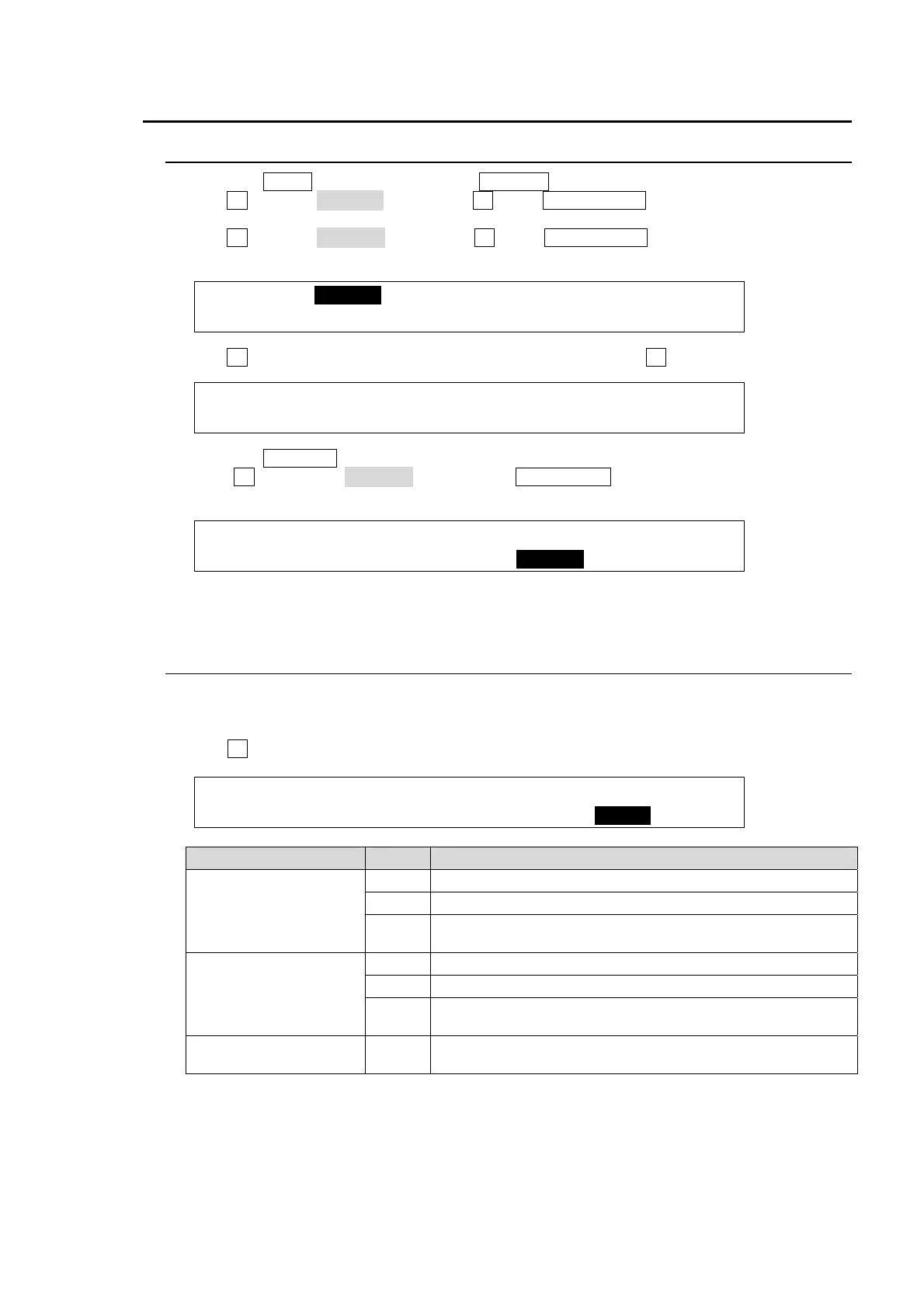
(1) Press the MENU button, then press the 7/SETUP button to display the SETUP top menu.
(2) Turn F1 to select SYSTEM, then press F1 or the PAGE DOWN button to open the [SETUP-
SYSTEM] menu.
(3) Turn F1 to select FORMAT, then press F1 or the PAGE DOWN button to open the [SETUP
- SYSTEM - FORMAT] menu.
SETUP :>FORMAT >REF I/O >ARCNET >ETHERNET
SYSTEM :>TIME >INIT >REBOOT
(4) Turn F1 to select the TV format to be used in the switcher. Turn F3 to select the aspect ratio.
SYSTEM : FORMAT :ASPECT :SW TMNG: 1/1
FORMAT : =1080/59.94i : =16:9 : =ANY :
(5) Press the PAGE UP button to go back to the [SETUP - SYSTEM] menu.
(6) Turn F1 to select REBOOT. Press the ENT/STORE button in the MENU/DIRECT
PATT/EVENT/KEYPAD block to reboot the system.
SETUP :>FORMAT >REF I/O >ARCNET >ETHERNET
SYSTEM :>TIME >INIT >REBOOT
(7) The selected system format is applied to the switcher after rebooting.
18-2. Crosspoint Switch Timing
The switcher can be set when and where crosspoints are switched.
(1) Open the [SETUP - SYSTEM - FORMAT] menu. (See the procedure above.)
(2) Turn F4 to set the switcher timing at the SW TMNG item.
SYSTEM : FORMAT :ASPECT :SW TMNG: 1/1
FORMAT : =1080/59.94i : =16:9 : =ANY :
Signal Format Setting Description
1080i/59.94, 60, 50
525/60
625/50
ODD Switches crosspoints in odd fields.
EVEN Switches crosspoints in even fields.
ANY
Switches crosspoints at any time when the commands are
issued.
720p/59.94, 60, 50
No1 Switches crosspoints in odd frames.
No2 Switches crosspoints in even frames.
ANY
Switches crosspoints at any time when the commands are
issued.
1080PsF/29.97, 30,
25, 24, 23.98
--- Switches crosspoints at the same time regardless of setting.



 To Next Page