63
11-6. Mask and Invert
Mask and Invert can be used for keys and DSKs. DSK is taken as an example in this section.
11-6-1. Inverting Keyer and Background
Setting Invert to ON inverts the Keyer image and the background image. Set INVERT in the
[DSK - INS/SRC] menu to ON. The key signal is then inverted.
11-6-2. Key Masks
BOX Mask
Box-shaped masks can be applied to Keyers. They can also be inverted so that the keyed
area inside the box becomes invisible.
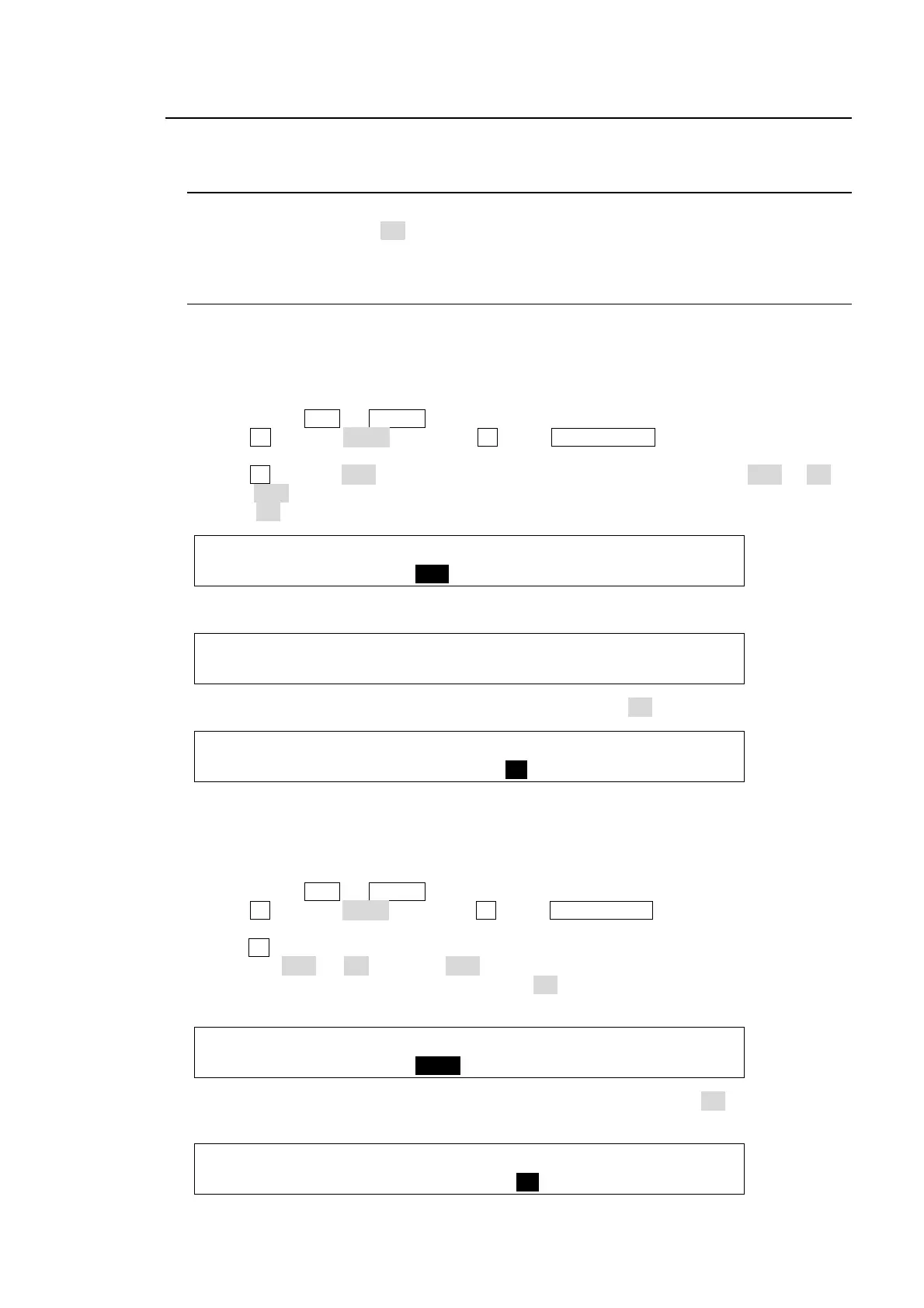
(1) Create a Keyer.
(2) Double-click DSK (or KEYER) to display the DSK (KEYER) menu.
(3) Turn F1 to select MASK, and press F1 or the PAGE DOWN button to open the [DSK -
MASK] menu.
(4) Turn F2 to select BOX in PAGE1 in the [DSK MASK] menu. Set TYPE to AND or OR. If
set to AND, the area where Key Source and Box Mask overlap is used as the key signal. If
set to OR, both Key Source and Box Mask are used as the key signal.
DSK : TYPE :MASK :INVERT : 1/2
MASK : =AND : =BOX : =OFF :
(5) Set the horizontal and vertical mask width in PAGE2 in the MASK menu.
DSK : BOX MASK POSITION : 2/2
MASK POS:T=0 B=0 L=0 R=0 :
(6) Setting the INVERT item in PAGE1 in the MASK menu to ON inverts the Box Mask.
DSK : TYPE :MASK :INVERT : 1/2
MASK : =AND : =BOX : =ON :
AUX/DSK Mask
The selected AUX bus signal is used for mask instead of Box.
(1) Create a Key.
(2) Double-click DSK (or KEYER) in BUS SELECT to display the DSK (KEYER) menu.
(3) Turn F1 to select MASK, and press F1 or the PAGE DOWN button to open the [DSK –
MASK] menu.
(4) Turn F2 to select an AUX bus used for the mask in PAGE1 in the [DSK MASK] menu. Set
TYPE to AND or OR. If set to AND, the area where Key Source and AUX Mask are
overlapped is used as the key signal. If set to OR, the both Key Source and AUX Mask are
used as the key signal.
DSK : TYPE :MASK :INVERT : 1/2
MASK : =AND : =AUX1 : =OFF :
(5) Setting the INVERT item in PAGE1 in the [DSK MASK] menu to ON inverts the AUX
Mask.
DSK : TYPE :MASK :INVERT : 1/2
MASK : =AND : =AUX1 : =ON :



 To Next Page