17
4-2. How to Set Values
4-2-1. Displaying Parameters
To display the desired menu, press the MENU button (The MENU button will light up.), then
press the related menu button in the Keypad block. (See section 4-1. "How to Access
Menus.") If a menu has multiple submenus such as the SETUP menu, navigate to submenus
following the procedure below.
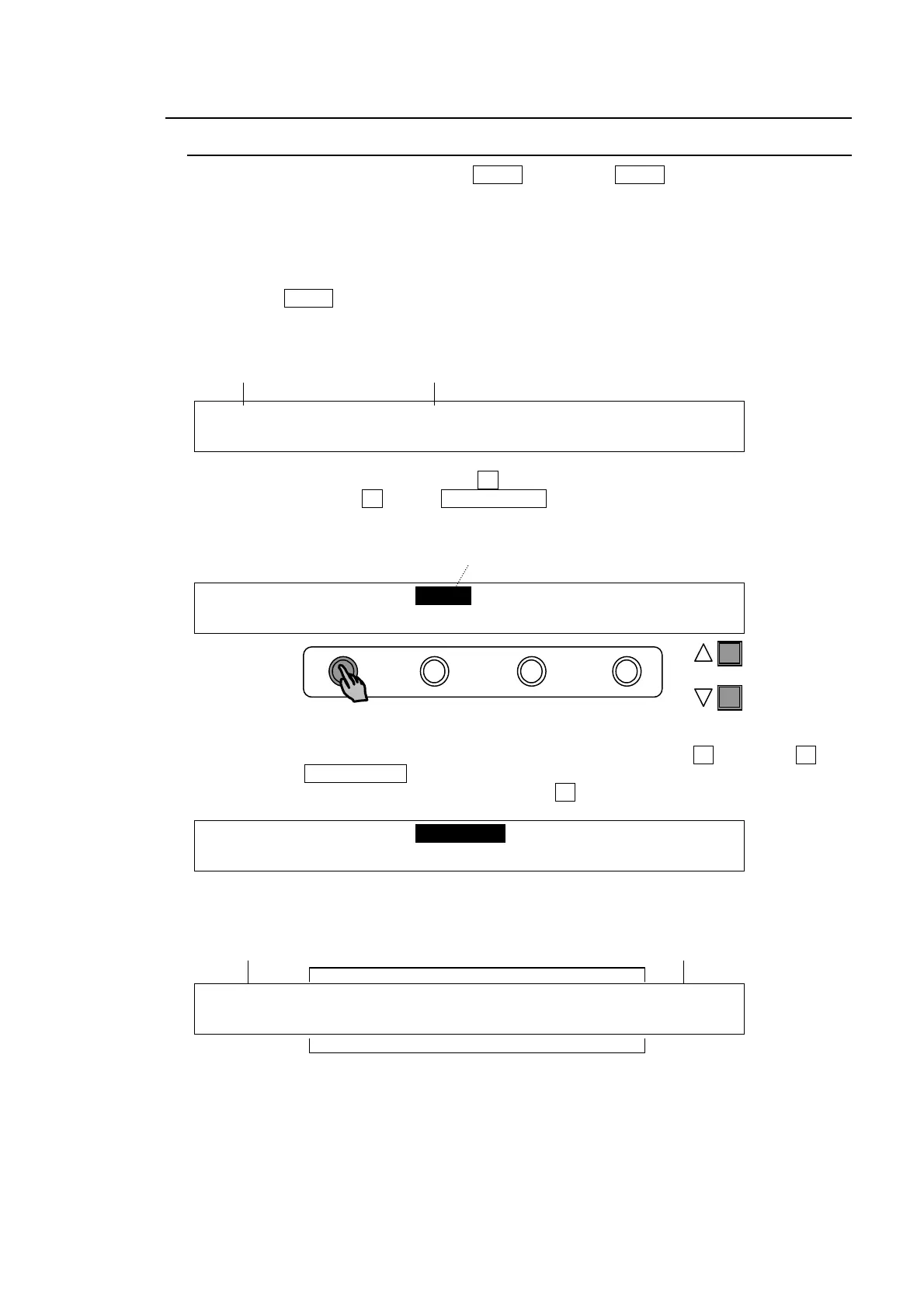
Menu navigation (Example for the SETUP menu)
(1) Press the MENU button to the right of the menu display. Then press the 7/SET UP button
in the Keypad to display the SETUP menu. The SETUP menu's top page will then appear
on the display, as shown below.
SETUP :>SYSTEM >INPUT >OUTPUT >PANEL
MENU :>EXT I/F >STATUS
(2) Select a submenu to open by turning F1 (The INPUT submenu is selected in the example
below.) Then press F1 or the PAGE DOWN button to the right to open the selected
submenu.
SETUP :>SYSTEM >INPUT >OUTPUT >PANEL
MENU :>EXT I/F >STATUS
(3) The [SETUP-INPUT] menu then opens. The [SETUP-INPUT] menu has also got four
submenus. Select a submenu to open by turning and then press F1 or turning F1 and
pressing the PAGE DOWN button to open it. The “>” in front of menu items indicates that
a detail submenu can be accessed by pressing F1.
SETUP :>SIGNAL >PROC AMP>RENAME >ASSIGN
INPUT :
(4) The [SETUP-INPUT- PROC AMP] menu is displayed as shown below. Now users can
change the value for parameter.
INPUT :SELECT : Y-Lv : BLK-Lv:ENABLE : 1/3
PROC AMP: =IN04 : =1.00 : =0 : =ON :
Menu title Submenu title
The current selection is shown in reverse video.
PAGE
Menu title Parameters Page / Total page
Values



 To Next Page