47
9-8-4. Advanced Auto Transitions
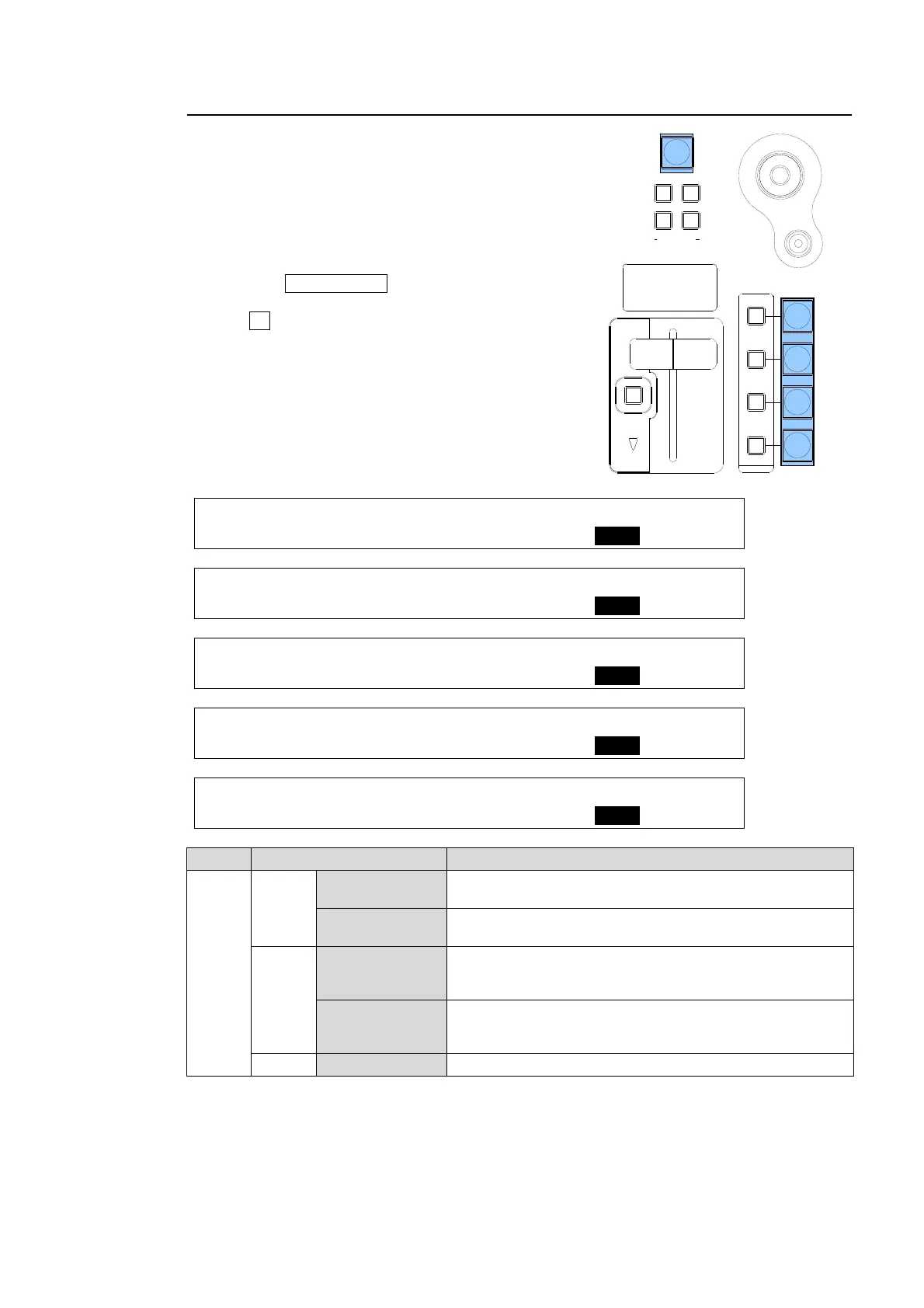
The function of the AUTO buttons for KEYER, DSK,
PinP1 and PinP2 can be set in two different ways
as shown in the table below.
To Change the AUTO button function:
(1) Open the TRANS menu.
(2) Press the PAGE DOWN button to go to the
desired page.
(3) Turn F4 to select a function for the button under
the ADV CTL item. This can be set for each bus.
(See the menus above.)
TRANS : RATE :USER TRANS :ADV CTL: 2/6
KEYER : =30 : =SLIDE LEFT : =AUTO :
TRANS : RATE :USER TRANS :ADV CTL: 3/6
PinP 1 : =10 : =SLIDE RIGHT : =C/AT :
TRANS : RATE :USER TRANS :ADV CTL: 4/6
PinP 2 : =10 : =CUT : =AUTO :
TRANS : RATE :USER TRANS :ADV CTL: 5/6
DSK : =25 : =SCALER : =C/AT :
TRANS : RATE : :ADV CTL: 6/6
BLACK : =30 : : =AUTO :
Item Setting Description
ADV
CTL
AUTO
KEYER
Always performs AUTO transitions regardless of how long
the button is pressed.
DSK, PinP1,
PinP2, BLACK
Always performs Mix transitions regardless of how long
the button is pressed.
C/AT
KEYER
Performs Cut transitions when button is briefly pressed.
Performs AUTO transitions when button is pressed and
held down.
DSK, PinP1,
PinP2, BLACK
Performs Cut transitions when button is briefly pressed.
Performs MIX transitions when button is pressed and held
down.
OFF BLACK Disables the BLACK transition.
DSK
KEYER
P IN P
1
2
P IN P
(PUSH to DEF)
43
65
SIZE
USER BUTTON
POSITION
FADER LIMIT
ON AIR
HVS-300HS
DIGITAL VIDEO SWITCHER
BLACK
TRANS



 To Next Page