14
SYSTEM : FORMAT :ASPECT :SW TMNG: 1/1
FORMAT : =1080/59.94i : =16:9 : =ANY :
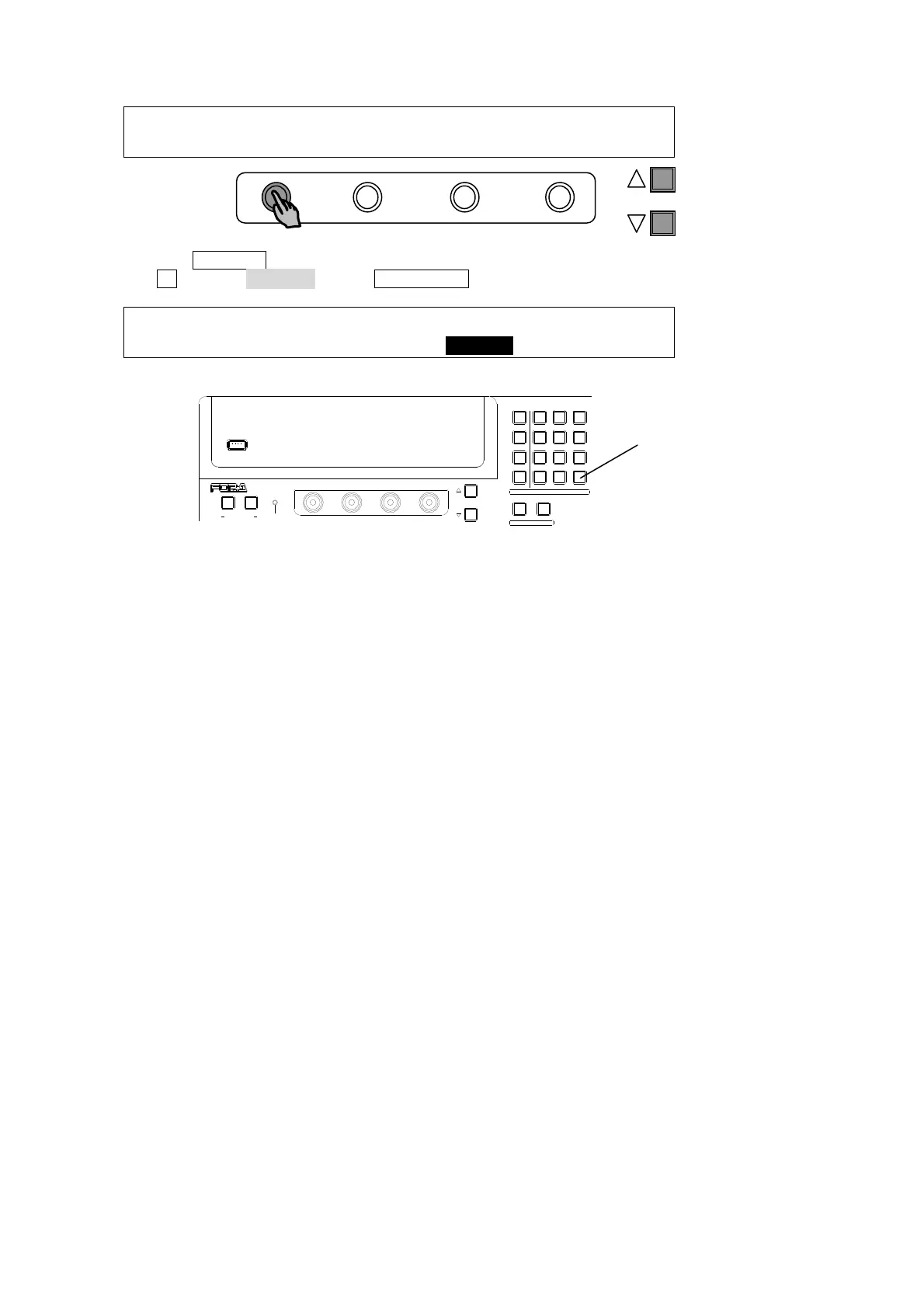
(6) Press the PAGE UP button to return to the [SETUP - SYSTEM] menu.
(7) Turn F1 to select REBOOT. Press ENT/STORE in the Keypad block to reboot the switcher.
SETUP :>FORMAT >REF I/O >ARCNET >ETHERNET
SYSTEM :>TIME >INIT >REBOOT
(8) The selected format and aspect are applied after restarting the switcher.
PAGE
USB MEMORY
NOR/REVREV
F4
F3F2
F1
PAGE
12
MENU/DIRECT PATT/EVENT/KEY PAD
ALARMUSER BUTTON
DIRECTION
7/SET UP
4/WIPE
1
8/STILL
5/P in P
2/KEYER
9/FILE
6/MATT
3/DSK
MENU
DIRECT PATT
±/EVENT
CLR/TRANS RATE 0 /RECALL
. (DOT)
ENT/STORE
ENT/STORE



 To Next Page