IDEA Auto-SYNC with RGB/VGA/DVI Analog Video
TIMS MVP™ Setup and Configuration Guide 157
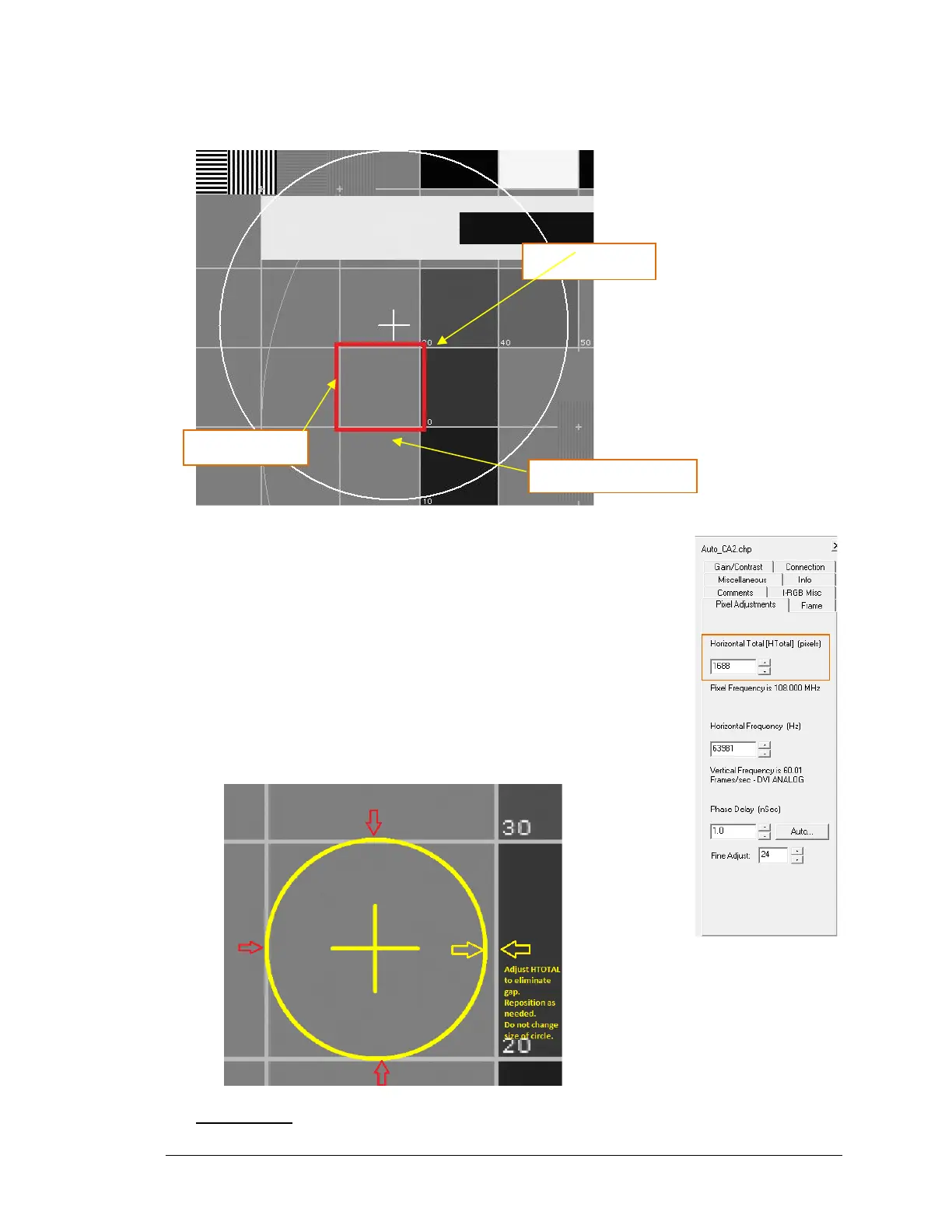
6. Grab the edges of the circle with your mouse, size and position the circle to overlay the target area on
your image at three points – top, bottom and left. Right-click to zoom image, if needed.
7. Adjust HTOTAL and reposition the circle horizontally to touch the
same three points (top, bottom, left). You can also use the Page Up
or Page Down keys to adjust the HTOTAL.
NOTE: Do not resize the circle, only reposition. (Hold left mouse
button on the circle center while using left / right arrow keys).
• If circle is smaller than the target, increase HTOTAL.
• If circle is larger than the target, decrease HTOTAL.
Shortcut keys: There are shortcut keys available to move and resize the circle. See Shortcut
Keys for details.



 To Next Page