Using Auto-SYNC for Digital Input Connections
TIMS MVP™ Setup and Configuration Guide 175
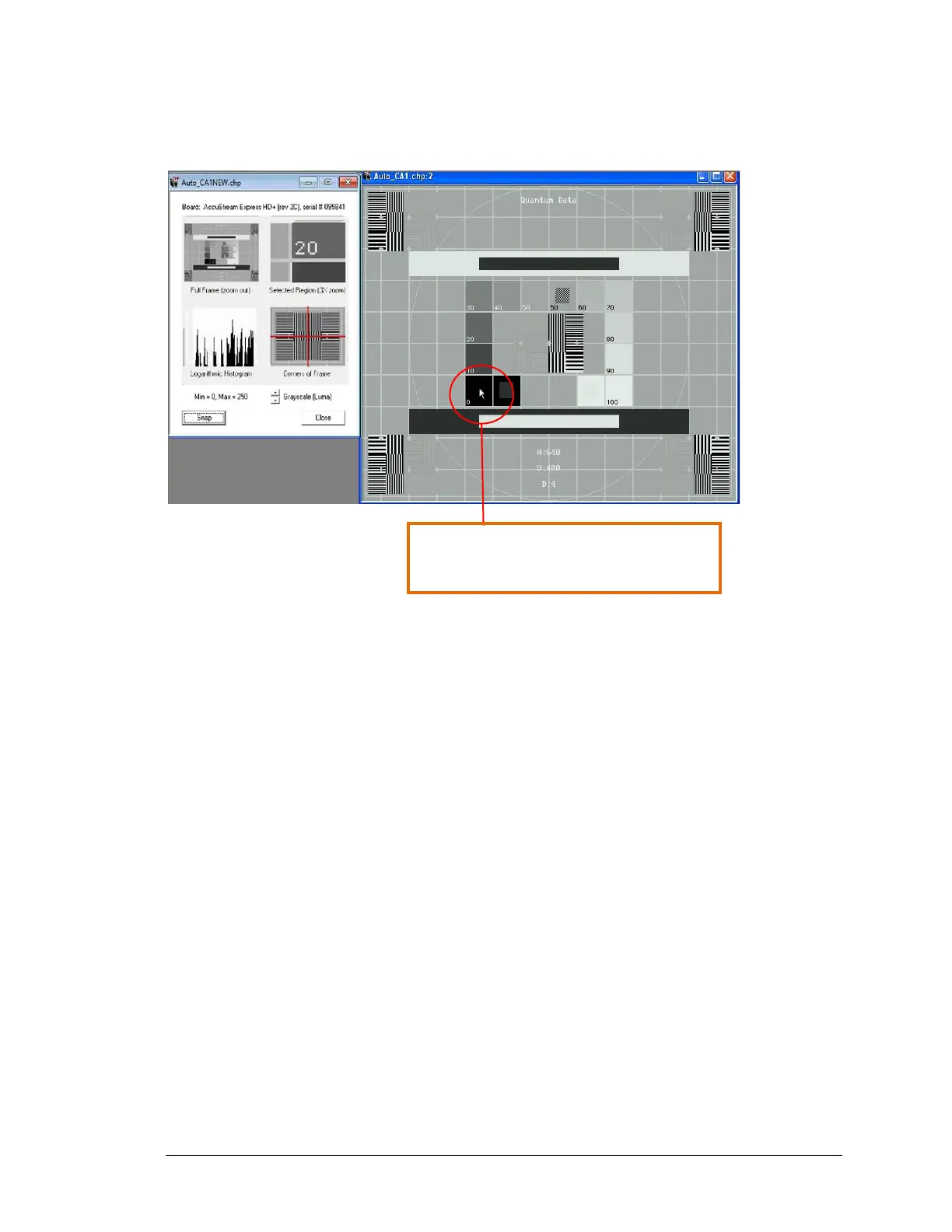
In this next example, the black or brightness setting is set too low.
Figure 78: Example of video image where the brightness (Black Level) is too dark
In order to adjust the setting, do the following:
1. Click your mouse in the Black field.
2. Move your mouse over the black area of the image until you find the value 0,0,0 in the
bottom right hand corner. For example, in the screen example below, move the mouse
to the black box labeled.
3. Press the up arrow key once to see if the 0,0,0 value increases. If it does not increase
above 0,0,0, then the black value is set too low. Keep pressing the up arrow until you
reach the next value above 0,0,0.
4. Once you have reached the next value above 0,0,0, then use the down arrow to move
back to the 0,0,0 value. The Black is now set properly



 To Next Page