Get Connected
TIMS MVP™ Setup and Configuration Guide 19
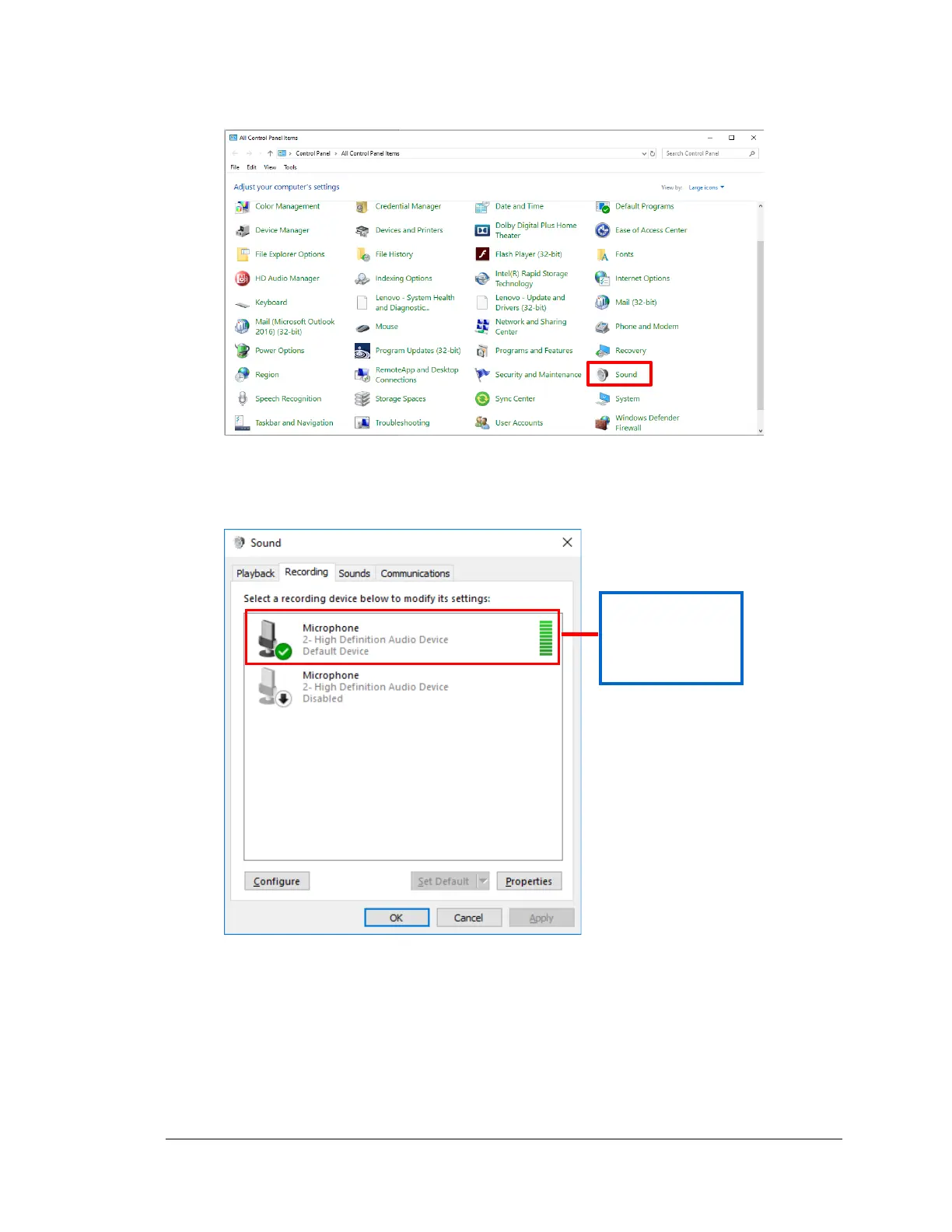
1. Open Start menu > Control Panel and select Sound.
When the Sound Properties dialog appears, click on the Recording tab. It is
recommended that you keep the selected Default devices as your selection for Sound
playback and recording.
2. To verify that a microphone is selected as the recording device, make sure there is a
green check on the microphone icon. If it is not, then select the microphone and click
the Set Default button.
3. Click OK.



 To Next Page